Choosing the right GPU for AI isn’t simply about buying the most powerful hardware. It’s about finding a GPU that matches your workload, performance requirements, and budget.
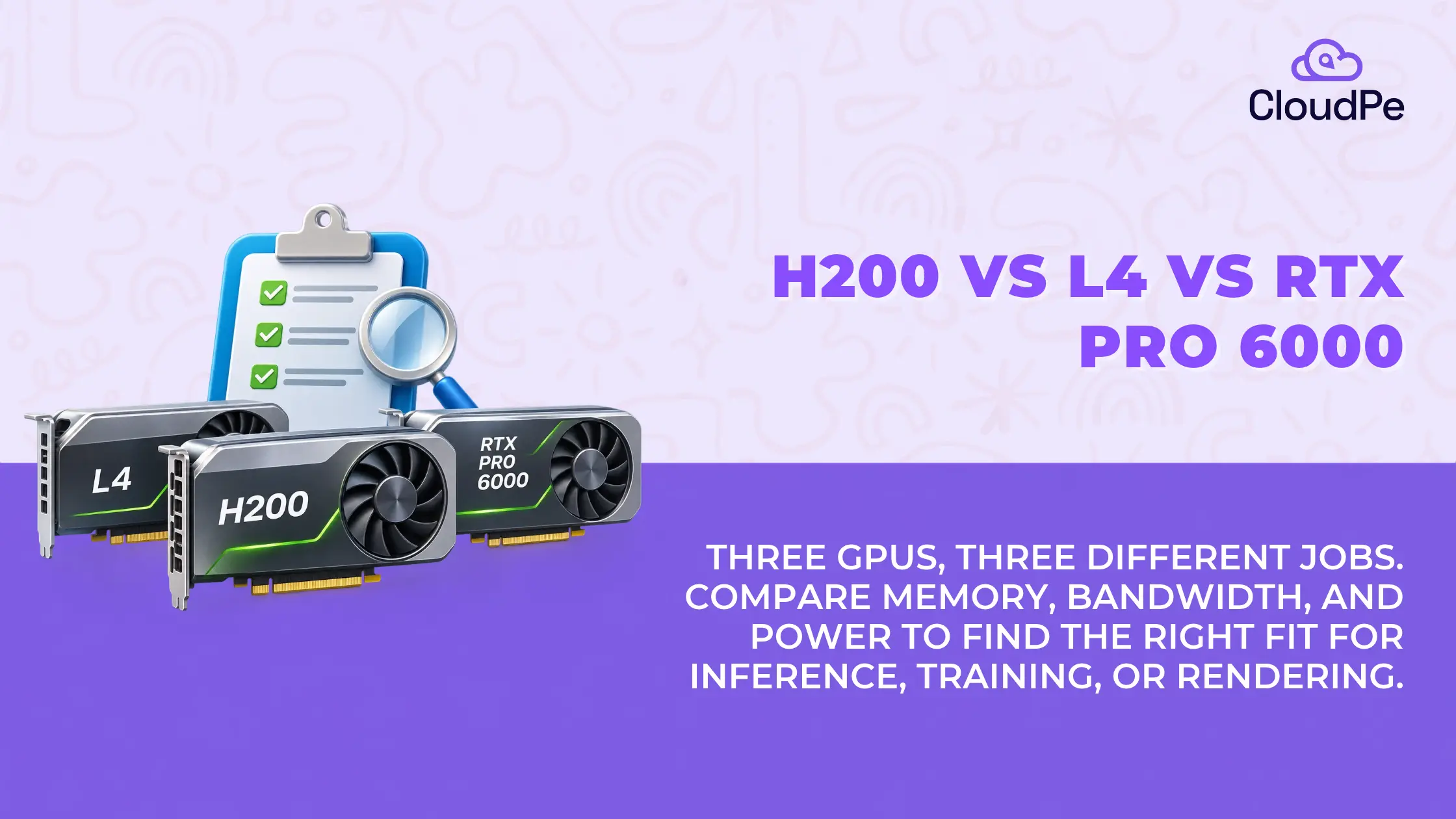
The NVIDIA H200, L4, and RTX PRO 6000 are designed for different computing needs. While all three can accelerate AI applications, there is significant difference in their memory, processing capabilities, power consumption, and scalability.
Quick answer:
- Choose the NVIDIA H200 for large AI models, demanding training, and high-volume inference.
- Choose the NVIDIA L4 for smaller AI inference workloads and efficient video processing.
- Choose the RTX PRO 6000 Blackwell for large single-GPU inference workloads, AI development, rendering, and simulation.
Let’s compare their specifications and understand which GPU makes the most sense for different applications.
H200 vs L4 vs RTX PRO 6000: Specifications Compared
Before exploring their use cases, here’s a quick comparison of all three NVIDIA GPUs.
| Specification | NVIDIA H200 SXM | NVIDIA L4 | NVIDIA RTX PRO 6000 Blackwell Server Edition |
| Architecture | Hopper | Ada Lovelace | Blackwell |
| GPU memory | 141 GB HBM3e | 24 GB GDDR6 | 96 GB GDDR7 ECC |
| Memory bandwidth | 4.8 TB/s | 300 GB/s | 1,597 GB/s |
| Max GPU power | 700W | 72W | Up to 600W |
| Form factor | SXM module | Low-profile PCIe card | PCIe server accelerator |
| GPU connectivity | NVLink/NVSwitch in supported systems | PCIe Gen4 | PCIe Gen5 |
| Native FP4 acceleration | No | No | Yes |
| Best suited for | Large AI training and inference | Efficient inference and video | AI inference, graphics, and rendering |
Source: Official NVIDIA H200, L4, and RTX PRO 6000 specifications. Figures represent the listed GPU configurations, not necessarily complete server power consumption.
Important: The RTX PRO 6000 Blackwell comes in multiple editions. This comparison uses the Server Edition, which offers 1,597 GB/s memory bandwidth. The Workstation Edition offers 1,792 GB/s. Similarly, the H200 NVL is a PCIe-based alternative to the H200 SXM, with different power and deployment characteristics.
The table reveals three important differences.
First, the H200 provides the largest GPU memory and the highest memory bandwidth in this comparison. Second, the RTX PRO 6000 offers substantial memory and newer Blackwell AI features. Third, the L4 consumes considerably less power and occupies less physical space.
However, specifications alone don’t tell us which GPU will perform best for a particular application.
Explore GPU cloud infrastructure tailored to your performance and scalability needs.
Explore GPU SolutionsWhat Really Matters When Choosing a GPU?
GPU specifications can be confusing, especially if you’re deploying AI workloads for the first time.
Here are four factors that matter most.
1. GPU memory (VRAM):
This basically tells you how much that particular GPU can hold.
GPU memory, also called VRAM, stores the information a GPU needs while processing a workload.
For AI applications, this includes model weights, intermediate calculations, and temporary data used while generating responses.
Think of VRAM as your working desk. A larger desk allows you to keep more information available without constantly moving things around.
The three GPUs provide different memory capacities:
- L4: 24 GB, suitable for smaller models and applications.
- RTX PRO 6000: 96 GB, providing room for significantly larger models.
- H200: 141 GB, designed for memory-intensive AI workloads.
For example, an 8-billion-parameter language model may run on a single L4 with an appropriate precision setting. A 70-billion-parameter model will generally require considerably more memory or quantization.
This makes GPU memory one of the first specifications to check.
2. Memory bandwidth:
This tells you how quickly a GPU can access the data for processing.
Having enough memory is important, but accessing that memory quickly also matters.
Memory bandwidth describes how much data can move between a GPU’s memory and its processors every second.
Imagine two warehouses storing the same materials. One has a narrow loading entrance, while the other can move several truckloads at once.
The second warehouse can supply materials faster, even when both store the same quantity.
The H200 provides 4.8 TB/s of memory bandwidth, compared with approximately 1.6 TB/s on the RTX PRO 6000 Server Edition and 300 GB/s on the L4.
High memory bandwidth is particularly valuable for large language model inference, where accessing model weights efficiently can affect response generation speed.
Still, higher bandwidth doesn’t guarantee better performance in every application. Processing architecture, model precision, batching, and software optimization also matter.
3. GPU interconnect:
This tells you the capability of the GPU to work together with multiple GPUs.
Some AI models are too large to run efficiently on one GPU.
In these cases, the workload can be distributed across multiple GPUs.
But those GPUs need to exchange information.
The H200 SXM supports NVIDIA NVLink and NVSwitch connectivity in compatible server configurations, allowing GPUs to communicate at high speeds.
The L4 and RTX PRO 6000 Blackwell Server Edition rely on PCIe rather than NVLink.
This distinction becomes important when a single AI model must be split across multiple GPUs.
However, if you’re running separate AI models or independent inference requests on different GPUs, high-speed inter-GPU communication may be less important.
4. Power consumption and deployment requirements
GPU performance comes with infrastructure requirements.
The L4 has a maximum thermal design power of just 72W, making it attractive for power-efficient servers and edge deployments.
The RTX PRO 6000 Blackwell Server Edition can consume up to 600W, depending on its configuration.
The H200 SXM can reach 700W and typically operates in specialized high-performance server platforms.
These figures describe GPU power, not the total electricity used by a server. CPUs, memory, storage, networking, and cooling all contribute to overall power consumption.
For organizations deploying multiple GPUs, rack space, cooling, and power availability can significantly influence the final infrastructure decision.
Explore GPU cloud infrastructure tailored to your performance and scalability needs.
Explore GPU SolutionsNVIDIA H200: Best for Large AI Workloads
The NVIDIA H200 is a high-performance data center GPU built for demanding AI and high-performance computing workloads.
Its biggest strength is the combination of 141 GB HBM3e memory and 4.8 TB/s memory bandwidth.
These specifications make it particularly well-suited for handling large models and applications that need fast access to substantial amounts of data.
Where does the H200 perform best?
These are the few use cases where NVIDIA H200 GPU would be the best fit.
- Large language model inference
The H200 is a strong choice for serving large AI models, particularly when applications require long context windows, large batches, or many simultaneous users.
- AI training and fine-tuning
Training AI models requires considerable processing power and GPU memory. The H200 is suitable for demanding training workloads, especially in multi-GPU configurations.
- Multi-GPU AI infrastructure
Its NVLink capabilities make the H200 attractive for workloads where multiple GPUs need to work closely together.
- Scientific computing and simulations
Beyond AI, the H200 supports memory-intensive computational research, scientific modeling, and high-performance computing.
When should you choose the H200?
Consider the H200 when your workload involves very large models, high inference throughput requirements, substantial memory demands, or multi-GPU scaling.
The main consideration is infrastructure cost. An H200-based system may be unnecessary if a smaller GPU can meet your performance targets.
NVIDIA L4: Best for Efficient AI Inference and Video Processing
The NVIDIA L4 takes a different approach.
Rather than maximizing memory capacity and raw processing capability, it emphasizes performance efficiency in a compact form factor.
It features 24 GB of GDDR6 memory, 300 GB/s memory bandwidth, and a maximum power consumption of 72W.
Where does the L4 perform best?
Here are some use cases where NVIDIA L4 GPU will prove to be the best fit.
- Small language model inference
The L4 can serve smaller language models, including certain 7B, 8B, and quantized 13B configurations, depending on memory requirements.
This makes it useful for smaller chatbots, internal AI assistants, and applications with modest traffic requirements.
- Video transcoding and streaming
Video transcoding converts video from one format, resolution, or compression standard to another.
The L4 includes dedicated hardware for video encoding and decoding, making it useful for streaming platforms, media processing, and video delivery pipelines.
- Computer vision
Applications such as object detection, image classification, and video analytics can benefit from L4 acceleration.
- Power-constrained deployments
Its low-profile design and relatively low power requirement make it attractive for compatible edge servers and space-constrained environments.
When should you choose the L4?
Choose the L4 when your models fit within 24 GB of VRAM, your throughput requirements are manageable, or energy-efficient video processing is a priority.
However, if you plan to deploy larger models or need significantly higher AI inference throughput, the RTX PRO 6000 or H200 may be more appropriate.
Explore GPU cloud infrastructure tailored to your performance and scalability needs.
Explore GPU SolutionsNVIDIA RTX PRO 6000: Best for Versatile AI and Rendering Workloads
The NVIDIA RTX PRO 6000 Blackwell occupies an interesting position between compact inference accelerators and large-scale AI data center GPUs.
With 96 GB of GDDR7 memory, it offers substantially more memory than the L4 while supporting modern Blackwell features such as native FP4 acceleration.
It is also designed for graphics-intensive applications, making it useful beyond traditional AI computation.
Where does the RTX PRO 6000 perform best?
Some use cases where the NVIDIA RTX PRO 6000 is the best choice.
- Large single-GPU AI inference
Many quantized large language models can fit within 96 GB of GPU memory.
For example, a 70B-parameter model using approximately 8-bit weights needs roughly 70 GB just to store those weights, leaving some memory available for runtime operations.
This makes the RTX PRO 6000 an attractive candidate for single-GPU inference, although the actual available context length and concurrency must be tested.
- AI development and fine-tuning
Developers can use the RTX PRO 6000 for model experimentation, supported fine-tuning techniques, and local AI development without immediately requiring a large multi-GPU system.
- 3D rendering and visualization
The GPU’s graphics capabilities make it suitable for professional rendering, 3D content creation, and visualization applications.
- Simulation and digital twins
Engineering teams can use it for compatible visualization, simulation, and digital-twin workloads.
When should you choose the RTX PRO 6000?
The RTX PRO 6000 is worth considering when you need substantial GPU memory, modern AI inference capabilities, and flexibility across AI and graphics workloads.
Its main limitation compared with the H200 is the absence of NVLink and its lower memory bandwidth, which can matter for large communication-intensive multi-GPU applications.
Which GPU Is Best for Your Workload?
There is no single winner across every application.
The right GPU depends on what you’re running and how much performance you need.
| Workload | Recommended starting point | Why |
| Small chatbot or AI assistant | L4 | Compact, efficient inference |
| Quantized 70B model on one GPU | RTX PRO 6000 | 96 GB memory and Blackwell low-precision support |
| High-concurrency large-model inference | H200 | Fast HBM3e memory and high bandwidth |
| Large-scale AI training | H200 | Strong compute and multi-GPU connectivity |
| Smaller-model development and fine-tuning | RTX PRO 6000 | Large memory with flexible deployment |
| Video encoding and transcoding | L4 | Dedicated video engines and low power |
| Professional 3D rendering | RTX PRO 6000 | Strong graphics and ray-tracing capabilities |
| Large multi-GPU model serving | H200 | NVLink connectivity in supported systems |
These are starting recommendations, not universal benchmark results.
For AI inference
Inference means using an already-trained AI model to generate predictions, answers, images, or other outputs.
For smaller models and moderate workloads, the L4 may be sufficient.
If your application uses larger quantized models, the RTX PRO 6000 provides much more memory capacity.
For demanding production inference involving large models and many concurrent users, the H200’s bandwidth and multi-GPU capabilities can provide important advantages.
For AI training and fine-tuning
Training means teaching a model by updating its parameters using data. Fine-tuning adapts an existing model for a particular task.
The H200 is generally the strongest starting point among these three for demanding, large-scale training.
The RTX PRO 6000 is useful for smaller training workloads, experimentation, and memory-efficient fine-tuning.
The L4 can support lighter AI development and training tasks, but it is not usually the preferred option for training very large models.
For rendering and video workloads
If your main requirement is complex 3D rendering, visualization, or simulation, the RTX PRO 6000 is a strong choice.
For video transcoding, streaming, and efficient video analytics, the L4 may offer a more suitable balance of capability and power consumption.
The H200 is primarily designed for AI and scientific computing rather than general-purpose professional graphics work.
How Much GPU Memory Do AI Models Need?
One of the easiest ways to narrow down your GPU selection is to estimate the memory your AI model requires.
A model’s parameter count describes its approximate size. For example, a 70B model contains around 70 billion parameters.
The memory needed to store those parameters depends on their numerical precision.
| Model size | 16-bit weights | 8-bit weights | 4-bit weights |
| 8B parameters | ~16 GB | ~8 GB | ~4 GB |
| 13B parameters | ~26 GB | ~13 GB | ~6.5 GB |
| 70B parameters | ~140 GB | ~70 GB | ~35 GB |
These are simplified estimates for model weights only. Actual memory usage is higher because of quantization metadata, runtime overhead, temporary buffers, and the KV cache used during inference.
What is quantization?
Quantization reduces the number of bits used to represent a model’s weights.
For example, a model that requires approximately 140 GB of weight storage at 16-bit precision may require roughly 35 GB at 4-bit precision, before additional overhead.
This allows some large models to run on GPUs with less memory.
However, quantization may affect model quality, and actual performance depends on the model, quantization method, and software support.
What does this mean for the three GPUs?
NVIDIA L4: With 24 GB of memory, it is better suited to smaller models. Larger models may require quantization or multi-GPU configurations.
RTX PRO 6000: Its 96 GB memory capacity makes it suitable for many larger quantized models, including some 70B-class deployments.
NVIDIA H200: Its 141 GB memory supports larger model configurations and greater memory headroom.
One important detail: a 70B model at 16-bit precision requires approximately 140 GB for weights alone. Although that approaches the H200’s 141 GB capacity, it leaves insufficient practical headroom for a typical single-GPU deployment without additional memory-saving techniques.
This is why model size alone should never determine GPU selection. Context length, concurrent requests, precision, and runtime requirements must also be considered.
H200 vs L4 vs RTX PRO 6000: Cost and Deployment Considerations
A more powerful GPU typically comes with higher hardware and infrastructure costs, but the cheapest GPU to rent or purchase is not necessarily the cheapest GPU for your application.
There are three costs to consider.
1. GPU infrastructure cost
This includes the purchase price or rental rate of the GPU server.
The L4’s low power consumption can make it attractive for smaller deployments. The RTX PRO 6000 and H200 generally belong to higher-performance infrastructure categories.
Actual pricing varies by provider, region, contract length, configuration, and availability.
2. Cost per completed workload
For AI inference, the cost per generated token can be more useful than the hourly rental price.
Consider two hypothetical GPUs:
- GPU A costs $1 per hour and generates 100 output tokens per second.
- GPU B costs $2 per hour and generates 500 output tokens per second.
Assuming those rates are sustained, GPU A costs approximately $2.78 per million generated tokens, while GPU B costs approximately $1.11.
Despite its higher hourly price, GPU B is more cost-efficient in this example.
These figures are illustrative, not measured H200, L4, or RTX PRO 6000 benchmarks. A complete cost comparison should also account for input processing, utilization, and other infrastructure expenses.
3. Performance under real application traffic
A GPU may handle a single request quickly but perform differently when hundreds of users access the application simultaneously.
For production inference, evaluate:
- Throughput: How many tokens or requests the system processes per second.
- Latency: How long users wait for a response.
- Concurrency: How many requests the system handles at once.
- Memory usage: Whether the model and its runtime data fit comfortably.
- Utilization: How efficiently the GPU is used.
Independent inference benchmarks have shown that RTX PRO 6000 can offer competitive economics for certain single-GPU workloads, while H200 can gain a significant advantage when large models require multi-GPU tensor parallelism.
The exact result depends on the model, precision, serving framework, GPU configuration, and pricing assumptions.
The best approach is to benchmark your own workload before making a long-term infrastructure commitment.
Explore GPU cloud infrastructure tailored to your performance and scalability needs.
Explore GPU SolutionsFrequently Asked Questions
Is the RTX PRO 6000 better than the H200?
It depends on the workload. The RTX PRO 6000 Blackwell is attractive for single-GPU inference, professional rendering, and mixed AI and graphics applications. The H200 offers substantially greater memory bandwidth and strong multi-GPU connectivity, making it better suited to many demanding large-model workloads.
Which is better, the RTX 6000 Ada or the H200?
The RTX 6000 Ada and RTX PRO 6000 Blackwell are different GPUs. The older RTX 6000 Ada has 48 GB of GDDR6 memory and targets professional graphics and AI development. The H200 provides 141 GB of HBM3e memory and is generally more suitable for large-scale AI training and inference. The RTX 6000 Ada remains relevant for compatible professional rendering workflows.
Is the RTX PRO 6000 the most powerful GPU?
No. The RTX PRO 6000 Blackwell is a powerful professional GPU, but it is not the most powerful GPU for every workload. NVIDIA data center GPUs such as the B200 and B300 offer larger memory capacities and higher bandwidth for demanding AI applications.
Which GPU is better than the H200?
For certain large-scale AI workloads, newer data center GPUs such as NVIDIA B200 and B300 can outperform the H200. However, the best choice still depends on the application, available infrastructure, software support, and total cost.
Can an NVIDIA L4 run large language models?
Yes. The NVIDIA L4 can run language models that fit within its 24 GB memory capacity. This can include smaller models and certain larger quantized models. Very large models typically require additional memory or more GPUs.
Can the RTX PRO 6000 run a 70B AI model?
Yes, some 70B models can run on a single RTX PRO 6000 Blackwell when an appropriate quantized or reduced-precision configuration fits within 96 GB of memory. Context length, KV cache, framework overhead, and model format determine whether a particular deployment is practical.
Which GPU is best for AI inference: H200, L4, or RTX PRO 6000?
For smaller inference workloads and efficient deployment, the L4 is a good starting point. For larger models that fit on a single GPU, the RTX PRO 6000 is attractive. For memory-intensive, high-concurrency, or multi-GPU inference, the H200 is often better suited.