The RTX PRO 6000 is NVIDIA’s newest flagship workstation GPU, and it changes what a single card can do. Workstation GPUs used to have one job to render 3D scenes faster. That job has changed.
Today, the same card needs to run LLM inference, train diffusion models, ray-trace a film-quality scene in real time, and still handle a CAD file with 50 million polygons. Memory capacity now matters as much as raw shader performance. This shift is exactly why NVIDIA’s professional GPU line has moved so fast across three architectures in five years.
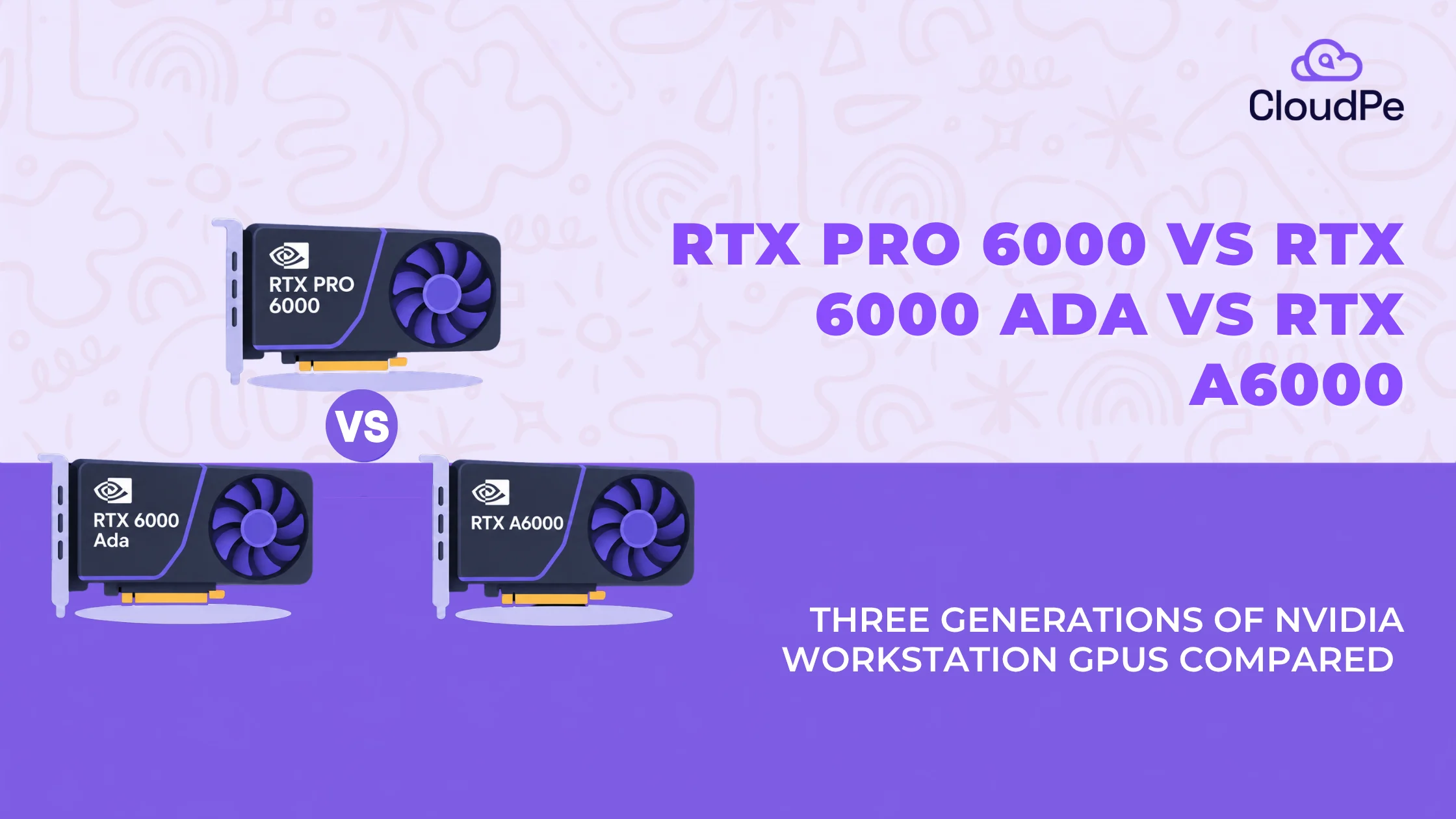
In this blog, we have compared three generations of NVIDIA’s flagship workstation GPU:
- RTX A6000, Ampere architecture, launched 2020
- RTX 6000 Ada, Ada Lovelace architecture, launched 2022
- RTX PRO 6000 Blackwell, Blackwell architecture, announced March 2025 at GTC, with broader availability from May 2025
Each generation solved a different problem.
- The A6000 gave professionals 48GB of memory in a single card.
- The 6000 Ada doubled shader throughput and added FP8 for AI workloads.
- The RTX PRO 6000 doubles memory again, to 96GB, and adds FP4 precision built for the LLM inference era.
The question this blog answers is what actually changed, and is it worth upgrading?
‘RTX’ architecture and the generational leaps
Let us take a look at the architecture and the generational leaps of the RTX series, individually:
Ampere: RTX A6000 (2020)
- Built on Samsung’s 8nm process with 48GB GDDR6 memory.
- Introduced 2nd-gen RT cores and 3rd-gen Tensor cores.
- Supported NVLink, allowing two cards to bridge for 96GB of combined memory.
Ada Lovelace: RTX 6000 Ada (2022)
- Shifted to TSMC’s 4N process, keeping 48GB GDDR6 memory while doubling FP32 throughput.
- Added a larger L2 cache, FP8 execution support, and optical flow engines for DLSS 3.
- Dropped NVLink support, focusing performance efficiency on a single GPU.
Blackwell: RTX PRO 6000 (2025)
- Form Factors: Available as a passively cooled Server Edition for data center racks and an actively cooled Workstation Edition with higher clocks for desktop towers.
- Core Specs: Upgrades to 96GB GDDR7 memory, PCIe 5.0, 5th-gen Tensor cores (FP4 precision), and 4th-gen RT cores.
- Partitioning: Introduces Multi-Instance GPU (MIG) support, allowing a single card to split into up to four isolated 24GB instances.
Hardware comparison table
Below is the table comparing the GPU features:
| Feature | NVIDIA RTX A6000 | NVIDIA RTX 6000 Ada | NVIDIA RTX PRO 6000 Blackwell |
| Architecture | Ampere (8nm, Samsung) | Ada Lovelace (4N, TSMC) | Blackwell (4N, TSMC) |
| CUDA cores | 10,752 | 18,176 | 24,064 |
| Tensor cores | 336 (3rd gen) | 568 (4th gen) | 752 (5th gen) |
| RT cores | 84 (2nd gen) | 142 (3rd gen) | 188 (4th gen) |
| VRAM capacity | 48GB GDDR6 | 48GB GDDR6 | 96GB GDDR7 |
| Memory bandwidth | 696 GB/s | 960 GB/s | 1,792 GB/s |
| Bus interface | PCIe 4.0 x16 | PCIe 4.0 x16 | PCIe 5.0 x16 |
| Key AI precision | FP16, INT8, INT4 | FP8, FP16, INT8 | FP4, FP6, FP8, FP16 |
| TDP (power) | 300W | 300W | ~600W (workstation edition, max rated) |
| NVLink support | Yes (2-way) | No | No (relies on PCIe 5.0 platform routing) |
Below three numbers stand out:
- CUDA cores more than doubled from the A6000 to the RTX PRO 6000.
- Memory bandwidth grows nearly 2.6x across the same span.
- VRAM doubles in one generation, from 48GB to 96GB, after staying flat across the first two.
Looking for GPU cloud plans, with no upfront hardware cost.
Explore CloudPe GPU offeringsWhat workloads actually change in practice
Below are the three things where the GPU changes based on the workloads:
Generative AI and LLMs
The core differentiator: Across all three is that each generation trades up on bandwidth and precision. But the RTX PRO 6000 is the only one of the three where VRAM capacity itself changes the deployment architecture, not just the speed.
RTX A6000
- Memory bandwidth: 696 GB/s, the slowest of the three for moving weights and activations during inference
- Precision support tops out at FP16 and INT8, no FP8 or FP4 acceleration
- No dedicated low-precision inference path, so it’s the weakest fit for modern LLM serving among the three
- Best suited to smaller models or lighter inference loads rather than large-scale LLM deployment
RTX 6000 Ada
- Memory bandwidth: 960 GB/s, a meaningful step up from the A6000
- Adds FP8 precision, which roughly doubles AI throughput for models that support it
- Still capped at 48GB VRAM, so larger models still need to be split across multiple cards
- A solid mid-generation upgrade for AI throughput, but not built around the memory-heavy demands of today’s LLMs
RTX PRO 6000 Blackwell
- Memory bandwidth: 1,792 GB/s, nearly 2.6x the A6000 and almost double the 6000 Ada
- Adds FP4 and FP6 precision on top of FP8, cutting memory footprint per parameter so more of a model fits in VRAM at once
- 96GB VRAM is the practical unlock: optimized 70-billion-parameter models can run on a single card, while 30 to 40 billion parameter models run comfortably in 16-bit precision
- Removes the need for two or more 48GB cards to serve models that previously required them, eliminating cross-GPU communication overhead
- Delivers up to 6x the performance of NVIDIA’s L40S GPU, and more than 2x better price-performance than an NVIDIA HGX H100 system for LLM inference, per Nebius, positioning it as an inference-first alternative to H100-class hardware for teams that don’t need multi-node training clusters
- Supports MIG partitioning into up to four isolated 24GB instances, so a single card can run simultaneous AI and graphics workloads as fully isolated instances, useful for mixed pipelines like embeddings, reranking, and a language model sharing one GPU
3D rendering and VFX
The core differentiator: Ray Tracing (RT) core count and Shader Execution Reordering (SER) improve render efficiency at every step. But it’s the RTX PRO 6000’s memory headroom that unlocks entirely new rendering workflows (like neural rendering inside a path tracer), not just faster versions of the old ones.
RTX A6000
- 84 second-generation RT cores, the lowest ray-tracing throughput of the three
- No Shader Execution Reordering (SER), so complex scenes with divergent ray paths run less efficiently
- Handles standard 3D workloads well but shows its limits on dense, path-traced scenes
RTX 6000 Ada
- 142 third-generation RT cores, a step up in both count and per-core efficiency
- Introduces Shader Execution Reordering (SER), which reorders ray-tracing workloads to reduce divergence and improve GPU utilization on complex scenes
- Meaningful render-time improvement over the A6000, but still capped at 48GB VRAM for scene and texture data
RTX PRO 6000 Blackwell
- 188 fourth-generation RT cores, the highest of the three
- Carries forward SER with further architectural refinement on Blackwell
- Delivers over 2x the ray-tracing performance of the prior generation for simulating the physical behavior of light, which translates directly into render times for path-traced scenes.
- 96GB VRAM is the differentiator here too: OTOY’s CEO Jules Urbach said the added memory lets the RTX PRO 6000 run complex neural rendering models within OctaneRender’s path tracer, workflows not possible with 48GB of headroom
- Large scene geometries, high-resolution textures, and AI-assisted rendering models can now sit in memory together, instead of forcing artists to reduce scene complexity
Video and media
The core differentiator: encode/decode capacity scales up generation over generation. But the RTX PRO 6000 is the first of the three built to handle heavy compute (AI video generation) and heavy encode load at the same time, rather than one or the other.
RTX A6000
- Fewer concurrent NVENC/NVDEC engines than later generations
- Baseline AV1 support, weaker than the two newer cards
- Adequate for standard video export workloads, less suited to high-volume or multi-stream encoding
RTX 6000 Ada
- More concurrent encode/decode engines than the A6000
- Stronger AV1 encoding support, better suited to modern delivery formats
- Handles 4K/8K timeline exports and moderate multi-stream workloads more comfortably
RTX PRO 6000 Blackwell
- The most concurrent NVENC/NVDEC engines of the three, plus the strongest AV1 support
- Best suited to two specific groups: video editors exporting 4K/8K timelines, and teams running video-based AI pipelines (text-to-video generation, synthetic data creation) that need fast encode throughput running alongside compute
Deploy a GPU as per your workload.
Sign UpPower, thermals, and system integration
The power, thermals, and system integration are genuine considerations, as mentioned below:
Power and cooling
- RTX A6000 and RTX 6000 Ada: both run at 300W TDP, single 8-pin power connector, standard workstation cooling
- RTX PRO 6000 workstation edition: rated up to roughly 600W at maximum, double the previous generation’s footprint, needs active cooling and a dual-slot or larger case
- RTX PRO 6000 Server Edition: passively cooled, depends on server-grade chassis airflow instead of a card-mounted fan
- If you’re building or upgrading a PC around the RTX PRO 6000, check your PSU headroom, case airflow, and available power connectors before ordering. This is not a drop-in swap for older systems.
PCIe generation
- RTX A6000 and RTX 6000 Ada: both use PCIe 4.0 x16
- RTX PRO 6000: needs PCIe 5.0 x16 to use its full bandwidth
- Older motherboards may bottleneck the card even if the power supply can handle it
NVLink
- RTX A6000 supports NVLink, two cards can be bridged for 96GB of combined memory
- RTX 6000 Ada and RTX PRO 6000 have no NVLink; both rely on single-card memory scaling instead
- For the RTX PRO 6000, a single card already holds 96GB, which removes the need for NVLink in most inference and mid-size training workloads
- For workloads that genuinely need more than 96GB, the options today are multiple RTX PRO 6000 cards over PCIe 5.0, or a move to NVIDIA’s H100/B200-class data center GPUs
Which GPU is right for your workload?
Stay on RTX A6000 if: Budget is tight, current workflows are not memory-bottlenecked, and you rely on an existing dual-GPU NVLink setup that already works.
Upgrade to RTX 6000 Ada if: You need a real jump in rendering and FP8 AI throughput without changing your power supply or cooling setup. The 300W TDP and PCIe 4.0 interface mean it fits into most systems built for the A6000.
Invest in RTX PRO 6000 Blackwell if: You are running enterprise LLM inference or training, working with massive 3D environments and neural rendering, or need maximum VRAM headroom in a single card. This is also the right choice if you’re evaluating it as a lower-cost alternative to H100 for inference-heavy deployments.
Looking for right-sizing GPU capacity for your AI inference workload?
Talk to a GPU specialistRTX PRO 6000 vs H100: a quick note
These two GPUs solve different problems, so a direct swap doesn’t make sense for every workload.
H100
Let’s look at H100 specifics:
- Built for large-scale, multi-node training
- Uses NVLink/NVSwitch fabric to connect many GPUs
- The right fit if your workload is training frontier-scale models across many GPUs
RTX PRO 6000
Let’s look at RTX PRO 6000 specifics:
- Positioned as a cost-efficient, single-card inference option
- Delivers more than 2x better price-performance than an HGX H100 system for LLM inference specifically
- The better starting point if your workload is inference, fine-tuning, or mixed AI-plus-graphics work on a single node
Choose based on the job, not the spec sheet. Multi-node training points to H100. Single-node inference or mixed workloads point to RTX PRO 6000.
Compare CloudPe GPU pricing
Check pricingThe evolution across these three generations represents a fundamental shift in workstation capabilities rather than routine hardware refreshes.
- RTX A6000 (Ampere): Established the modern professional standard by delivering a dense 48GB VRAM buffer on a single dual-slot card, solving memory capacity constraints for complex 3D scenes and moderate data science pipelines.
- RTX 6000 Ada (Ada Lovelace): Focused on compute efficiency and raw pipeline throughput. By introducing 4th-Gen Tensor Cores and FP8 execution support, it doubled shader performance and AI efficiency without exceeding the standard 300W thermal envelope.
- RTX PRO 6000 (Blackwell): Completely redefines the single-GPU ceiling. Packing 96GB of high-bandwidth GDDR7 memory alongside native FP4 precision, it addresses the memory bandwidth and capacity bottlenecks engineered specifically for the large language model (LLM) and generative AI era.
Upgrading to the RTX PRO 6000 transitions workloads that previously required multi-GPU nodes or cloud-cluster offloading directly onto a local workstation.
As performance demands increase, future architectures will focus heavily on dynamic power scaling, PCIe Gen 6 integration, and modular Multi-Instance GPU (MIG) slicing. This will enable workstations to dynamically partition single large GPUs into isolated virtual instances for multi-tenant local environments.
Frequently Asked Questions
Is the RTX PRO 6000 good for gaming?
It can run games well given its Blackwell architecture, DLSS 4 support, and high CUDA core count, but it isn’t built or priced for gaming. It’s a workstation card aimed at AI, rendering, and simulation workloads. A GeForce RTX 50-series card will give better price-to-frame-rate value for a pure gaming build.
How much will the RTX PRO 6000 cost?
In India, the workstation edition has been reported at approximately ₹7 lakh plus tax through retail and system integrator channels. Pricing varies by vendor and whether it’s part of a pre-configured workstation.
Which is better, RTX 5090 or RTX 6000 Ada?
They target different buyers. The RTX 5090 is a consumer gaming GPU with strong raw performance but no ECC memory and no professional driver certification. The RTX 6000 Ada is certified for ISV applications (CAD, VFX, simulation software) and includes ECC memory, which matters for workloads where data accuracy and application stability are non-negotiable. For gaming, the 5090 wins on value. For professional rendering, AI development, or certified workstation use, the 6000 Ada is the better fit.
Is the RTX PRO 6000 real?
Yes. NVIDIA announced the RTX PRO 6000 Blackwell Server Edition in March 2025, and it’s shipping through system integrators, cloud providers, and retail channels globally, including in India.
What are the key differences between the RTX 6000 Ada and RTX PRO 6000?
The RTX PRO 6000 doubles VRAM (96GB GDDR7 vs 48GB GDDR6), nearly doubles memory bandwidth (1,792 GB/s vs 960 GB/s), moves to PCIe 5.0, and adds FP4/FP6 precision support along with MIG partitioning. CUDA core count also increased from 18,176 to 24,064.