What is cloud migration?
Cloud migration is the process of moving data, applications, or entire workloads from one environment to the cloud. Most often this means moving away from on-premises servers, but it can also mean moving from one cloud provider to another, or even back from the cloud to on-premises infrastructure.
What actually gets migrated
Below are the things that get migrated:
- Applications: the software your business runs, from internal tools to customer-facing platforms.
- Databases: structured data that must keep working and stay consistent during and after the move.
- Virtual machines: entire server environments, moved as-is or rebuilt in the new environment.
- Files and unstructured data: documents, backups, media, and logs.
- Networking and security configuration: the rules and setup that keep systems connected and protected.
Where cloud migration came from
Cloud migration couldn’t exist before there was a cloud to migrate to. Here’s how it came together:
- 1960s, the early parallel: Businesses accessed shared mainframe computers over remote terminals. It wasn’t cloud migration, but it was the same basic idea: shared infrastructure instead of owning your own.
- 2006, the real starting point: Amazon released S3 and EC2. The story behind it is that Amazon had built internal infrastructure and APIs for its own retail business, then noticed it had unused server capacity, especially outside peak shopping periods, that could be rented out. That surplus became AWS.
- 2008, competition arrives: Microsoft and Google followed with Azure and Google App Engine, giving businesses real alternatives and turning migration into a live decision, not just an AWS-only option.
- 2010, a framework shows up: Gartner introduced the “5 R’s” of migration (rehost, refactor, revise, rebuild, replace) to help companies figure out how to actually move legacy applications.
- 2016–2017, the framework grows: AWS added a sixth strategy, Retire, after seeing migrations regularly surface applications nobody needed anymore. A seventh, Retain, followed a year later for workloads better left where they were.
Interesting fact: Netflix is one of the most cited early cloud migrations, and it’s a good reminder that migration isn’t a weekend project. It started in 2008, when a failing backend forced the decision, and took Netflix roughly ten years to fully complete.
The 6 common migration strategies
The following are the six common migration strategies:
- Rehost: move an application to the cloud with little to no change (often called “lift and shift”).
- Replatform: make small optimizations during the move, without changing the application’s core architecture.
- Repurchase: replace the existing application with a cloud-native or SaaS alternative instead of migrating it.
- Refactor: redesign the application to take full advantage of cloud-native capabilities.
- Retire: shut down applications that migration reveals are no longer needed.
- Retain: keep certain workloads on-premises, usually due to cost, compliance, or compatibility constraints.
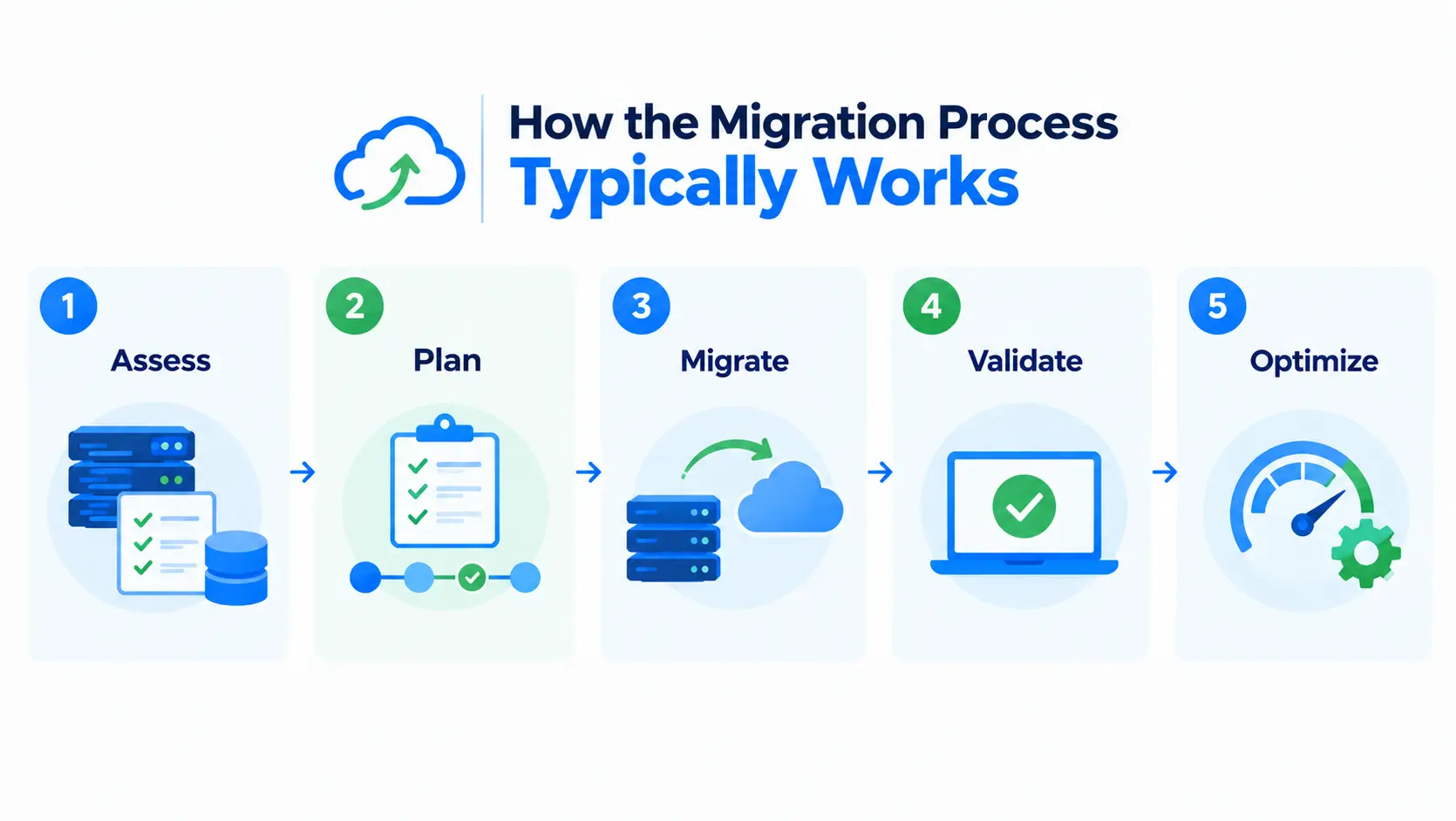
How the migration process typically works
Learn how the migration process works below:
- Assess: take inventory of current applications, data, and infrastructure.
- Plan: choose a strategy (from the list above) for each workload, and set a migration order.
- Migrate: move the data and applications, using the chosen strategy.
- Validate: test that everything works correctly in the new environment.
- Optimize: tune performance, cost, and configuration now that workloads are live in the cloud.
Types of cloud migration
Below are the types of cloud migration:
- On-premises to cloud: the most common type, moving from private data centers to a public cloud provider.
- Cloud to cloud: moving workloads from one cloud provider to another.
- Cloud to on-premises (reverse migration): moving workloads back to private infrastructure, usually for cost, performance, or compliance reasons.
Common challenges
The following are the common challenges:
- Downtime risk: poorly planned migrations can interrupt access to critical applications.
- Data consistency: ensuring data isn’t lost, duplicated, or corrupted during the move.
- Cost estimation: migrations often cost more than expected if planning skips a full inventory.
- Compatibility: some legacy applications need significant rework before they can run in the cloud at all.