Artificial intelligence is moving beyond answering questions and generating content. Today, AI systems can perform actual work like investigate problems, analyze information, make decisions, interact with applications, and complete tasks with minimal human intervention.
An AI agent can be asked to monitor a server, investigate why a website is down, analyze application logs, identify a possible cause, and recommend corrective action. More advanced agents might even execute an approved fix and verify whether the service has recovered.
This is not like a chatbot. An AI agent does not necessarily stop after generating one response. It takes several actions, evaluates the results, and continues working toward its objective.
But this raises an important infrastructure question.
If AI agents are performing increasingly complex tasks, do they all need powerful GPUs to operate?
To understand what GPU infrastructure an AI agent actually needs, we first need to understand what happens behind the scenes when an agent performs a task.
What is an AI agent, actually?
Let’s start with the basics.
An AI agent is software that pursues a goal, makes decisions, uses tools, and takes action to complete a task, rather than just answering a question once.
The easiest way to see the difference is to compare it with a chatbot. Ask a chatbot “how do I improve my website’s performance?” and it explains what it knows about website performance. Ask an agent “find out why my website is slow and fix it,” and, depending on its permissions, it can connect to your server, check CPU and memory usage, run database queries, identify the bottleneck, apply a fix, and test again.
A chatbot gives you information. An agent does the work and checks whether the work succeeded.
How does an AI agent actually work?
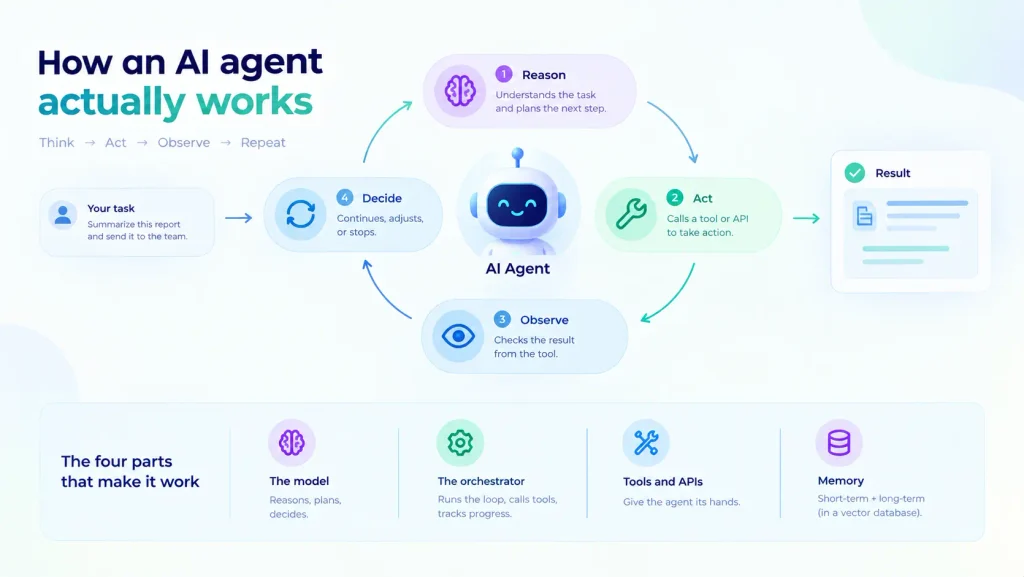
AI Agents run on a loop. Once they are assigned a task, they reason about the task, act by calling a tool, observe the result, then decide whether to continue, adjust, or stop. This pattern is called ReAct (reasoning plus acting). This is one of the most common designs, although it’s not the only design. Some agents use fixed workflows or planners instead of an open-ended reasoning loop.
Four parts work together to make this happen:
- The model: An LLM like GPT, Claude, or Gemini that reasons, plans, and decides what to do next.
- The orchestrator: Code that runs the loop, calls tools, tracks progress, and decides when to stop.
- Tools and APIs: What gives the agent hands: databases, browsers, monitoring systems, business apps.
- Memory: Short-term context for the current task, plus long-term storage (often a vector database) for information across sessions.
One thing worth correcting upfront: an agent adjusting its next move after a failed step is not the same as the model learning permanently. Agents don’t update their own weights mid-task. That needs a separate training process.
Does an AI agent actually need a GPU?
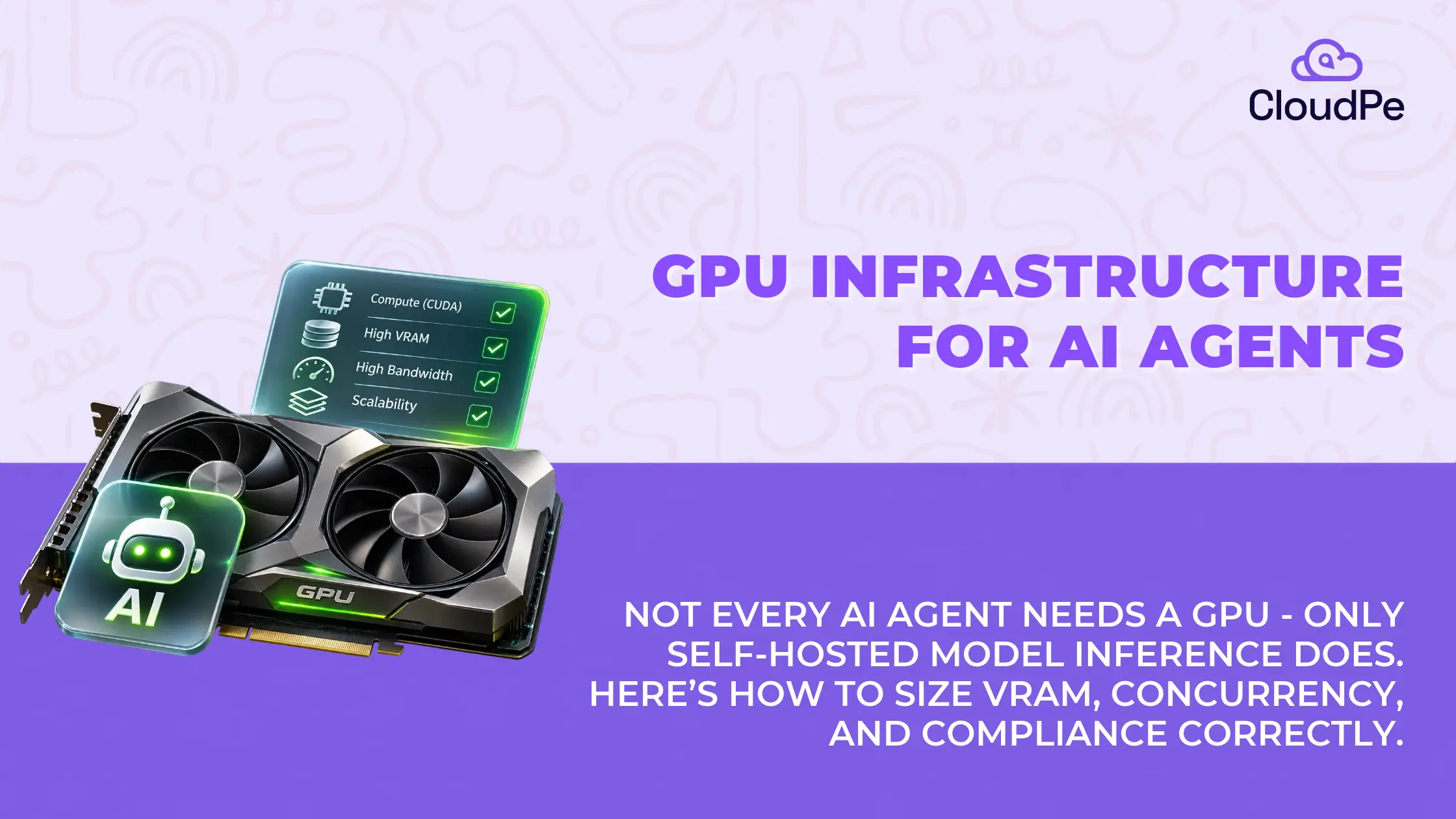
No, not inherently. The requirement comes from where the model runs, not from the fact that it’s “an agent.”
An agent’s work splits into two kinds.
– Orchestration (calling tools, querying databases, managing state) runs fine on a CPU.
– Model inference (the actual reasoning step) is where a GPU becomes relevant, and only if you’re hosting that model yourself.
That gives you three realistic setups:
- External API:
Your agent calls OpenAI, Anthropic, or Gemini. The provider’s infrastructure handles the heavy computation. A standard cloud VM runs your orchestration layer. No GPU needed on your end. - Self-hosted model:
You run an open-weight model (Llama, Qwen, and similar) on infrastructure you control, usually for data privacy, cost at scale, or compliance reasons. Now you need a GPU, sized to the model and your traffic pattern. - Hybrid:
A small, self-hosted model handles routine classification or simple tasks. A more capable external API handles the hard cases. This is common when teams want to keep GPU spend reserved for the workloads that genuinely need it.
Healthcare and financial services teams usually land in the self-hosted camp for exactly this reason: control over where inference happens matters more to them than convenience.
Where does the GPU actually come into the picture?
Even inside a GPU-dependent setup, the GPU isn’t involved in every step an agent takes.
| Agent operation | GPU needed? |
| Calling an external API | No |
| Querying a database | No |
| Running orchestration scripts | No |
| Running a self-hosted LLM | Yes |
| Vision or document processing | Usually, yes |
| Speech transcription or synthesis | Usually, yes |
| Fine-tuning a model | Yes |
The two workloads that genuinely need a GPU are LLM inference and other model-based processing (vision, speech, fine-tuning). Everything else, including most of what people assume is “the agent,” runs on a CPU.
Agents strain GPU infrastructure differently than chatbots
A chatbot typically needs one inference call per user message. An agent investigating an issue might make ten, twenty, or more calls for a single task, inspecting data, evaluating results, and deciding the next step each time. Same number of users, far more total inference work.
Three things compound this further.
- Context grows as the task runs: An agent accumulates the original request, tool outputs, documents, and prior decisions as it works. During inference, this gets held in GPU memory as a key-value (KV) cache. Long contexts and several concurrent agent sessions can turn KV cache into the single biggest consumer of GPU memory, often more than the model’s own weights.
- Usage is bursty: An agent might use the GPU briefly to generate a response, then sit idle for several seconds while it waits on a database query or an external API. Multiply that across many concurrent agents and GPU demand fluctuates constantly. The challenge for infrastructure isn’t just “add more GPUs,” it’s scheduling inference so expensive hardware isn’t sitting idle between calls.
- Multi-agent workflows stack the load: A planning agent, a coding agent, and a review agent working on one task each add their own reasoning cycles. The total inference workload grows fast, even if each individual agent looks simple.
One honest caveat here: exact VRAM numbers you’ll see quoted online (an 8GB card for a small model, 24GB for “serious” workloads) aren’t universal. Model architecture, quantization, context length, and concurrency all move that number. Use them as a starting reference, not a spec sheet.
Things to check before sizing GPU infrastructure
Four things determine the right setup, and none of them is “pick the fastest GPU available.”
GPU memory (VRAM): This covers model weights, KV cache, and runtime overhead together, not weights alone. A larger model, longer context window, or higher concurrency all push this number up independently of each other.
Compute performance: Two numbers matter for agents specifically: time to first token (how long before the model starts responding) and token generation throughput (how fast it continues once it starts). Neither tells the full story alone, because an agent’s total task time includes tool calls and waiting, not just model output.
Concurrency and scheduling: A setup that performs well for one agent can choke under a hundred simultaneous sessions. Serving frameworks like vLLM use techniques such as continuous batching and prefix caching specifically to keep GPU utilization efficient under concurrent load. This matters more for agents than for single-shot chatbots because of the compounding call volume above.
Everything around the GPU: CPU handles orchestration and tool execution. RAM supports caching and model-serving overhead. Networking matters because agents talk to multiple external services constantly, and in multi-GPU setups, GPU-to-GPU communication becomes its own consideration. A fast GPU sitting behind a weak application architecture doesn’t fix anything.
Matching infrastructure to the actual use case
There’s no single right answer. What fits depends on what the agent does.
| Agent type | Typical infrastructure | Main requirement |
| Customer support agent (external API) | Standard cloud VM | Reliable orchestration |
| Internal document assistant (self-hosted) | Single GPU instance | Model memory, retrieval speed |
| Coding or dev agent | API or self-hosted GPU | Inference speed, context handling |
| Voice-based agent | GPU-backed inference | Low end-to-end latency |
| Vision or video monitoring agent | GPU-backed inference | Processing throughput |
| Enterprise multi-agent platform | Shared GPU cluster | Concurrency, scheduling at scale |
These are starting points, not fixed specs. A proof of concept with a quantized model can run on a modest GPU. A high-concurrency platform may need several GPUs with serious serving infrastructure behind them.
GPU speed isn’t the same as task completion speed
Say an agent pulls sales data, analyses it, and emails a report. Total time: 20 seconds. Model inference takes 7 seconds. Tools and external calls take the remaining 13.
Now double your inference speed with a faster GPU. Inference drops to 3.5 seconds. But the 13 seconds of tool calls don’t change. Total task time falls to 16.5 seconds, a 17.5% improvement, despite doubling raw model speed.
This is a simplified illustration, not a benchmark, but the logic holds everywhere: if inference isn’t your bottleneck, a faster GPU won’t fix your agent’s speed. Measure end-to-end task time, call count, and cost per completed task, not tokens per second in isolation.
GPU VM, dedicated server, or cluster: which one fits?
- GPU VMs suit development, testing, and smaller production workloads where you want flexible provisioning without committing to a full server.
- Dedicated GPU servers fit teams needing predictable, sustained capacity and more control over the hardware.
- GPU clusters make sense when model size exceeds a single GPU’s memory, when several agent teams share capacity, or when concurrency genuinely requires distributed serving.
Scale up based on demonstrated load, not an assumption about how much hardware an agent “ought” to need. Clusters add scheduling and networking complexity that isn’t worth taking on until the workload actually requires it.
Most skipped layer in GPU sizing: Data residency
Here’s something that changes the infrastructure decision for a lot of Indian businesses, and almost nothing written about agent GPU sizing addresses it.
If your agent processes personal data (customer records, financial details, health information), it isn’t only a performance question anymore. India’s Digital Personal Data Protection (DPDP) Act, 2023 puts data residency and access-control obligations on infrastructure handling that data, whether you’re calling an external API or self-hosting a model.
For a BFSI or healthcare team, this can rule out GPU locations before raw throughput even enters the conversation. It also means your self-host versus API decision isn’t purely a cost or performance trade-off. It’s a compliance one too.There’s no single right answer. What fits depends on what the agent does.
CloudPe runs GPU infrastructure, including NVIDIA H200, L4, and RTX Pro 6000 instances hosted in tier 4 data centers in India.
Try for freeFive questions to answer before you invest in GPU infrastructure
- Where will the model run? A hosted API removes the GPU question entirely.
- What does the agent actually need to do? Text reasoning, vision, speech, and fine-tuning all carry different hardware demands.
- How many model calls does one task generate? An agent making fifteen calls per task costs very differently than a chatbot making one.
- How many sessions run at once, at peak? Concurrency and context length drive GPU memory sizing more than user count alone.
- What does a successful task actually cost? Compare API spend against self-hosting costs, including GPU utilization, support, and compliance overhead, not sticker price alone.
Benchmark a realistic task, with real prompts, tool delays, and concurrency, before committing to hardware. That number tells you more than any spec sheet.
Frequently Asked Questions
Does an AI agent always need a GPU to run?
No. If the agent calls an external model API, orchestration runs fine on a standard CPU server. A GPU only becomes necessary when you self-host the underlying model.
What’s the biggest GPU sizing mistake teams make with AI agents?
Sizing for the chatbot pattern: one inference call, one response. Agents make repeated calls per task, and KV cache from growing context often consumes more GPU memory than the model’s own weights.
How much VRAM does an AI agent need?
It depends on model size, quantization, context length, and concurrency together, not parameter count alone. There’s no single universal number; size it against your actual model and traffic pattern.
Is a GPU cluster necessary for AI agents?
Only once a single GPU’s memory or throughput limit is genuinely reached, through model size, concurrency, or both. Most teams should start with a single GPU instance and scale based on measured load.
Does data residency affect GPU infrastructure for AI agents in India?
Yes, if the agent processes personal data. India’s DPDP Act, 2023 creates data-handling obligations tied to where that processing happens, which applies on top of (not instead of) the usual performance sizing questions.
Is self-hosting an AI agent’s model cheaper than using an API?
It depends on call volume. Self-hosting usually wins once you’re running high, sustained call volume that keeps the GPU busy. At low volume, metered API pricing is often cheaper than paying for an idle GPU.