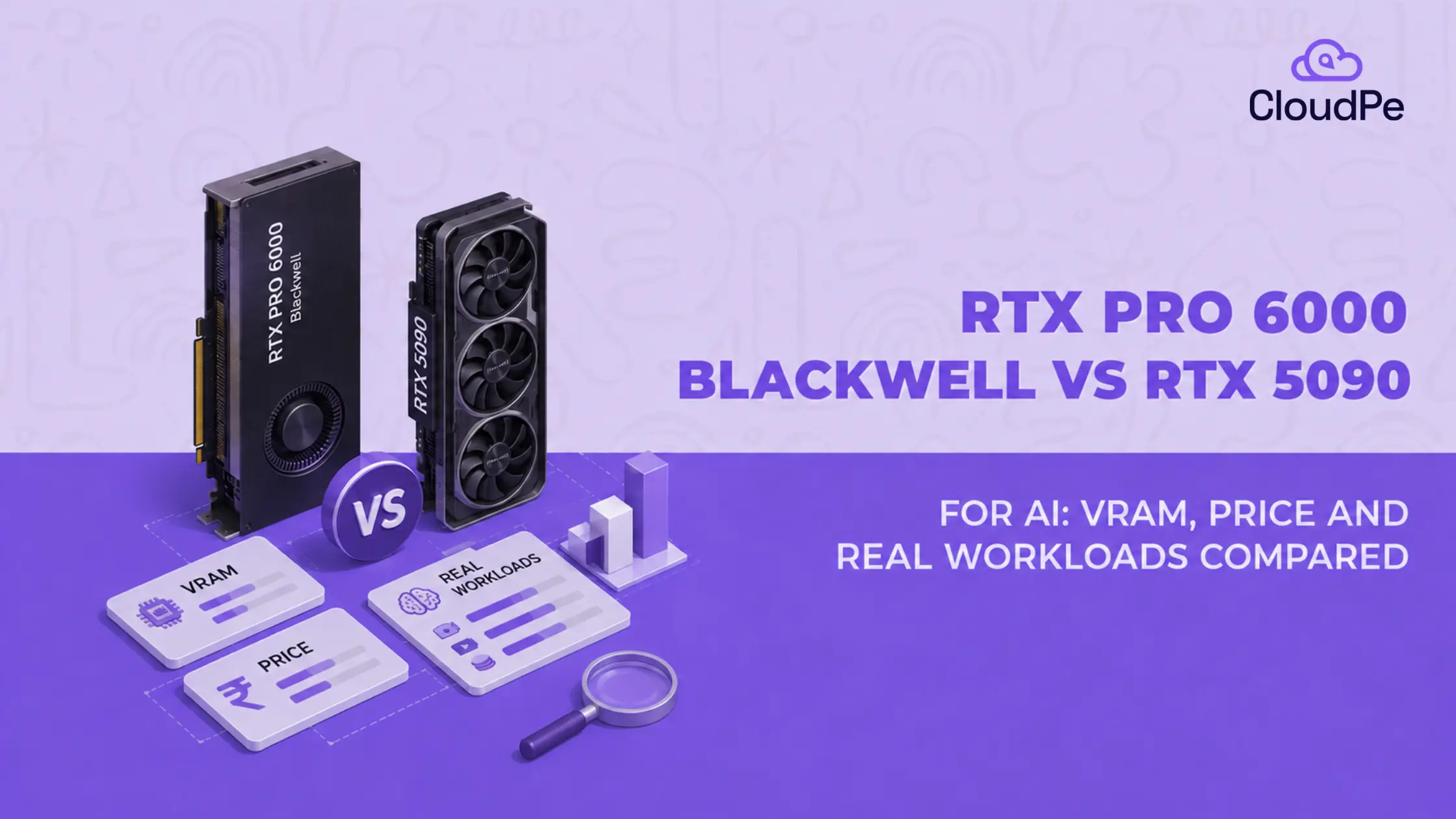
NVIDIA’s Blackwell architecture powers both the RTX PRO 6000 and the RTX 5090. Putting them in the same category for AI workloads is a mistake.
Because, the RTX 5090 stands out as the ultimate value play for individual developers working within a 32GB VRAM envelope. However, for large-scale model training, massive LLM inference, and mission-critical uptime, the RTX PRO 6000 Blackwell isn’t just an upgrade. It’s a requirement driven by high VRAM (96GB) demands and professional reliability.
This blog analyzes both cards across real AI workloads, memory architecture, pricing expectations in the Indian market, and workstation performance, ensuring you select the GPU built for your actual compute needs.
Why does the VRAM matter so much?
Both GPUs use NVIDIA’s Blackwell architecture. Both share the same GB202 chip and the same 1,792 GB/s memory bandwidth. On paper, they look close. In practice, they solve different problems because of one number: 32GB vs 96GB of VRAM.
VRAM is where a model lives while it runs.
If a model needs more memory than the card has, it does not run slower. It does not run at all. Unless you quantize it, offload part of it to the CPU, or split it across multiple GPUs. So the VRAM gap is not really about speed. It is about which workloads are even possible on a single card.
The RTX PRO 6000 Blackwell Workstation Edition launched in 2025, and by mid-2026 it had become one of NVIDIA’s most in-demand professional GPUs.
RTX PRO 6000 Blackwell vs RTX 5090: quick comparison
Below is the RTX Pro 6000 vs RTX 5090 comparison table:
| Specification | RTX PRO 6000 Blackwell | RTX 5090 |
|---|---|---|
| Architecture | Blackwell | Blackwell |
| VRAM | 96GB GDDR7 ECC | 32GB GDDR7 |
| Memory bandwidth | 1,792 GB/s | 1,792 GB/s |
| AI compute | Up to 4,000 AI TOPS | Up to 3,352 AI TOPS |
| CUDA cores | 24,064 | 21,760 |
| Tensor cores | 5th generation | 5th generation |
| ECC memory | Yes | No |
| Power | 600W | 575W |
| Primary use | Professional AI and graphics | Consumer and enthusiast AI |
| Best for | Large models, inference, professional workloads | Smaller models, image generation, development |
The RTX PRO 6000 Blackwell has three times more VRAM than the RTX 5090.
What is the biggest difference between the RTX PRO 6000 and RTX 5090?
Short answer: VRAM capacity, not raw compute speed.
Myth: More VRAM means more performance.
Fact: That is not quite right, and it is worth understanding why.
A GPU’s cores do the calculations. Its memory holds the model while those calculations happen. Before a single token gets generated or a single image gets rendered, the entire model, or at least the active part of it, has to fit inside VRAM. If it does not fit, the job fails or has to be broken up. Speed becomes irrelevant at that point, because the model cannot load in the first place.
This is why the RTX PRO 6000 Blackwell and RTX 5090 feel so close on some tasks and so far apart on others.
When a model fits comfortably in 32GB, both cards are working with roughly the same architecture and bandwidth, so their results land close together. Once a model needs more than 32GB, the RTX 5090 is out of the running entirely, regardless of how fast it is.
With 32GB, you get:
- Smaller and mid-sized LLMs
- Image generation models like Stable Diffusion and FLUX
- LoRA fine-tuning on smaller models
- Solid development and experimentation
With 96GB, you get:
- Larger LLMs, including 70B-class models
- Bigger context windows
- Larger batch sizes
- Less reliance on CPU offloading or quantization tricks
NVIDIA positions the 96GB RTX PRO 6000 Blackwell for large AI models, data science, and local inference where memory is the limiting factor, not compute.
32GB vs 96GB VRAM: how much does it matter for AI?
Below is the 32GB vs 96GB VRAM comparison:
| AI workload | RTX 5090 (32GB) | RTX PRO 6000 (96GB) |
|---|---|---|
| 7B to 14B LLM | Excellent | Excellent |
| 30B to 32B LLM | Good | Excellent |
| 70B LLM | Limited, needs offloading | Strong, fits on one card |
| Large multimodal models | Limited by memory | Better suited |
| Stable Diffusion or FLUX | Excellent | Excellent |
| LoRA fine-tuning | Good | Better for larger models |
| Large batch inference | Limited sooner | More headroom |
The pattern is simple. Up to around 32B parameters, both cards do the job well.
Past that point, the RTX 5090 starts running into its memory ceiling, while the RTX PRO 6000 keeps going.
One caution here: exact VRAM needs shift with quantization, context length, and framework overhead.
Deploy high-VRAM GPU infrastructure without the upfront cost and complexity of owning physical hardware.
Explore CloudPe GPURTX PRO 6000 Blackwell vs RTX 5090 for LLM inference
Here is a breakdown of the key differences between the RTX PRO 6000 Blackwell and the RTX 5090 for LLM inference.
Small and medium LLMs
When it comes to small and medium LLMs, the winner is RTX 5090, on price and often on speed too.
For models that fit comfortably inside 32GB, the RTX 5090 holds its own. Independent benchmarking from Trooper.AI shows the RTX 5090 running Llama 3.1 8B at 264 tokens per second, compared to 227 tokens per second on the RTX PRO 6000 Blackwell.
Why is the cheaper card faster here?
The RTX PRO 6000 runs at a controlled, lower power limit to stay stable during long professional workloads. The RTX 5090 is tuned to push higher clock speeds for short, interactive bursts. On a small model, that burst speed wins. At a fraction of the price, this makes the RTX 5090 hard to beat for smaller models.
70B-class LLMs
When it comes to 70B-class LLMs the winner is RTX PRO 6000 Blackwell, because the RTX 5090 cannot run it as a single card.
A 70B model in full precision needs far more memory than 32GB. On the RTX 5090, you are looking at heavy quantization, CPU offloading, or splitting the model across multiple GPUs, each of which adds complexity and slows things down.
On the RTX PRO 6000 Blackwell, the same model can run on one card with room to spare. Hands-on testing by ComputingForGeeks confirmed this directly. They ran Llama 3.1 70B on the 96GB card and could not run it at all on the 32GB card without offloading.
Inference throughput vs model capacity
Once a model fits inside a card’s memory, that card’s remaining VRAM sits unused. Speed then comes down to bandwidth, batch size, quantization, and how well the software is tuned, not how much spare memory is sitting there.
For production API workloads handling multiple simultaneous requests, the RTX PRO 6000 Blackwell reached 5,988 tokens per second on Qwen3-8B, against 668 tokens per second on the RTX 5090, a gap of roughly 8x.
The reason is simple. More VRAM means more requests can be held in memory and processed together. With only 32GB, the RTX 5090 has to queue or drop requests sooner.
Quick summary:
- Serving one user at a time → RTX 5090 competes well
- Serving many users at once → RTX PRO 6000 Blackwell pulls far ahead
RTX PRO 6000 vs RTX 5090 for AI image generation
For Stable Diffusion, SDXL, and FLUX workflows, both cards perform well.
Image models tend to hold more data in memory at once, especially at higher resolutions or with multiple models loaded together. The RTX PRO 6000’s extra headroom starts to matter sooner than it does for a single small language model.
Even so, for most single-model image generation work, the RTX 5090’s 32GB is already more than enough. It offers strong price to performance without paying for features you will not use.
The RTX PRO 6000 becomes more useful when your workflow involves:
- Multiple models loaded at once
- Complex, multi-stage ComfyUI graphs
- Video generation
- High-resolution batch generation
- Several concurrent generation jobs
If you run a single model at a time for personal or small studio work, the RTX 5090 is the more practical choice.
RTX PRO 6000 vs RTX 5090 for fine-tuning and AI development
For LoRA and QLoRA fine-tuning on models up to roughly 13B to 14B parameters, the RTX 5090’s 32GB is generally sufficient. This covers most local AI development and experimentation.
The RTX PRO 6000 Blackwell becomes the more practical choice once you move to larger models or full fine-tuning rather than LoRA. Full fine-tuning of even a 7B model in full precision can require far more memory than 32GB allows.
For developers working mostly with models below the 32GB ceiling, the RTX 5090 offers excellent value. For larger models and memory-heavy experimentation, the RTX PRO 6000 gives you room to grow without hitting a wall.
RTX PRO 6000 vs RTX 5090 for production AI inference
Below are the pointers for RTX PRO 6000 vs RTX 5090 on production AI inference:
Single-user inference
For one user sending one request at a time, both cards deliver similar response times on models that fit within 32GB. Latency and tokens per second are close, because only one request is competing for memory and compute at a time.
Multi-user inference
As concurrent users increase, VRAM becomes the bottleneck faster on the RTX 5090.
Here’s why: each simultaneous request needs its own slice of memory for the model plus its own context. On a 32GB card, that slice runs out quickly once a handful of requests stack up. The RTX PRO 6000’s 96GB pool has far more room to hold multiple requests at once.
Batch inference
Larger memory allows larger batch sizes, because more requests can sit in VRAM at the same time before processing. Bigger batches mean fewer compromises on strategy and less aggressive memory management to avoid running out of VRAM mid-job.
24/7 workloads
For infrastructure that runs continuously, ECC memory matters. The RTX PRO 6000 Blackwell includes ECC, which detects and corrects memory errors during long-running jobs. The RTX 5090 does not have ECC.
Why this matters in practice: a memory error during a multi-day training run can silently corrupt model weights without any visible warning. You find out only when the results look wrong, sometimes days later. For short experiments, this risk is a minor inconvenience. For production systems running around the clock, it is a real operational cost.
Choose the GPU based on your workload.
Explore CloudPe GPUsRTX PRO 6000 Blackwell vs RTX 5090: price comparison
Below are the price comparisons of RTX PRO 6000 Blackwell vs RTX 5090
Purchase price
RTX PRO 6000 Blackwell: Standalone retail pricing for the NVIDIA RTX PRO 6000 Blackwell in India typically starts at roughly Rs. 13.5 lakh to Rs. 14.2 lakh, scaling up to Rs. 20 lakh or more depending on specific vendor markups, cooling variants (like Max-Q vs. standard active blower), or full system configurations
RTX 5090: The official starting base price for the NVIDIA GeForce RTX 5090 in India is ₹2,14,000 to ₹2,39,000. However, custom partner cards (such as ASUS, MSI, and Gigabyte) and third-party retailer markups frequently range between ₹4,60,000 and ₹6,25,000 depending on stock availability.
Buying either card outright means a large upfront cost, plus exposure to a market where prices are moving fast. Renting sidesteps both problems, since you pay only for the time you use.
Renting also gives you a practical way to test whether you actually need the 96GB card before spending on hardware. Run your workload on a rented RTX PRO 6000 for a few days. If you are not using more than 32GB, you have your answer before committing.
Cost of VRAM
A rough way to compare value is cost per GB of VRAM. On pure hardware cost, the RTX 5090 usually comes out ahead per GB, since it is a much cheaper card overall.
But this metric has a blind spot. It says nothing about ECC, sustained reliability, or whether your model even fits on the cheaper card in the first place. A GPU that cannot run your model at any price is not good value, no matter how cheap its VRAM is per gigabyte. Use cost-per-GB as a starting point, not a final answer.
Is the RTX PRO 6000 worth the higher price?
Choose the RTX 5090 when:
- Your AI models fit comfortably within 32GB
- Image generation is your primary workload
- You are doing local AI development and experimentation
- Budget is a major constraint
- You want the best performance per rupee for smaller workloads
Choose the RTX PRO 6000 Blackwell when:
- Your models exceed 32GB
- You need to run 70B-class models
- You want to avoid CPU offloading
- You need larger batch sizes
- You are running multiple workloads on the same GPU
- ECC memory matters for your workload
- You are running a professional AI or graphics workstation
- One high-memory GPU is preferable to managing multiple smaller ones
RTX PRO 6000 vs RTX 5090: which GPU should you choose?
According to your workload requirements, choose the recommended GPU:
| Requirement | Recommended GPU |
| Best value for AI under 32GB | RTX 5090 |
| Large local LLMs | RTX PRO 6000 Blackwell |
| 70B-class models | RTX PRO 6000 Blackwell |
| Stable Diffusion | RTX 5090 |
| FLUX | Either, depending on workflow |
| Large video AI | RTX PRO 6000 Blackwell |
| Professional AI workstation | RTX PRO 6000 Blackwell |
| AI experimentation | RTX 5090 |
| High-concurrency inference | RTX PRO 6000 Blackwell |
| Budget-conscious deployment | RTX 5090 |
| Run Bigger AI Workloads. NVIDIA RTX PRO 6000 Blackwell with 96GB VRAM, available on CloudPe. | Get Started |
Conclusion
The RTX PRO 6000 Blackwell and RTX 5090 are not fighting for the same job. They solve different problems, and the VRAM gap between them explains almost everything else in this comparison.
- RTX 5090: strong performance and real value, as long as your workload fits inside 32GB.
- RTX PRO 6000 Blackwell: the memory and reliability to handle larger models and professional workloads once 32GB is not enough.
The right choice depends on your models, not on which card has the bigger number on the spec sheet.
Frequently Asked Questions
Is RTX PRO 6000 better than RTX 5090 for AI?
It depends on your workload. The RTX PRO 6000 Blackwell is better for large models and memory-heavy tasks because of its 96GB VRAM. The RTX 5090 is usually the better value when your models fit within 32GB.
Is 96GB VRAM worth it for AI?
Yes, if you work with large LLMs, big batch sizes, or multiple concurrent models. For smaller models under 32GB, the extra memory adds little practical benefit.
Can RTX PRO 6000 run 70B models?
Yes. Its 96GB of VRAM makes it practical to run 70B-class models on a single GPU, depending on precision and model architecture.
Which is better for LLM inference, RTX 5090 or RTX PRO 6000?
For single-user, smaller-model inference, the RTX 5090 is competitive and often faster. For multi-user or high-concurrency inference, the RTX PRO 6000 Blackwell performs significantly better.
Does the RTX PRO 6000 Blackwell support NVLink?
No. The RTX PRO 6000 Blackwell Workstation Edition does not use NVLink. Multiple cards can still be installed in the same workstation or server and used together through software, but they do not share memory directly the way NVLink-connected GPUs do.
Is the RTX PRO 6000 good for gaming?
It can run games well and even beats the RTX 5090 by a small margin in some tests, but it is not built for gaming. It is a workstation GPU priced for professional AI and rendering work, so the RTX 5090 remains the better choice for gamers.