Every time you play a game, scroll through a hyper-realistic video, or ask an AI chatbot a question, a GPU is doing most of the heavy lifting behind the scenes. Most people use one every single day and couldn’t tell you what it actually does.
A GPU, or graphics processing unit, is a chip built to do thousands of small calculations at once instead of one big calculation at a time. That single design choice is the reason GPUs render your games, cut your video export times in half, and now train most of the world’s AI models.
This guide walks you through all of it, from the basics to the genuinely useful stuff: what a GPU is, how it stacks up against a CPU, the types you’ll run into, what they cost, and how to actually pick the right one, whether that’s a graphics card for your next build or a cloud GPU instance for training a model.
What is a GPU?
A GPU is a specialised processor built for parallel processing. Instead of handling one instruction after another, it splits a task into thousands of smaller pieces and works on all of them at the same time.
Here’s why that matters. Rendering a 3D scene means calculating the colour and position of millions of pixels, many times a second. A single powerful processor doing that one pixel at a time would never keep up. Thousands of smaller processors doing it together can, easily.
That same trick turned out to be useful for a lot more than graphics. Anything built from repeating the same calculation across a huge dataset, training an AI model, running a physics simulation, mining crypto, runs faster on a GPU than on a regular processor.
GPU vs CPU: what is the real difference?
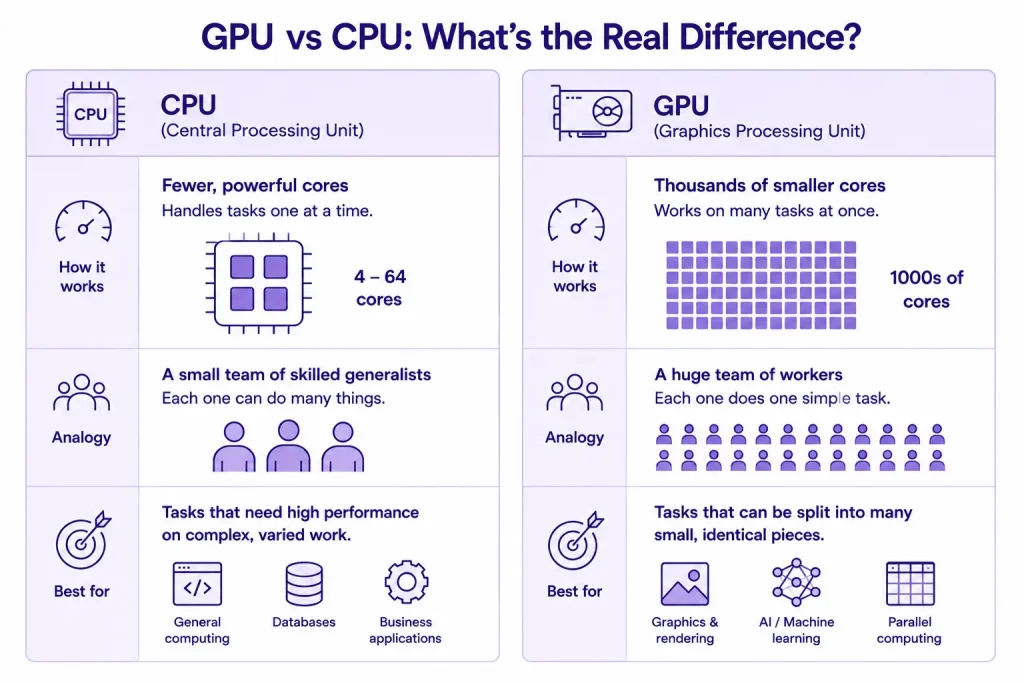
Every computer has a CPU. Most also have a GPU, either built in or bolted on. Both of them are built for different kinds of work. Let’s understand this and everything else about GPUs will get a lot easier to understand.
How a CPU works
A CPU, or central processing unit, has a small number of very capable cores, usually somewhere between 4 and 64. Each core can handle almost any task you throw at it and switch between jobs fast. Picture a small team of skilled generalists who can do pretty much anything, one thing at a time, and do it well.
How a GPU works
A GPU flips that setup on its head. It has thousands of smaller, simpler cores. None of them is as capable as a single CPU core on its own, but there are thousands more of them, and they all fire at once. Picture a huge floor of workers who each do one simple, repetitive task, together, at the same time. For work that splits into many identical small pieces, that setup wins every time.
Here’s a simple example:
- Opening a spreadsheet, running a formula, saving the file, that’s a CPU job. A short list of different steps, done in order.
- Rendering an animation, where the colour of every one of millions of pixels needs calculating, is a GPU job. One calculation, repeated millions of times, all at once.
CPU vs GPU at a glance
| CPU | GPU | |
| Core count | Few, typically 4 to 64 | Thousands |
| Processing style | Sequential, one task at a time | Parallel, many tasks at once |
| Best at | General computing, logic, running the OS | Graphics, AI training, simulations, rendering |
| Flexibility | Handles almost anything | Best at repetitive, parallel work |
Neither one replaces the other. Your computer still needs a CPU to run its operating system and handle everyday tasks. The GPU steps in for the specific jobs that actually benefit from doing thousands of things at once.
How does a GPU work on the inside?
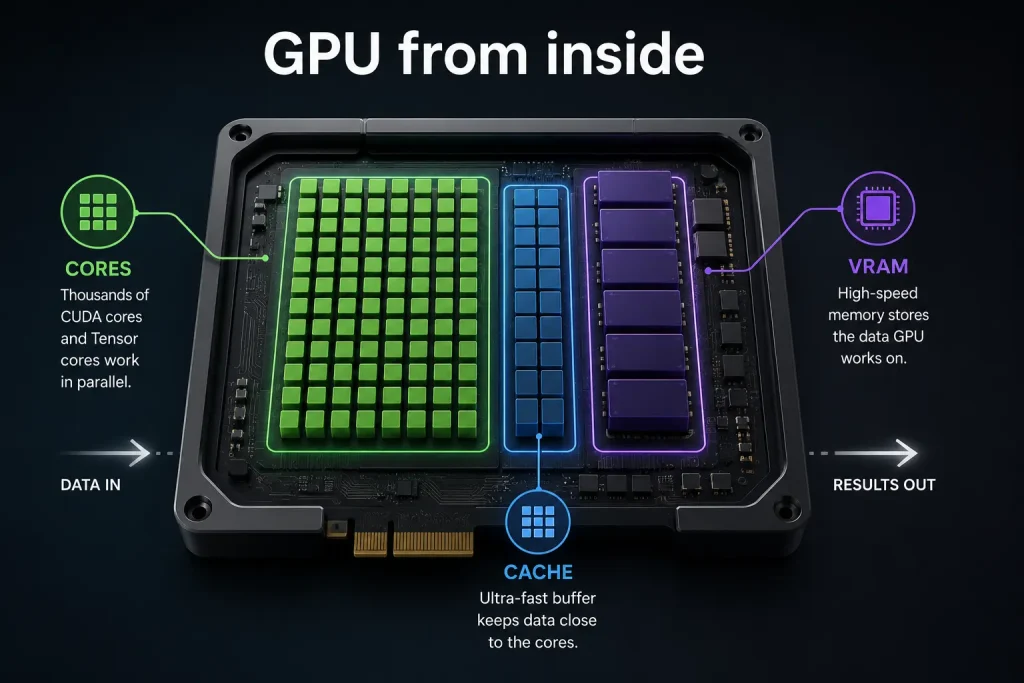
Pop the hood and a GPU’s power really comes down to two things:
- how many cores it has, and
- how much memory it can reach instantly.
Get either one wrong for your workload and performance suffers, no matter how “powerful” the GPU looks on paper.
GPU cores
Cores are the actual processing units inside the chip. NVIDIA calls its general-purpose cores CUDA cores, and its AI-specific cores Tensor cores. A modern data centre GPU can pack thousands of CUDA cores and hundreds of Tensor cores, all working on the same problem together.
VRAM (video memory)
VRAM, or video random access memory, is the GPU’s own dedicated memory. It holds the data the GPU is actively working on, so it’s not stuck waiting on the rest of the computer to fetch information.
VRAM decides more than people expect:
- How large an AI model you can load and train
- How many high-res textures a game can render without stuttering
- How much footage a video editor can work with in real time
Running out of VRAM, not a lack of raw power, is the single most common bottleneck in AI training. More cores without enough VRAM is like hiring a huge team and giving them nowhere to put their tools.
Types of GPUs
Not every GPU lives in the same place or does the same job. Here’s how the three main types differ, and when each one actually applies to you.
| Type | Where you’ll find it | Best for |
| Integrated GPU | Laptops, budget desktops | Browsing, video calls, light editing |
| Discrete GPU | Gaming PCs, workstations | Gaming, 3D rendering, AI work |
| Virtual or cloud GPU | Rented over the internet | AI training, inference, rendering at scale |
Integrated GPU
An integrated GPU sits on the same chip as the CPU and shares the computer’s main memory. It handles everyday stuff, video calls, streaming, light photo editing, without breaking a sweat. Ask it to run a demanding game or train an AI model, and it will struggle.
Discrete GPU
A discrete GPU is separate hardware with its own VRAM and its own cooling, plugged into the motherboard through a PCIe slot. This is what most people picture when they hear “graphics card.” It’s the go-to for gaming, video production, 3D rendering, and AI work, where the extra power and dedicated memory genuinely matter.
Virtual and cloud GPU
A virtual or cloud GPU is one you access over the internet instead of installing in your own machine. A provider houses the physical hardware in a data centre, and you rent access to it, by the hour or by the month.
This deserves more attention than most guides give it. A growing number of businesses now run their entire AI training, inference, and rendering pipeline on cloud GPUs, because it removes the need to buy, house, and maintain expensive hardware that ages fast.
| CloudPe runs cloud GPU instances on NVIDIA H200, L4, and RTX Pro 6000 hardware, hosted in Indian data centres, starting at ₹26,180 a month. |
Cloud GPUs also come in different flavours. A dedicated instance gives you the whole GPU. A shared instance splits one physical GPU across several customers, which costs less but comes with less predictable performance. Most business AI workloads do better on dedicated instances.
Is a GPU the same as a graphics card?
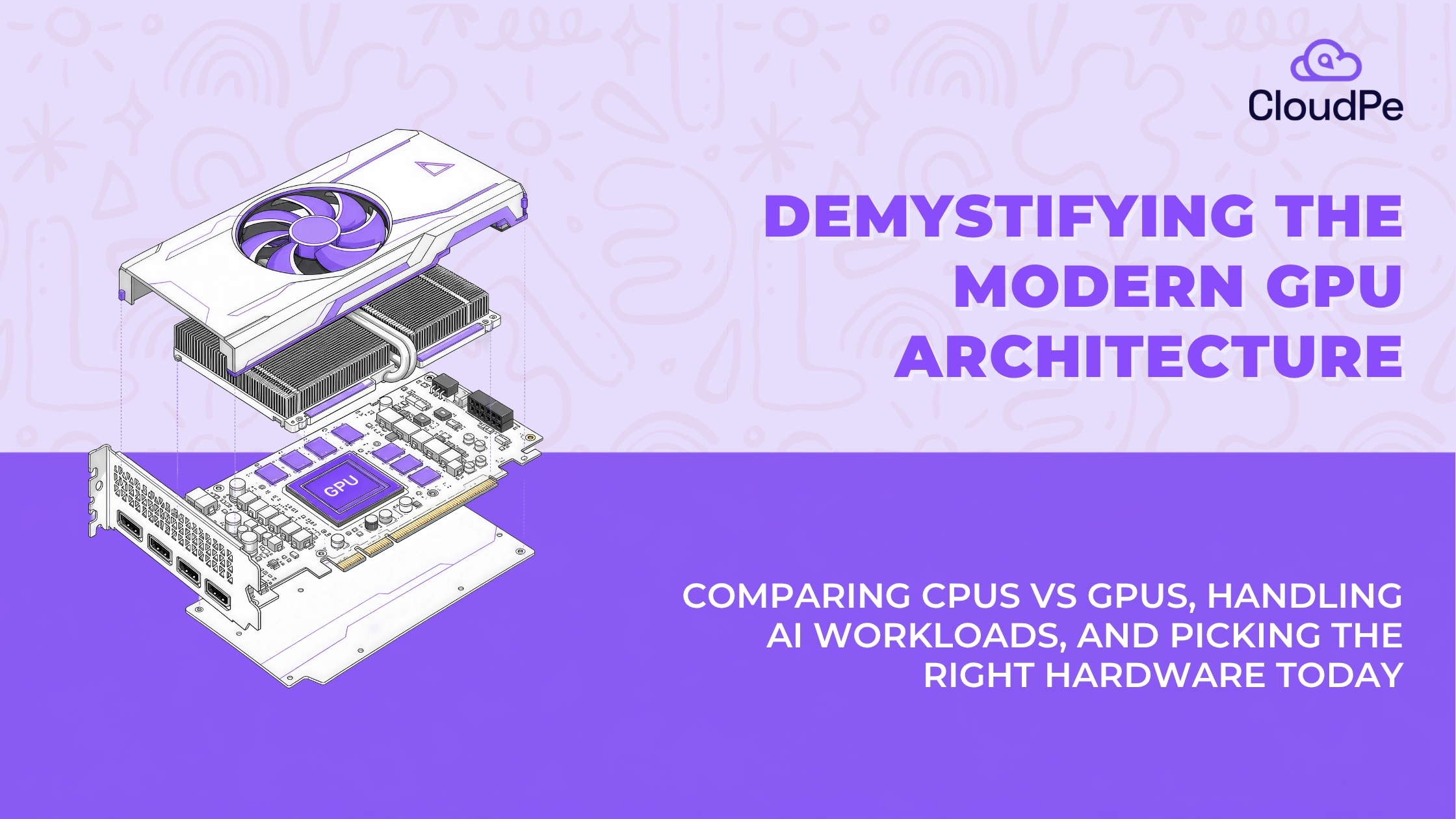
Not quite, and it’s a fair question. The GPU is the chip. The graphics card is the finished product built around it, the GPU plus VRAM, cooling, and the circuit board that lets it plug into your computer. Every graphics card has a GPU inside it, but the GPU is only one part of the card.
What is a GPU used for?
Gaming gets all the credit, but it’s genuinely not the only place GPUs quietly run the show. Here’s where they are used for:
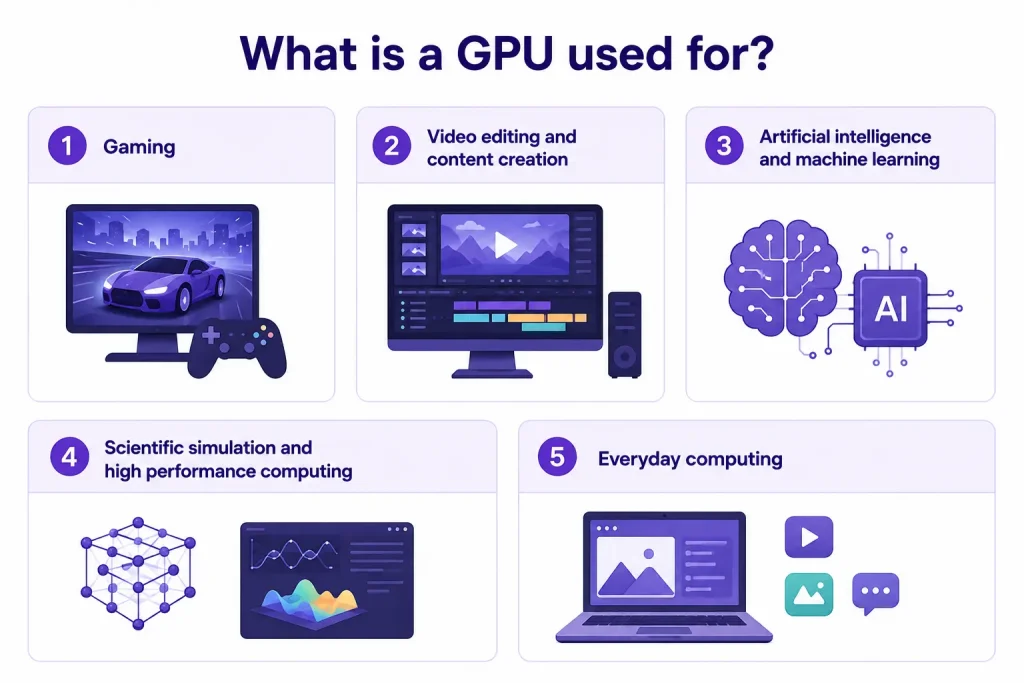
- Gaming
Games lean on GPUs to calculate lighting, shadows, textures, and the movement of every object on screen, often more than 60 times a second. It’s still the most recognisable use case, and the reason the technology exists in the first place. - Video editing and content creation
Editing 4K or 8K footage, layering effects, exporting a finished project, all of it involves crunching enormous amounts of visual data. A GPU turns render times that used to take hours into minutes, for editors, 3D artists, and animators alike. - Artificial intelligence and machine learning
Training an AI model means running the same math, mostly matrix multiplication, across a massive dataset, over and over. That’s exactly the kind of repetitive, parallel work GPUs were built for. It’s why models that used to take months to train now train in days. - Scientific simulation and high performance computing
Weather forecasting, drug discovery, physics simulations, all of it means solving huge numbers of equations at once. Research teams and engineering groups lean on GPU clusters to run this at a scale a CPU-only setup simply can’t match in a reasonable timeframe. - Everyday computing
Not every GPU story is dramatic. The integrated GPU in a regular laptop handles video calls, streaming, and basic editing without anyone giving it a second thought. Chances are you’re using one right now.
Why GPUs matter for AI
AI went mainstream because GPUs made it possible to train those algorithms fast enough to actually be useful.
Training a large language model means billions of small calculations, run across a dataset with billions of data points. On a CPU alone, that could take months. On a cluster of GPUs working in parallel, it can take days. NVIDIA’s CUDA platform is what lets developers write AI code that runs directly on GPU cores, and it’s a big part of why NVIDIA became the default choice for AI training.
Training and inference aren’t the same job, and mixing them up is a common mistake. Training happens once, or occasionally, and wants the most powerful GPU you can get, usually with high VRAM. Inference runs constantly, every single time a user sends a request, so it usually wants a smaller, more efficient GPU to keep costs sane. Some businesses also use TPUs, custom chips Google built specifically for AI math, but GPUs remain the more available and flexible choice for most teams.
Types of data centre GPUs
Not every GPU is built for AI. Data centre GPUs are their own category, built for sustained, heavy workloads rather than a few hours of gaming on a weekend.
| GPU | Best for | Typical use |
| NVIDIA H200 | Large-scale AI training and inference | Large language models, GenAI workloads |
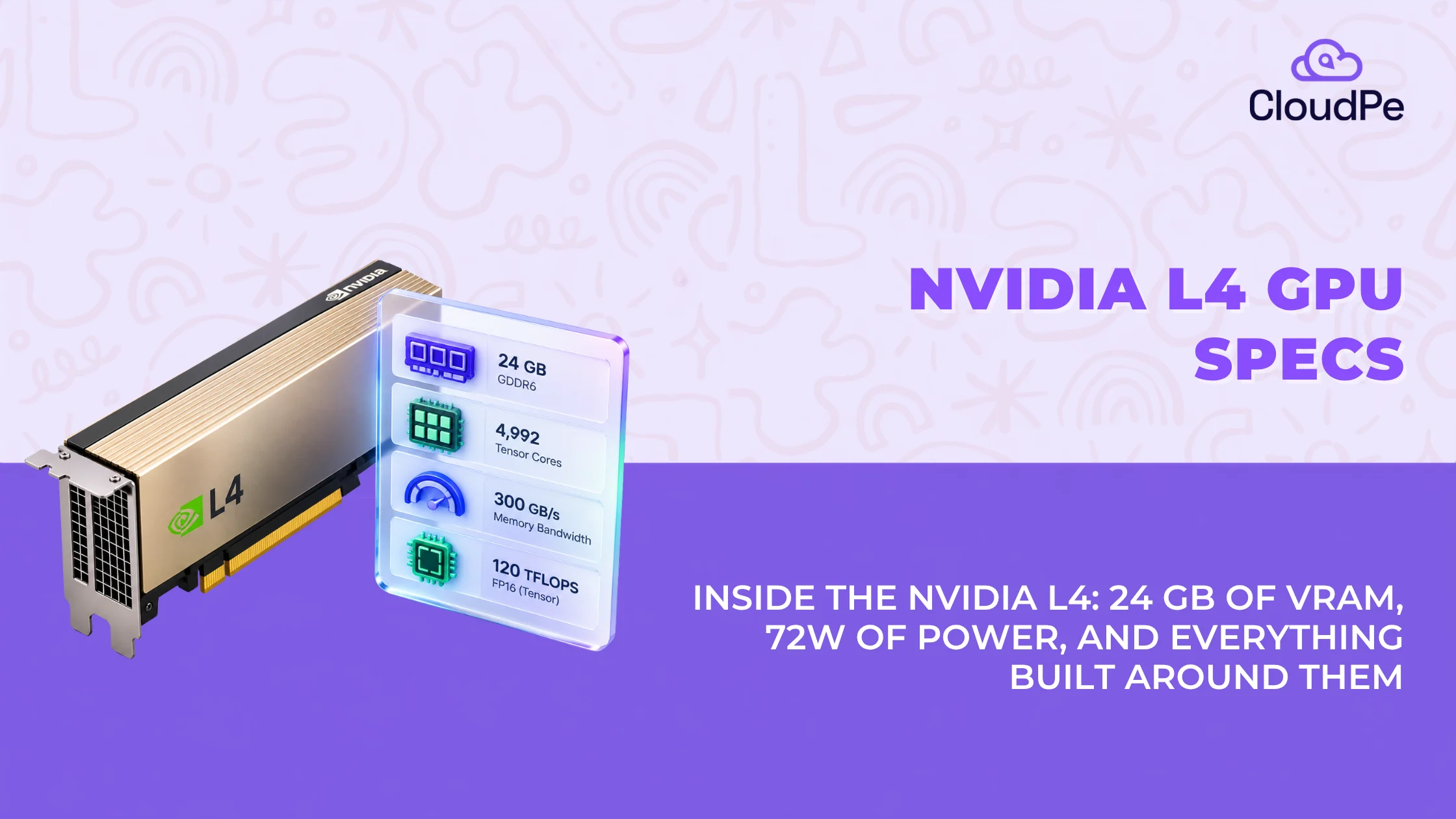
| NVIDIA L4 | Efficient AI inference | Real-time inference, video processing |
| NVIDIA RTX Pro 6000 | AI and professional rendering | 3D rendering, simulation, mixed AI workloads |
Large training runs are rarely handled by a single GPU. Multiple GPUs get grouped into a cluster, wired together with high-speed networking, so they can split the work on one large model. That’s how models with billions of parameters train in days instead of years. You almost never need to build this yourself. Renting cluster access from a cloud GPU provider gets you the same result without the hardware bill.
Cloud GPU vs on-premise GPU
Here’s the question that actually matters if you’re running a business, not just building a gaming rig: should you rent GPU power in the cloud, or buy the hardware outright?
| Situation | Better fit |
| Inconsistent or project-based workload | Cloud GPU |
| Sustained, years-long, high-utilisation workload | Owning hardware |
| Data needs to stay in India for compliance | Cloud GPU, hosted in India |
| Still testing an AI idea before committing budget | Cloud GPU |
When cloud GPU makes sense
If your workload is inconsistent, project-based, or still being tested, cloud GPU is almost always the smarter call. No upfront hardware cost, no procurement delay, no risk of buying hardware that ends up sitting idle. Scaling up for a big training run, then scaling back down, takes minutes, not months.
When buying your own GPU makes sense
If your workload runs constantly, at high utilisation, for years, owning the hardware can work out cheaper over time. That only holds if utilisation is genuinely high. A GPU sitting idle most of the time is an expensive way to lose money, since power, cooling, and maintenance costs don’t pause just because the GPU isn’t working.
A hybrid setup works for some teams too: a steady baseline runs on owned hardware, while cloud GPU absorbs the spikes, a big training run, a seasonal surge. You skip hyperscaler pricing for the spike while keeping day-to-day costs lower than renting everything.
For most mid-size businesses running AI inference, voice AI, or rendering workloads that shift month to month, cloud GPU keeps costs predictable without a large upfront outlay. That’s exactly why CloudPe prices GPU cloud instances by the month, starting at Rs. 14,500, instead of asking you to buy hardware you might outgrow.
How much does a GPU cost?
| Option | Typical starting cost |
| Entry-level consumer GPU | ₹ 15,000 (one-time) |
| High-end consumer GPU | ₹ 1,50,000+ (one-time) |
| Cloud GPU (CloudPe) | ₹ 26,180/month |
Consumer GPU pricing
A consumer graphics card, the kind used for gaming or home editing, runs anywhere from roughly Rs. 15,000 for an entry-level card to well over Rs. 1,50,000 for a high-end one. These cards aren’t built for sustained data centre workloads, so they’re not really the right comparison against cloud GPU pricing.
Cloud GPU pricing
Cloud GPU pricing is usually billed by the hour or by the month, depending on the provider. Hyperscalers tend to price at a premium and bill in dollars, which adds currency risk if you’re an Indian business. CloudPe prices GPU cloud instances in rupees, starting at ₹26,180 a month, with no hidden egress fees tacked on later.
| 👉Recommended read: Nvidia H200 GPU pricing 2026: cost, cloud rental and India pricing guide. |
How to choose the right GPU
The right GPU depends entirely on what you’re using it for. Here’s a fast way to think it through, whether you’re gaming, building AI, or running a business.
- Gaming at 1080p: a mid-range card is enough.
- Gaming at 4K or high frame rates: you need a high-end card with real VRAM.
- AI inference: look at VRAM before raw power. Something efficient, like an L4-class GPU, often does the job.
- Training large models: you need serious memory. Think H200-class hardware.
- A business workload that changes month to month: cloud GPU, so you’re not stuck owning hardware you outgrow.
One more thing worth factoring in: where the GPU is hosted. If you’re handling regulated or sensitive data, a GPU sitting in an Indian data centre sidesteps the compliance questions that come with data sitting on servers overseas. That matters most in BFSI, healthcare, and anywhere answering to RBI, SEBI, or DPDP requirements.

Frequently Asked Questions
What is a GPU in simple words?
A GPU is a chip that does many small calculations at the same time instead of one at a time. That’s what makes it good at graphics, video, and AI work.
Is a GPU the same as a graphics card?
No. The GPU is the chip. The graphics card is the full product built around that chip, including memory and cooling.
What is the difference between a GPU and a CPU?
A CPU has a few powerful cores built for general tasks, handled one at a time. A GPU has thousands of simpler cores built to handle many tasks at once.
When should you upgrade your GPU?
When it can’t keep up with the resolution, frame rate, or workload you need, or when VRAM is consistently maxed out during regular use.
Is 99% GPU usage good or bad?
It’s good. It means the GPU is being used fully instead of sitting idle. It’s only a red flag if it comes with overheating or dropping performance.
How do you get the most out of your GPU?
Keep drivers updated, make sure cooling is adequate, and match the workload to the GPU’s VRAM and processing power instead of asking it to do a job it wasn’t built for.
Do you need a GPU for AI, or can a CPU handle it?
A CPU can manage small AI tasks, but training or running any sizable model is far faster on a GPU, since AI workloads are built from exactly the kind of repetitive, parallel calculations GPUs are designed for.
Is cloud GPU cheaper than buying a GPU outright?
Depends on utilisation. For workloads running constantly for years, owning can work out cheaper. For workloads that vary or are still being tested, cloud GPU skips the upfront cost and is usually the cheaper, lower-risk option.
What GPU does CloudPe offer?
CloudPe’s GPU cloud runs on NVIDIA H200, L4, and RTX Pro 6000 instances, hosted in Indian data centres, starting at Rs. 14,500 a month.