AI has moved from building models to running them. Gartner expects inference spending of $23.3 billion to pass training at $19 billion in 2026. Every chatbot reply, recommendation, and video analysis is an inference request, and each one needs a GPU.
For years, two NVIDIA GPUs carried that work. The T4, announced in 2018 as an inference accelerator, became NVIDIA’s highest-volume data centre GPU, and the A100, in full production from May 2020, took on heavier models.
Then, in March 2023, the NVIDIA L4 GPU arrived, built on the Ada Lovelace architecture, with 24 GB of memory, dedicated video engines and a 72W power envelope. It changed what an efficient, mid-range GPU could do.
This article looks at exactly that shift. It explains AI inference and video workloads, the L4’s architecture and specifications, how it performs, how it compares with the T4 and A100, and what it costs in India. It also tests the title’s question: is the L4 becoming the go-to GPU, or a strong default for a narrower job?
Before we proceed with L4, let us understand what AI inference and Video workloads are
What is AI inference?
AI inference is the stage where a trained model is put to work. It takes new input and produces an output, such as an answer, an image, or a prediction. NVIDIA describes it as a trained model generating new outputs by making predictions on new data in real time.
Training builds a model once, while inference runs it every time someone uses it. For language models, inference generates tokens, which determines the speed, cost, and user experience of each response. Four factors determine whether a GPU suits a workload: memory, memory bandwidth, support for low-precision formats such as FP8, and power per request.
What are video workloads?
Video workloads are tasks that process video streams: transcoding between formats and bitrates, live streaming, cloud gaming, and video analytics that run AI on each frame. NVIDIA noted in 2023 that 80% of consumer internet traffic is video.
A typical AI video pipeline decodes the stream, prepares the frames, runs a model, processes the output, and encodes the result. Dedicated hardware encoders and decoders handle the decode and encode steps, which leaves the GPU’s other cores free for the AI step.
What is the NVIDIA L4 GPU?
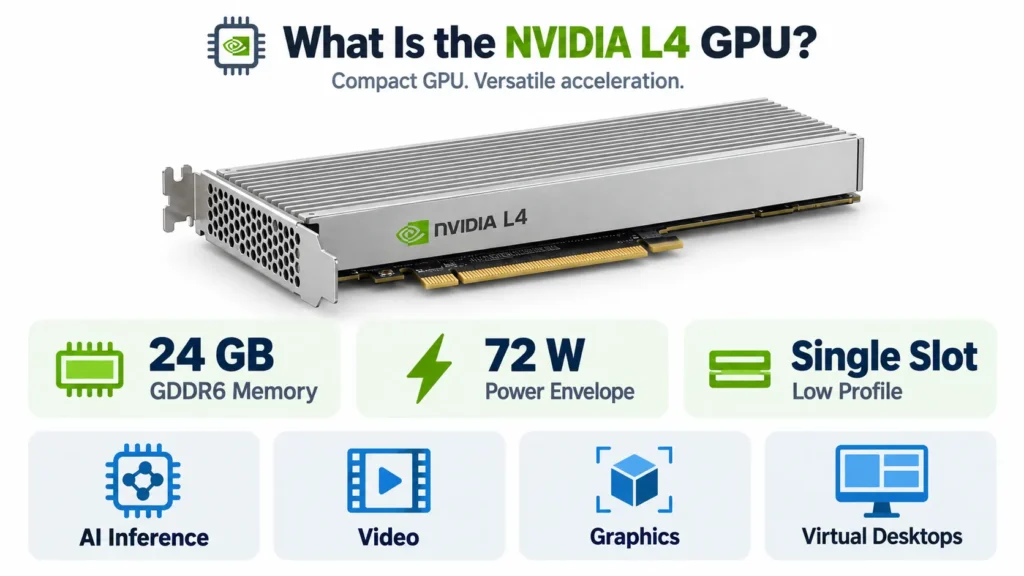
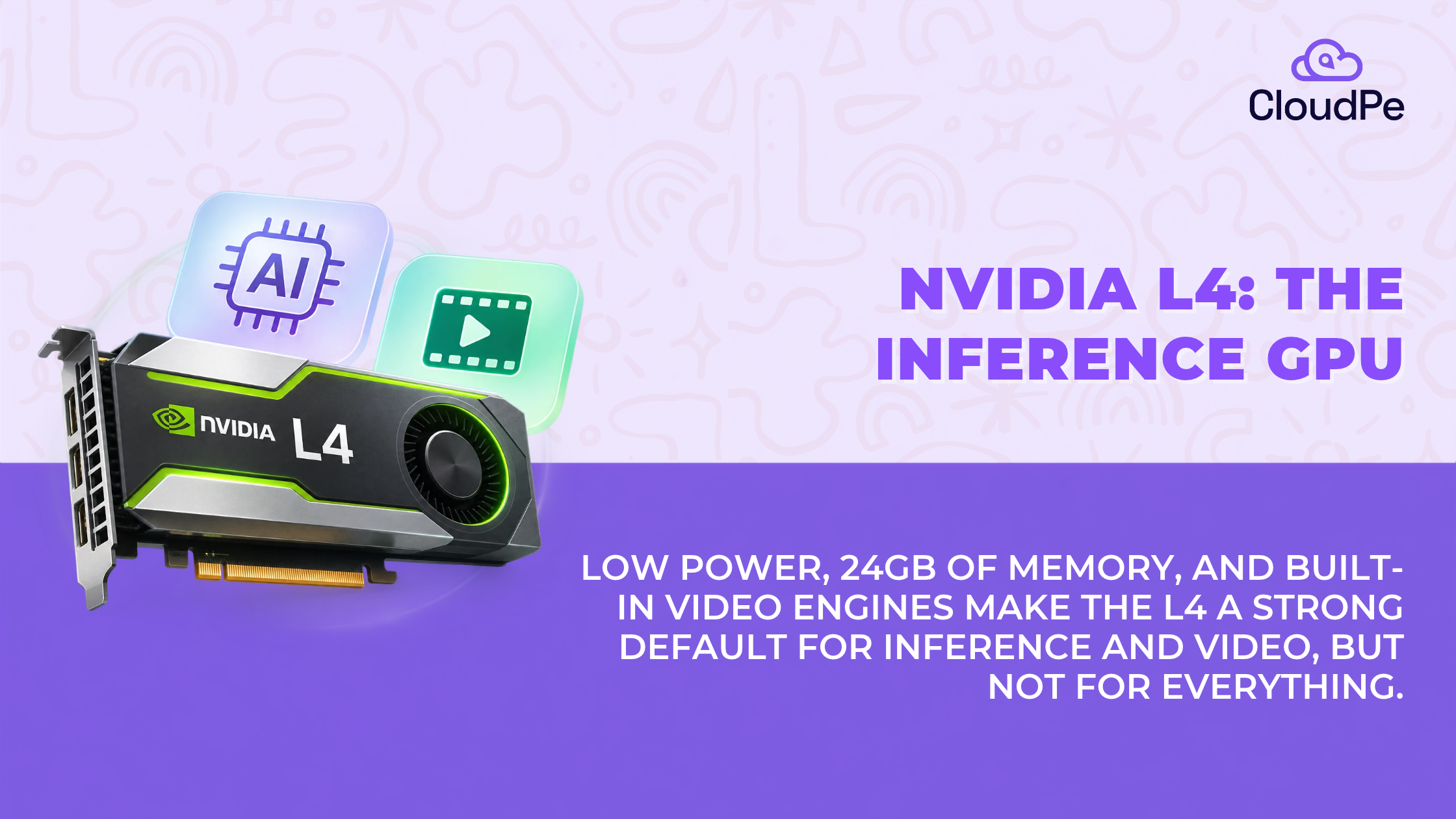
The NVIDIA L4 is a low-profile data centre GPU for AI inference, video, graphics and virtual desktops. NVIDIA introduced it at GTC on 21 March 2023 as the successor to the T4, which had become its highest-volume data centre GPU.
It comes as a single-slot PCIe card with 24 GB of GDDR6 memory and a 72 W power envelope. That small size is the point: it fits servers where a larger accelerator would need new power and cooling.
Ada Lovelace gives the L4 its AI and video engines
The L4 is built on NVIDIA’s Ada Lovelace architecture. NVIDIA lists fourth-generation Tensor Cores, third-generation RT cores, shader execution reordering, hardware AV1 encode and decode, and DLSS 3.
Two of those matter most for this article. The Tensor Cores add FP8 precision, which helps inference. The video engines handle encoding and decoding in hardware, which frees the rest of the GPU for AI work.
Recommended read: NVIDIA L4 GPU cloud: how to deploy an L4 instance in minutes
NVIDIA L4 specifications
The NVIDIA L4 datasheet comes down to three numbers: 24 GB of memory, 300 GB/s of memory bandwidth, and 72 W of power. The table shows the rest.
| Specification | NVIDIA L4 |
| Architecture | Ada Lovelace |
| GPU memory | 24 GB GDDR6 with ECC |
| Memory bandwidth | 300 GB/s |
| FP32 | 30.3 TFLOPS |
| FP16 and BF16 Tensor | 121 TFLOPS dense, 242 with sparsity |
| FP8 Tensor | 242.5 TFLOPS dense, 485 with sparsity |
| INT8 Tensor | 242.5 TOPS dense, 485 with sparsity |
| Video engines | 2 NVENC, 4 NVDEC, 4 JPEG decoders |
| Maximum power | 72 W |
| Form factor and interface | Single-slot low-profile, PCIe Gen4 x16 |
| MIG and NVLink | Not supported |
| Virtual GPU software | vPC, vApps and RTX Virtual Workstation |
The figures come from NVIDIA’s L4 page, the video engine counts in the datasheet, and a server-vendor guide. For a longer walk-through, see CloudPe’s NVIDIA L4 specs guide.
The headline TFLOPS figures include sparsity
NVIDIA’s headline 485 TFLOPS for FP8 and 242 TFLOPS for FP16 are with sparsity, and dense performance is half. Sparsity helps only models built for a 2:4 pattern, so the dense numbers, 242.5 and 121, are the safer planning figures.
Memory capacity and bandwidth decide what the L4 can run
Capacity decides whether a model fits, and bandwidth decides how fast it answers. At 24 GB and 300 GB/s, the L4 is generous on the first and modest on the second, a balance the next section puts into numbers.
Performance of NVIDIA L4 in AI inference
The L4 performs best when the model fits in 24 GB and the workload can use FP8 or INT8. NVIDIA reports up to 2.7x more generative AI performance than the T4, using Stable Diffusion in FP16, and 2.5x on its product page.
A model fits if its weights fit in 24 GB
Weight size is parameters multiplied by bytes per parameter, and the cache and runtime need room on top. The table shows weights only, so a model should sit well under 24 GB.
| Model | Precision | Weights | Fits in 24 GB? |
| 8B parameters | FP16 | 16 GB | Yes |
| 14B parameters | FP8 or INT8 | 14 GB | Yes |
| 13B parameters | FP16 | 26 GB | No |
| 70B parameters | 4-bit | 35 GB | No |
FP8 is the L4’s inference advantage
The L4 supports FP8 natively, which halves memory per weight compared with FP16 and raises throughput. The T4 has no FP8, and neither does the A100.
Memory bandwidth sets the ceiling for a single stream
Generating each token means reading the model’s weights once, so single-stream speed cannot exceed bandwidth divided by model size. At 300 GB/s, an 8B model in FP8 (8 GB) tops out near 37 tokens a second. The same model in FP16 (16 GB) tops out near 19.
These are theoretical upper bounds for one request at a time. Batching many requests raises total throughput, which is how the L4 serves many users, but it cannot lift a single stream past the bandwidth limit.
NVIDIA L4 handling video workloads
The L4 handles video in dedicated hardware, which is why it suits streaming and video AI. It has 2 NVENC encoders, 4 NVDEC decoders, and 4 JPEG decoders, with AV1 support for both encode and decode.
Hardware encoders and decoders do the media work
NVIDIA reports that servers with L4 GPUs can host more than 1,000 concurrent AV1 streams at 720p30, measured with a low-latency AV1 encode. The same test showed up to 3x the encode and decode performance of the T4, with AV1 on the L4 against H.264 on the T4.
Video and AI meet in one pipeline
A video AI pipeline decodes a stream, prepares frames, runs a model, processes the output and encodes the result. NVIDIA reports 120x higher performance than CPU-only processing for this whole pipeline.
That figure compares eight L4 GPUs with a two-socket CPU server, using NVIDIA’s own CV-CUDA libraries and a segmentation model. It shows the direction of the gain, not what a single card will do on another pipeline.
Deploy L4 in minutes.
Try CloudPeBest workloads for NVIDIA L4
The L4 suits five workloads, each tied to something the earlier sections covered. The watch-out column shows where each one stops fitting.
| Workload | Why the L4 fits | Watch-out |
| Small and mid-size LLM inference | Models up to about 14B at 8-bit fit, and FP8 helps | Bandwidth and cache limit long contexts and big batches |
| Computer vision and video analytics | Hardware decoders and Tensor Cores in one card | The host CPU can bottleneck pre-processing |
| Video transcoding and streaming | Hardware AV1 and H.264 engines | Results depend on quality settings and resolution |
| Generative image models | NVIDIA’s reported gain over the T4 is for Stable Diffusion | Larger image models may not fit in 24 GB |
| Virtual desktops and light graphics | vGPU software support and a low-power card | No MIG, so sizing is per card |
Inference performance depends on more than the GPU
A fast GPU stalls if the rest of the system cannot feed it. CPU, system memory, storage, batching, and serving software decide how much of the L4’s capacity is used.
The host decides whether the GPU stays busy
Pre-processing, tokenisation and model loading run on the host. A GPU paired with too little CPU or RAM waits for data. Cloud providers sell the same card with different hosts, such as 8, 16 or 24 vCPUs with 32, 64 or 128 GB of RAM.
Batching and serving software set throughput
Serving software groups requests into batches and manages the model’s cache. Settings such as batch size and precision change throughput more than the card’s specification does, so a tuned L4 can outrun an untuned larger GPU on a small model.
A card is not a server
A GPU card needs a host, power, cooling, and networking before it serves a single request. That is why a card price, a server price, and an hourly cloud rate are three different numbers, covered next.
NVIDIA L4 vs T4 vs A100: how do they compare?
The L4 sits between the T4 and the A100: more capable than the T4 at the same power, and far smaller than the A100. The table uses dense figures for all three.
| Specification | NVIDIA T4 | NVIDIA L4 | NVIDIA A100 80GB |
| Architecture | Turing | Ada Lovelace | Ampere |
| Memory | 16 GB GDDR6 | 24 GB GDDR6 | 80 GB HBM2e |
| Memory bandwidth | 320 GB/s | 300 GB/s | 1,935 GB/s (PCIe), 2,039 GB/s (SXM) |
| FP16 Tensor, dense | 65 TFLOPS | 121 TFLOPS | 312 TFLOPS |
| FP8 | No | 242.5 TFLOPS | No |
| INT8, dense | 130 TOPS | 242.5 TOPS | 624 TOPS |
| Power | 70 W | 72 W | 300 W (PCIe), 400 W (SXM) |
| Interface | PCIe Gen3 x16 | PCIe Gen4 x16 | PCIe Gen4 or SXM |
The L4 adds memory and FP8 at nearly the same power
Against the T4, the L4 has 50% more memory, 86% more dense FP16 throughput and FP8 support, for 72 W against 70 W. One number did not improve: memory bandwidth is 300 GB/s against the T4’s 320.
The L4 trades capacity for efficiency against the A100
The A100 has 3.3 times the memory, 6.5 to 6.8 times the bandwidth and 2.6 times the dense FP16 throughput. It also draws 4 to 5.5 times the power. Per watt, the L4 delivers about 1.7 dense FP16 TFLOPS, against 1.0 for the PCIe A100 and 0.8 for the SXM version.
So is the L4 better than the A100? For small models, video and efficiency, it can be the better choice. For large models, training and heavy batching, the A100’s memory and bandwidth win.
NVIDIA L4 GPU server cost
The cost of an NVIDIA L4 GPU server depends on how the GPU is deployed. Renting a cloud GPU requires less upfront investment, while purchasing a physical GPU involves additional hardware and maintenance costs.
For teams evaluating the NVIDIA L4 GPU price in India, the first step is to distinguish between the cost of the GPU card and the cost of a complete GPU server or cloud instance.
Cloud GPU rental cost
Cloud GPU rental lets teams access NVIDIA L4 hardware without purchasing a physical server. It can suit projects with changing workloads, initial deployments, or inference services that need to scale with demand.
CloudPe lists the following monthly NVIDIA L4 GPU configurations on its pricing page:
| GPU configuration | vCPU | System RAM | Listed monthly price |
| NVIDIA L4 | 8 | 32 GB | ₹26,180 |
| NVIDIA L4 | 16 | 64 GB | ₹30,080 |
| NVIDIA L4 | 24 | 128 GB | ₹33,980 |
These plans pair the GPU with different CPU and memory configurations. The right option depends on the application, model-serving requirements, and expected workload. Teams should also check storage, billing terms, taxes, and other applicable charges before comparing providers.
Buying an NVIDIA L4 GPU server
Purchasing hardware requires a larger initial investment. The GPU card is only one part of the total cost. A compatible server also needs a suitable chassis, CPU, system memory, storage, networking, power delivery, and cooling.
Ongoing expenses can include electricity, data-centre space, hardware maintenance, and technical support. These costs matter when estimating the total cost of ownership over the server’s useful life.
Renting or buying: which is more cost-effective?
Renting can suit teams that need flexibility or want to test a workload before committing to hardware. Buying may become attractive when GPU utilisation is consistently high, and the organisation can manage the supporting infrastructure.
The decision should account for more than the hourly rate or purchase price. Estimate expected GPU usage, compare the full monthly rental cost with hardware ownership costs, and include maintenance, power, and depreciation.
For many teams, starting with a cloud GPU makes it easier to benchmark an inference or video-processing workload before deciding whether dedicated hardware is justified.
NVIDIA L4 limitations
The L4’s limits are the flip side of its size. Four of them decide whether it fits a project.
24 GB is a hard ceiling
A model that does not fit in memory does not run, however fast the card is. A 70B model at 4-bit needs about 35 GB for weights alone, which rules out a single L4.
Workloads that outgrow it move to higher-memory GPUs, such as cards with 96 GB or 141 GB.
300 GB/s limits large batches and long contexts
Long prompts and large batches grow the model’s cache, which competes with weights for memory and bandwidth. The L4 serves many small requests well, and it slows down as context length and batch size climb.
There is no MIG or NVLink
The L4 cannot be split into isolated instances, and several L4s cannot pool their memory. Each card works alone, so a model must fit on one card, unlike on an A100, which supports up to seven MIG instances.
The L4 is not a training GPU
Limited memory and bandwidth make training impractical, beyond fine-tuning small models with methods such as LoRA. Training workloads need a GPU with more memory and bandwidth.
Not sure the L4 fits the model? Talk to our team about sizing.
Contact usIs the NVIDIA L4 the right GPU for a workload?
The L4 is the right GPU when the model fits in 24 GB, the workload values efficiency, and the load is inference or video. Four questions turn that into a decision.
| Question | The L4 fits when | Look elsewhere when |
| Does the model fit? | Weights and cache stay under 24 GB | The model needs more than one card’s memory |
| What is the workload? | Inference, video, vision or virtual desktops | Training or very large batches |
| How steady is demand? | Steady or moderate load on small models | Peaks need MIG slicing or pooled memory |
| What is the budget? | Cost per hour and power matter most | Raw throughput matters more than cost |
Data location matters for Indian workloads. RBI requires that payment system data be stored only in systems in India, and DPDP’s cross-border provisions are not yet operational.
Conclusion
The NVIDIA L4 GPU is a strong default for a narrow job. Serving models that fit in 24 GB and processing video at low power. It is not the go-to for everything, and its limits are the ones that matter most as models grow.
Over the past year, H100 rentals climbed about 19%, while the L4’s median rose about 6% and has been flat for 90 days. That stability, with wide availability, makes it easy to plan around. We think the best test is simple: size the model first, then choose the GPU, and move up only when the weights stop fitting.
Frequently Asked Questions
What is the NVIDIA L4 GPU?
The NVIDIA L4 is a low-profile data centre GPU built on the Ada Lovelace architecture, introduced in March 2023. It has 24 GB of GDDR6 memory and a 72 W power envelope, and it is designed for AI inference, video processing, graphics and virtual desktops. It succeeds the T4.
Is L4 better than A100?
Not in raw capacity. The A100 has 80 GB of memory, far more bandwidth and 2.6 times the dense FP16 throughput. The L4 is better per watt and costs less per hour, so it suits small models, video and efficiency, while the A100 suits large models and training.
Is the L4 a good GPU?
Yes, for the right job. It is a good GPU for inference on models that fit in 24 GB, for video pipelines and for virtual desktops, at low power. It is a poor fit for large models, training and workloads that need MIG or NVLink.
What is the difference between L4 and T4 GPU?
The L4 has 24 GB of memory against the T4’s 16 GB, 86% more dense FP16 throughput and FP8 support, at a similar 72 W against 70 W. NVIDIA reports up to 2.7x more generative AI performance. Memory bandwidth is slightly lower, at 300 GB/s against 320.
What is the NVIDIA L4 GPU price in India?
Renting costs about ₹35.86 an hour on CloudPe, or ₹26,180 a month. The card alone is listed at roughly ₹3.24 lakh to ₹4.90 lakh, and a full server adds ₹6.5 lakh to ₹10 lakh or more. Prices vary by seller and stock, so confirm current figures.
How much memory does the NVIDIA L4 GPU have?
The NVIDIA L4 has 24 GB of GDDR6 memory with ECC and 300 GB/s of memory bandwidth. That is enough for an 8B model in FP16 or a 14B model in FP8 or INT8, but not for a 70B model, which needs about 35 GB at 4-bit.