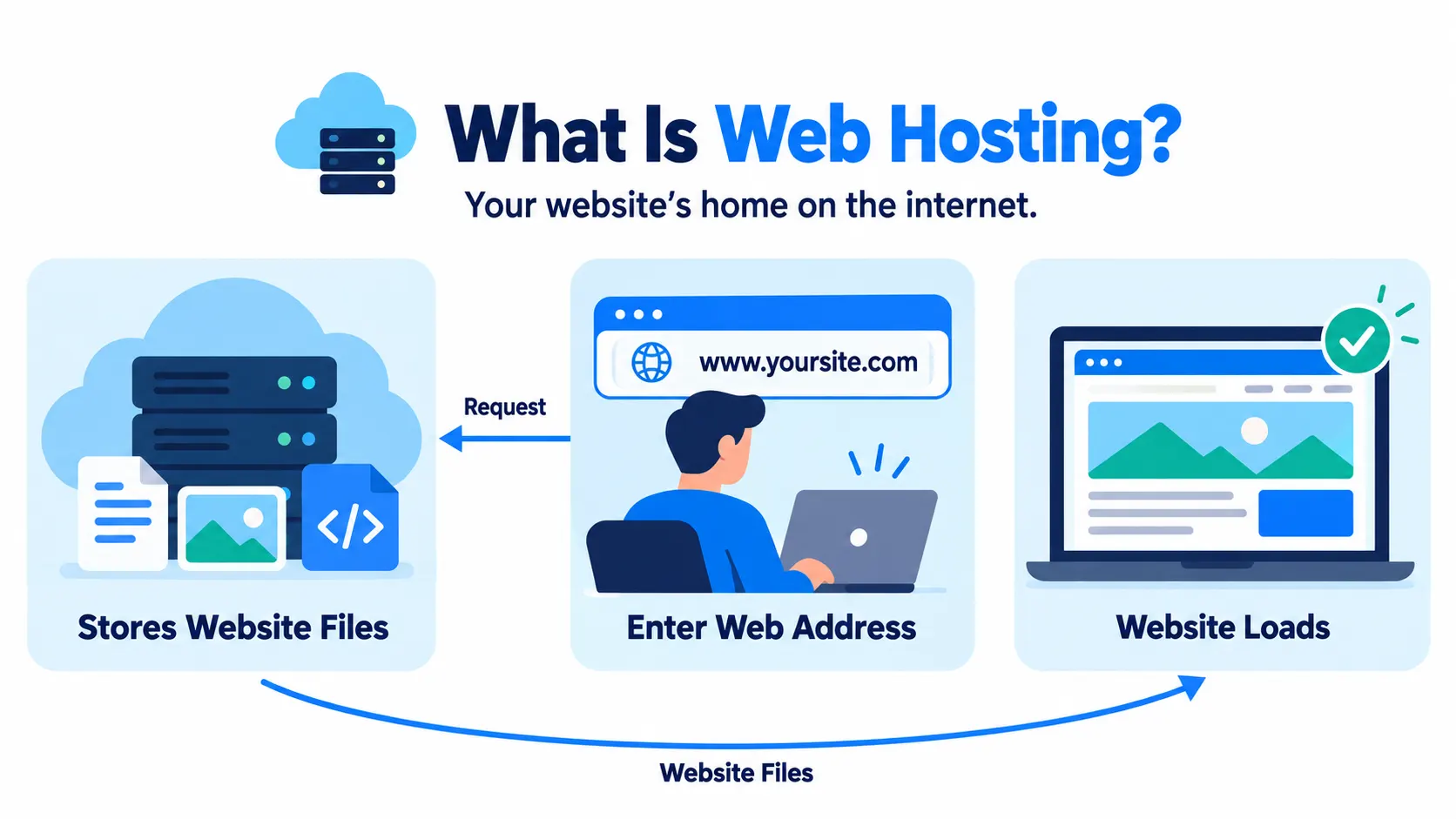
Web hosting is a service that stores your website’s files on a server and makes them available online. When someone types your web address into a browser, that server sends back the files needed to show your site.
Without hosting, a website has nowhere to live. You can think of it like renting space for a shop: the hosting company owns and runs the building, and you fill it with your content.
History of web hosting
Below is the timeline of web hosting:
Key moments
- 1991: The World Wide Web goes public. Before this, hosting a site meant running your own server.
- 1992: Shared hosting begins to take shape, and early internet service providers start offering space on their servers to others.
- 1994–1995: Free hosting platforms like GeoCities and Tripod let anyone put up a basic site at no cost. Around the same time, the first VPS (virtual private server) hosting appears, splitting one physical server into several private sections.
- Late 1990s: The dot-com boom drives huge demand for hosting, and early providers grow quickly to keep up.
- Early 2000s: Companies like HostGator and Bluehost launch, offering affordable shared and dedicated hosting to small businesses.
- 2006: Amazon Web Services launches, kicking off the cloud hosting era and changing how hosting scales.
- 2010s onward: Managed WordPress hosting and cloud platforms grow fast, as more site owners want hosting that handles the technical work for them.
Recent trends in web hosting
Hosting has quietly become more automated and more competitive.
What’s shaping it now
- AI is showing up on both sides: Hosting providers are using AI to automate server management and catch problems early, while also building AI-ready features for customers who run AI tools on their sites.
- Faster hardware is now standard: NVMe SSD storage, once a premium option, is becoming the baseline for most managed hosting plans.
- More providers are moving upmarket: Many hosting companies are adding services such as site builds, security fixes, and ongoing support, rather than just selling server space.
- Hybrid setups are common: Most organizations now run their sites and apps across a mix of hosting types and cloud providers, instead of sticking to just one.
- Data location matters more: More businesses are asking where their data physically sits, since rules in different countries affect how it can be stored and used.
Types of web hosting
Below are the types of web hosting:
| Type | How it works | Best for |
| Shared hosting | Your site shares one server with many other sites | Small sites, blogs, low-traffic businesses |
| VPS hosting | You get a private, guaranteed slice of a shared server | Growing sites that need more control |
| Dedicated hosting | You get an entire physical server to yourself | High-traffic sites, large stores, custom setups |
| Cloud hosting | Your site runs across a network of virtual servers | Sites with unpredictable or spiky traffic |
| Managed WordPress hosting | A host that handles WordPress updates, backups, and security for you | WordPress sites that want less hands-on maintenance |
How web hosting works
Below are the steps of how web hosting works:
- You sign up for a hosting plan and get space on the provider’s server.
- You upload your website’s files to that server, usually through a control panel or FTP.
- You point your domain name at the server, so the address leads visitors to the right place.
- A visitor types your web address into their browser.
- The server receives that request and sends back your website’s files.
- The browser displays those files as the page the visitor sees.
What to look for in a web host
Things worth checking in a web host:
- Uptime: How often the host’s servers stay online and reachable. Even small amounts of downtime can cost visitors or sales.
- Loading speed: Faster servers mean faster page loads, which affects both user experience and search ranking.
- Support: How quickly and how well the host helps when something breaks.
- Security features: Things like free SSL certificates, backups, and malware scanning.
- Room to grow: Whether you can upgrade to a bigger plan later without moving your whole site elsewhere.