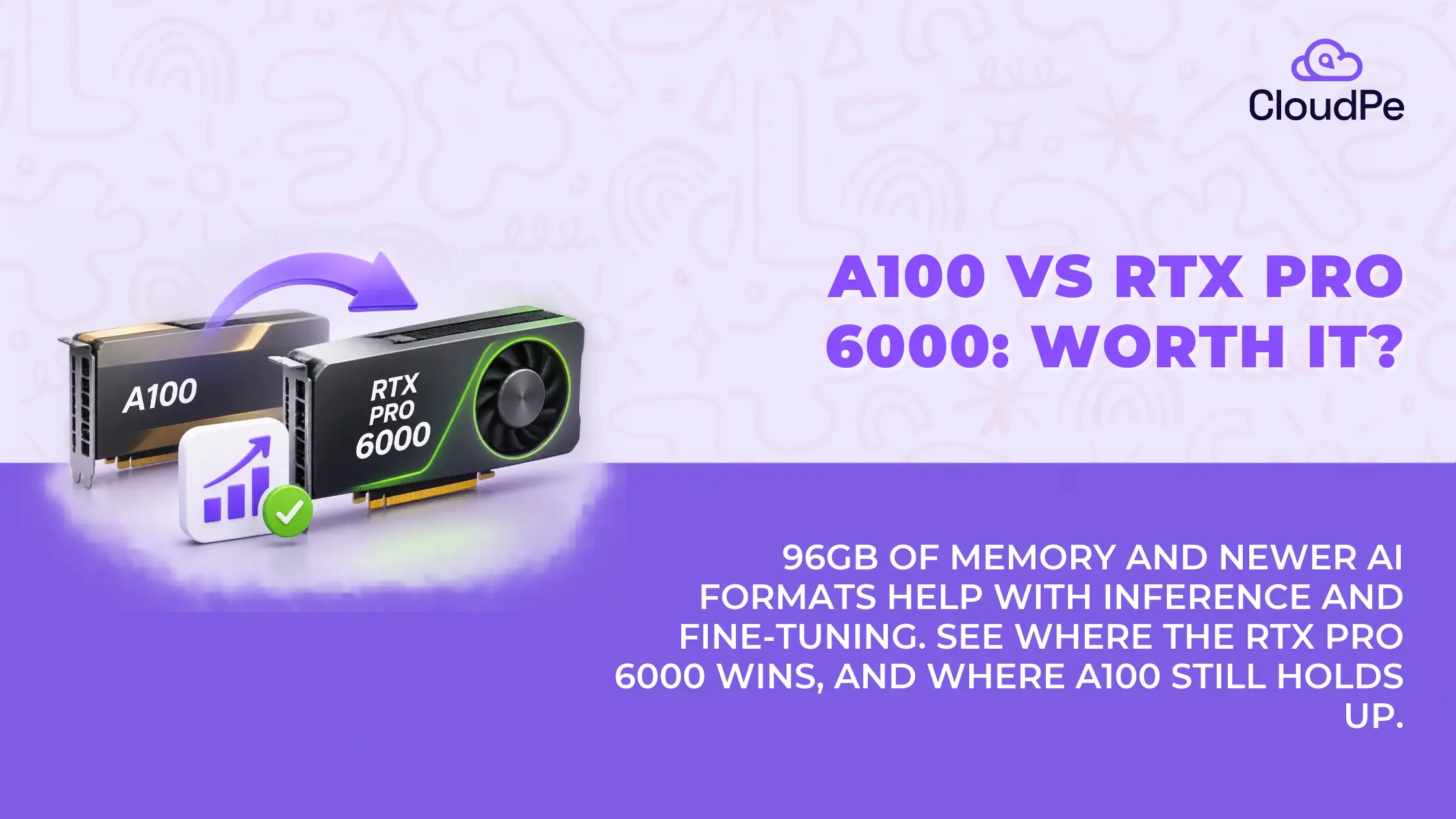
The NVIDIA A100 has been a popular choice for AI training, large language models (LLMs), and high-performance computing. But with newer GPUs offering more memory and advanced AI processing capabilities, many organizations are reconsidering whether their existing A100 infrastructure is still the best option.
One potential upgrade is the NVIDIA RTX PRO 6000 Blackwell, which offers 96GB of GPU memory, newer Tensor Cores, and support for low-precision AI processing.
But is moving from A100 to RTX PRO 6000 actually worth it?
The short answer: Upgrading to the RTX PRO 6000 can be worthwhile for single-GPU AI inference, fine-tuning, and workloads that benefit from newer Blackwell capabilities. However, the A100 remains competitive for memory-bandwidth-intensive applications, scientific computing, and multi-GPU workloads that depend on NVLink.
Let’s compare the specifications, performance, costs, and practical considerations to help you decide whether upgrading makes sense for your workload.
A100 vs RTX PRO 6000: What is different?
The NVIDIA A100 and RTX PRO 6000 belong to different GPU generations and were designed with somewhat different priorities.
The A100 uses NVIDIA’s Ampere architecture and high-bandwidth HBM2e memory. It was designed primarily for data center AI and scientific computing.
The RTX PRO 6000 Blackwell is a newer GPU designed for AI, professional visualization, rendering, and enterprise computing.
Here’s how they compare.
| Specification | NVIDIA A100 80GB SXM | NVIDIA RTX PRO 6000 Blackwell Server Edition |
| GPU architecture | Ampere | Blackwell |
| GPU memory | 80GB HBM2e | 96GB GDDR7 ECC |
| Memory bandwidth | 2,039 GB/s | 1,597 GB/s |
| FP8 Tensor Core acceleration | Not supported natively | Supported |
| FP4 Tensor Core acceleration | Not supported natively | Supported |
| GPU interconnect | NVLink, up to 600 GB/s | PCIe Gen5; no NVLink |
| Maximum GPU power | 400W (standard configuration) | Up to 600W (configurable) |
| Form factor | SXM module | PCIe server accelerator |
| Primary strengths | AI training, HPC, multi-GPU computing | AI inference, fine-tuning, rendering, visualization |
Sources: NVIDIA A100 specifications and NVIDIA RTX PRO 6000 Blackwell Server Edition specifications. The A100 PCIe and RTX PRO 6000 Workstation editions have different specifications.
Three differences stand out.
- First, the RTX PRO 6000 provides 20% more GPU memory, increasing capacity from 80GB to 96GB.
- Second, the RTX PRO 6000 supports newer AI processing formats, including FP8 and FP4, which can improve performance for compatible workloads.
- Third, the A100 SXM still offers higher memory bandwidth and NVLink connectivity, giving it advantages in certain data-intensive and multi-GPU applications.
This means the newer GPU isn’t automatically faster in every situation.
What do you actually gain by upgrading to RTX PRO 6000?
The RTX PRO 6000 introduces several improvements that can benefit modern AI applications.
However, the value of these improvements depends on how you use your GPU.
More GPU memory for larger AI models
One of the most noticeable advantages is the increase from 80GB to 96GB of GPU memory.
GPU memory, also called VRAM, stores the model weights and temporary data required while an AI model runs.
Think of it as a workspace. The more space available, the more information the GPU can keep ready for processing.
For example, a 70-billion-parameter language model stored using approximately 8-bit weights requires around 70GB just for those weights.
On an A100 80GB, this leaves roughly 10GB before accounting for additional memory requirements.
On an RTX PRO 6000 96GB, the same model has approximately 26GB remaining.
That additional memory can provide more room for context, concurrent requests, and other runtime operations.
However, actual memory usage depends on the model format, inference framework, KV cache, and application settings.
The RTX PRO 6000’s larger memory capacity is particularly useful when a workload is close to exceeding the A100’s available VRAM.
Faster AI processing with FP8 and FP4
Another important improvement comes from the Blackwell architecture.
Modern AI GPUs use different numerical formats to represent and process data.
Two commonly discussed formats are:
- FP8: An 8-bit floating-point format that reduces memory use and can accelerate supported AI calculations.
- FP4: A 4-bit floating-point format that can reduce memory requirements further and accelerate compatible workloads.
The NVIDIA A100 supports formats such as FP16, BF16, TF32, and INT8, but it doesn’t offer native FP8 or FP4 Tensor Core acceleration.
The RTX PRO 6000 Blackwell supports both FP8 and FP4 processing.
For example, an inference model optimized for supported FP4 operations may require less memory and achieve higher processing throughput on Blackwell hardware.
But there is one important condition: the model and software must support the appropriate precision format.
Simply moving an existing application from A100 to RTX PRO 6000 will not automatically produce these improvements.
More flexibility for AI and graphics workloads
The A100 focuses primarily on AI and high-performance computing.
The RTX PRO 6000 also includes advanced graphics and ray-tracing capabilities.
This makes it useful for organizations running different types of GPU applications, including AI inference, model development, 3D rendering, simulation, and professional visualization.
For companies that need both AI compute and professional graphics capabilities, this flexibility can make the RTX PRO 6000 a more practical infrastructure choice.
Ready to deploy RTX PRO 6000?
Try CloudPeA100 vs RTX PRO 6000: Which performs better for your workload?
GPU specifications provide a useful starting point, but real-world performance depends on the workload.
A GPU that performs exceptionally well during AI inference may not deliver the same advantage during large-scale model training.
Let’s look at the most common applications.
| Workload | Better starting point | Reason |
| Single-GPU LLM inference | RTX PRO 6000 | More VRAM and newer FP8/FP4 capabilities |
| Single-GPU LLM fine-tuning | RTX PRO 6000 | Potential performance and cost advantages |
| Large multi-GPU training | A100 SXM | NVLink connectivity and established training infrastructure |
| Scientific computing requiring FP64 | A100 | Strong double-precision compute capabilities |
| 3D rendering and visualization | RTX PRO 6000 | Dedicated professional graphics capabilities |
| Memory-bandwidth-intensive workloads | Benchmark both | A100 has higher memory bandwidth |
| Large quantized models | RTX PRO 6000 | Additional VRAM can improve available memory headroom |
These recommendations are based on architectural capabilities and published workload observations, not a universal performance benchmark.
For AI inference
AI inference means using a trained model to generate predictions, text, images, or other outputs.
For example, when someone asks an AI chatbot a question, the GPU processes the request and helps generate the response.
The RTX PRO 6000 is attractive for AI inference because it combines 96GB memory with Blackwell’s low-precision processing capabilities.
Its additional memory can accommodate larger models or provide more room for runtime data.
However, inference performance depends on several factors, including model size, precision, batch size, context length, and concurrent requests.
The A100’s higher memory bandwidth can also remain valuable, especially when moving model data is a major performance bottleneck.
Verdict: RTX PRO 6000 is a strong upgrade candidate for single-GPU inference, but test actual tokens per second and response latency before switching.
For AI fine-tuning
Fine-tuning means adapting a pretrained AI model to a particular task or dataset.
For example, a company might fine-tune an existing language model to answer questions about its internal documentation.
Unlike training a model entirely from scratch, fine-tuning often requires fewer computing resources.
In a June 2025 comparison published by The Kaitchup, Benjamin Marie tested the RTX PRO 6000 Blackwell, A100, and H100 using the Qwen3-8B model with QLoRA, LoRA, and full fine-tuning.
In those tests, the RTX PRO 6000 was approximately 50% faster than the A100 and reduced costs compared with the alternatives under the tested rental rates and configurations.
These results demonstrate the RTX PRO 6000’s potential for single-GPU fine-tuning.
However, they don’t mean every fine-tuning job will run 50% faster. Different models, GPUs, precision settings, and software configurations can produce different results.
Verdict: RTX PRO 6000 deserves serious consideration for single-GPU fine-tuning, particularly when faster completion times can reduce overall job costs.
For rendering and visualization
Not every GPU workload involves AI training.
Organizations also use GPUs for engineering visualization, 3D modeling, rendering, and digital twins.
The RTX PRO 6000 includes dedicated ray-tracing hardware and professional graphics capabilities designed for such applications.
The A100, although powerful for compute, isn’t designed as a professional graphics accelerator.
Verdict: If your infrastructure needs to handle both AI workloads and demanding professional graphics applications, RTX PRO 6000 is generally the more suitable choice.
A100 can still be the better choice
Training large AI models often involves distributing calculations across several GPUs.
In these environments, GPU-to-GPU communication becomes important.
The A100 SXM supports NVIDIA NVLink, which allows GPUs to exchange data at high speeds in compatible systems.
The RTX PRO 6000 Blackwell Server Edition uses PCIe connectivity instead of NVLink.
For workloads requiring frequent communication between multiple GPUs, this difference can affect scaling efficiency.
The A100 also provides higher memory bandwidth, which benefits certain memory-intensive calculations.
Verdict: If you already operate a well-optimized A100 cluster, upgrading to RTX PRO 6000 may not improve performance enough to justify the cost. Compare multi-GPU scaling before making a decision.
When should you keep using the A100?
Upgrading isn’t always necessary, especially if your existing GPU infrastructure already meets your performance requirements.
There are several situations where retaining the A100 may make more sense.
Your workload depends on NVLink.
If your AI training jobs use multiple A100 SXM GPUs connected through NVLink, moving to PCIe-connected RTX PRO 6000 GPUs can introduce communication bottlenecks.
Your application needs high memory bandwidth.
The A100 80GB SXM provides approximately 2.04 TB/s of memory bandwidth, compared with approximately 1.60 TB/s on the RTX PRO 6000 Blackwell Server Edition. For bandwidth-sensitive applications, this difference matters.
You run FP64-heavy scientific workloads.
FP64, or double-precision computing, is important for some scientific simulations and numerical calculations. The A100 is specifically designed to support these workloads efficiently.
Your infrastructure is already optimized.
Existing A100 deployments may have stable software environments, tested configurations, and predictable operating costs.
Replacing GPUs could require additional testing, software updates, and changes to your infrastructure.
If those investments don’t produce meaningful improvements in performance or cost, retaining the A100 may be the better business decision.
Is the A100 to RTX PRO 6000 upgrade worth the price?
Performance is only one part of the upgrade decision.
The other important question is whether the RTX PRO 6000 provides better value for the money.
The cost of an A100 to RTX PRO 6000 upgrade depends on how you access the hardware.
If you own physical servers, you must consider the new GPU, compatible server hardware, power, cooling, and deployment expenses.
If you rent cloud GPUs, the primary costs are usually instance rental, storage, data transfer, and any additional infrastructure services.
There is no single universal upgrade price. Cloud GPU rates vary by provider, location, availability, and commitment period.
How to calculate the real cost of upgrading
The simplest way to compare cloud GPUs is to calculate the cost of completing the same task.
Total GPU job cost = GPU hourly rate × Job duration
Consider this hypothetical example.
| Metric | A100 | RTX PRO 6000 |
| GPU rental rate | $1.50/hour | $2.00/hour |
| Time to complete a job | 3 hours | 2 hours |
| Total job cost | $4.50 | $4.00 |
*Illustrative example only. These are not CloudPe prices or measured benchmark results.
In this scenario, the RTX PRO 6000 costs more per hour but completes the same work faster.
As a result, the total GPU processing cost is approximately 11% lower.
But the opposite can also happen.
If the RTX PRO 6000 doesn’t complete the workload significantly faster, its higher rental rate could increase your overall expenses.
For AI inference, cost per million tokens is another useful metric.
It helps measure how much you’re spending to process a specific volume of model output rather than simply comparing hourly rental prices.
The key is to evaluate the cost per completed workload, not just the GPU price.
For production deployments, you should also consider utilization, software licensing where applicable, data transfer, migration expenses, and any operational downtime.
How to compare GPU rental options
Before switching providers or GPU configurations, check:
- Whether the quoted price is per GPU or for an entire server.
- Whether the instance includes dedicated or shared GPU access.
- The availability of on-demand, reserved, or long-term pricing.
- The server’s CPU, RAM, storage, and networking specifications.
- Whether the GPU configuration supports your software and performance requirements.
A cheaper cloud instance isn’t necessarily more cost-effective if it cannot meet your application’s latency or throughput targets.
Thinking about upgrading beyond A100?
Explore GPU Cloud SolutionsWhat should you check before migrating from A100 to RTX PRO 6000?
Moving from A100 to RTX PRO 6000 isn’t always as simple as selecting a different GPU.
The two GPUs use different architectures, so your software environment and infrastructure must support the change.
Here are the main areas to check.
1. CUDA and NVIDIA driver compatibility
The A100 uses Ampere architecture, while the RTX PRO 6000 uses Blackwell.
Blackwell support requires an appropriate NVIDIA driver and compatible CUDA software.
For native Blackwell support, CUDA 12.8 or later is generally the relevant starting point, subject to the requirements of your specific application and frameworks.
Check NVIDIA’s compatibility documentation before migrating.
2. AI framework support
If your workload uses PyTorch, TensorFlow, vLLM, TensorRT, or another AI framework, confirm that the installed version supports the RTX PRO 6000.
Older framework versions or custom GPU kernels may need updates.
This is especially important if you plan to use newer Blackwell processing features.
3. Model precision and compatibility
Review whether your models currently use FP16, BF16, INT8, or another format.
If you intend to benefit from FP8 or FP4 acceleration, verify that your model and inference framework support the required format.
You should also check whether changing precision affects model accuracy or output quality.
4. Benchmark before switching production workloads
Test your application on the RTX PRO 6000 before completing the migration.
Measure GPU memory consumption, throughput, latency, total job duration, and cost.
For multi-GPU applications, include scaling efficiency and communication overhead.
The goal is to verify that the new GPU provides measurable improvements for your specific application, rather than relying entirely on published specifications.
Should you upgrade from A100 to RTX PRO 6000? A quick decision guide
The decision becomes easier when you match the GPU to your current requirements.
| Upgrade to RTX PRO 6000 if… | Keep using A100 if… |
| You need more than 80GB but no more than 96GB of GPU memory | Your models fit comfortably within 80GB |
| Your software can benefit from Blackwell FP8/FP4 features | Your workload depends heavily on A100-specific optimization |
| You run single-GPU inference or fine-tuning | You rely on NVLink-connected multi-GPU systems |
| You also need professional rendering or visualization | Your workload primarily involves FP64 scientific computing |
| Benchmarks show lower cost per completed job | Your existing infrastructure already meets performance and cost targets |
If you aren’t sure which category your workload belongs to, run the same test on both GPUs.
Compare how quickly each GPU completes the task, how much memory it uses, and how much the entire operation costs.
This will provide a more reliable answer than specifications alone.
Conclusion
The NVIDIA RTX PRO 6000 Blackwell is a compelling upgrade option for organizations looking to improve single-GPU AI inference, fine-tuning, and mixed AI and graphics performance.
Its 96GB memory and support for newer AI precision formats provide advantages over the older A100 in compatible workloads.
However, the A100 remains a capable GPU, particularly for multi-GPU computing, high-bandwidth workloads, and scientific applications.
The best upgrade is one that improves your actual workload performance without unnecessarily increasing infrastructure costs.
Before moving from A100 to RTX PRO 6000, compare your model requirements, benchmark both GPUs, and calculate the total cost of running your applications.
With the right evaluation, you can choose GPU infrastructure that meets your current needs while supporting future growth.
| Your AI workloads deserve the right GPU. | Deploy RTX PRO 6000 |
Choosing a cloud infrastructure platform that supports flexible resource allocation and scalable architectures can make future resizing simpler, safer, and more predictable.
Frequently Asked Questions
Which is better, the RTX PRO 6000 or the A100 80GB?
The RTX PRO 6000 Blackwell is often a better choice for single-GPU inference, compatible low-precision AI workloads, and professional graphics applications. The A100 80GB SXM can remain preferable for NVLink-based multi-GPU computing, bandwidth-sensitive applications, and FP64-heavy scientific workloads.
Is upgrading from A100 to RTX PRO 6000 worth it in 2026?
Yes, upgrading can be worthwhile if your applications benefit from 96GB memory, Blackwell’s newer AI capabilities, or better cost per completed job. However, organizations using A100 clusters for demanding distributed training should benchmark carefully before migrating.
Is the RTX PRO 6000 overkill for AI inference?
It depends on the model and traffic requirements. For a small chatbot running a lightweight language model, the RTX PRO 6000 may provide more resources than necessary. For larger models, long contexts, or demanding inference workloads, its 96GB memory can be valuable.
Is RTX PRO 6000 better than H100?
Not for every workload. The RTX PRO 6000 offers 96GB memory and Blackwell FP4 support, making it attractive for certain single-GPU inference and fine-tuning tasks. The H100 offers high-bandwidth memory and, depending on its edition, high-speed NVLink connectivity that can benefit demanding multi-GPU applications.
Is RTX PRO 6000 more powerful than RTX 5090?
The RTX PRO 6000 Blackwell offers 96GB of GPU memory, compared with 32GB on the RTX 5090. This makes it more suitable for many large AI models and professional workloads requiring substantial VRAM. However, the RTX 5090 remains powerful for smaller models, rendering, and workloads that fit comfortably in its memory.
Is A100 faster than RTX 5090?
It depends on the application. The RTX 5090’s newer Blackwell architecture can provide strong performance for many single-GPU AI and graphics workloads. The A100 offers 80GB memory, strong FP64 capabilities, and data center connectivity features that can make it preferable for large scientific or multi-GPU workloads.