If you’re trying to figure out whether the RTX PRO 6000 fits your workload, here’s the short version: it comfortably runs 70B-class language models quantized, 30-40B models at full precision, and most single-GPU inference and rendering jobs. The card costs $16,000 to buy as of August 2026. Renting one from CloudPe starts at Rs. 152.49 an hour. This article walks through both numbers so you can decide which one makes sense for you.
What is the RTX PRO 6000?
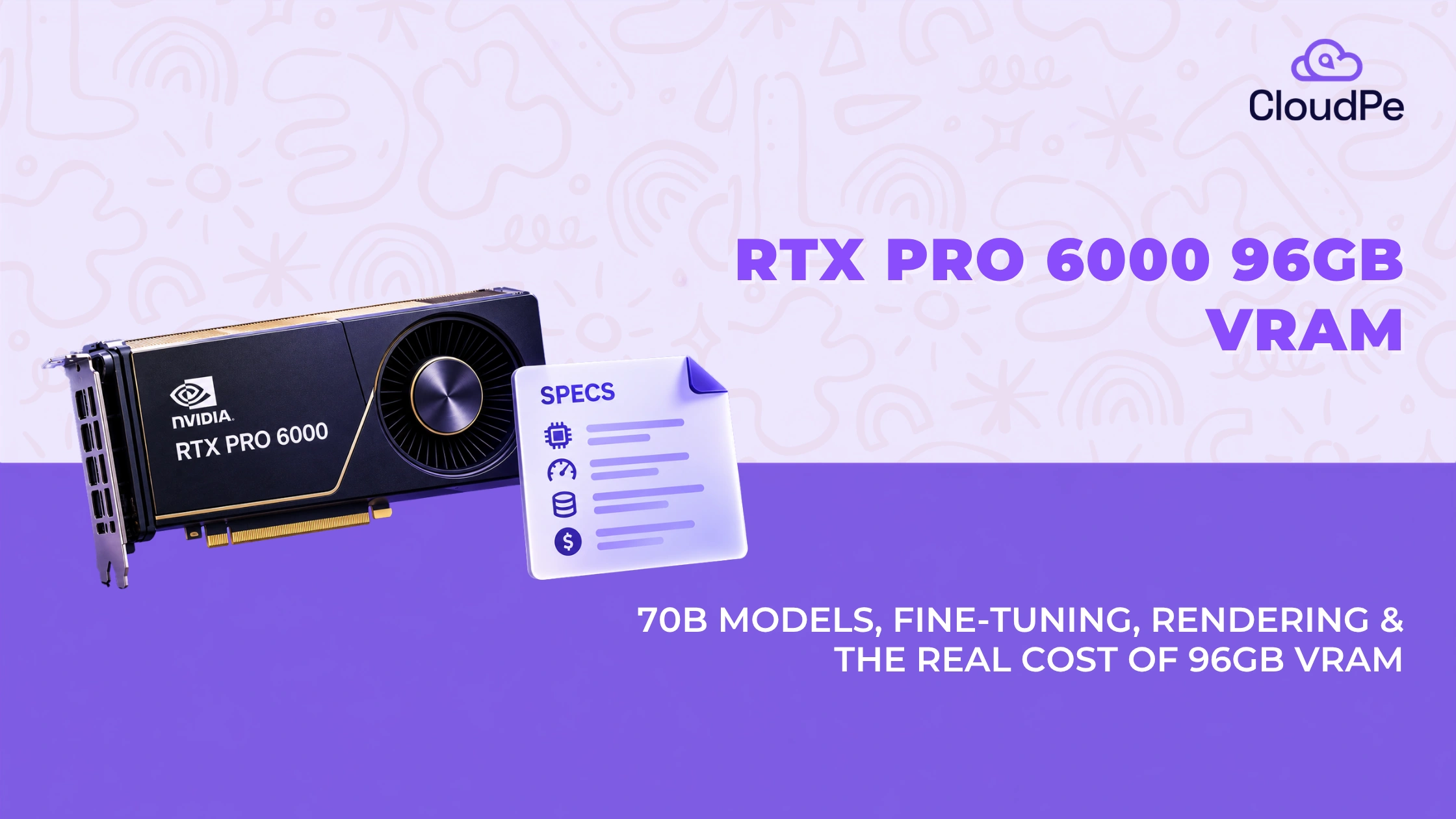
RTX PRO 6000 96GB GDDR7 is a professional GPU built on NVIDIA’s Blackwell architecture. It is made for AI inference, fine-tuning, and 3D rendering. Not for gaming.
RTX PRO 6000 runs 24,064 CUDA cores and 752 fifth-generation Tensor Cores. The number that matters most is 96GB. That is more memory than an A100 80GB or an H100 80GB. That is what lets the card hold large models entirely in memory instead of splitting them across multiple GPUs.
It ships in three forms:
- Workstation Edition: 600W, active cooling, the standard desktop card.
- Max-Q: 300W, blower-style cooling, for tighter thermal budgets.
- Server Edition: passive cooling, built for rack deployments. This is the version CloudPe runs in its Mumbai data centre.
NVIDIA’s own benchmarks, measured against the previous-generation L40S, show the size of the jump: up to 5x higher LLM inference throughput for agentic AI, up to 3.3x faster text-to-video generation, and over 2x faster rendering.
Where the RTX PRO 6000 fits best
The card is built for five workload types. Most teams only use it for one, which is worth knowing before you assume it’s the wrong, or right, fit for you.
- AI inference and LLM serving: Serve models up to 70B parameters in FP8 on a single GPU. No multi-GPU orchestration needed for most production inference jobs.
- Fine-tuning and model training: Fine-tune models up to 30-40B parameters at full precision on one card, or larger with LoRA and QLoRA.
- 3D rendering and visualisation: Real-time ray tracing for architecture, automotive design, and VFX. The 4th-gen RT Cores and RTX Mega Geometry enable up to 100x more ray-traced triangles than the previous generation.
- Digital twin and simulation: NVIDIA Omniverse-ready for manufacturing, robotics, and industrial digital twin work, where you need both AI and rendering at once.
- Scientific computing and HPC: FP32-heavy workloads like molecular dynamics and physics simulation, where raw compute density matters more than any AI-specific feature.
What fits in 96GB VRAM
96GB VRAM fits 70B parameters quantized, or 30-40B at full precision, comfortably. Larger mixture-of-experts models like DeepSeek V3 need more than one card.
VRAM requirements come down to three things:
- how many parameters the model has,
- what precision you run it at, and
- how much extra memory the KV cache and runtime overhead need.
As a rule of thumb, add 20% on top of the raw weight size for that overhead.
Getting this wrong costs you either way. Undersize it and jobs fail mid-run or fall back to slow CPU offloading. Oversize it and you’re paying for more cards, or more cards, than you need.
Precision formats, in plain terms
- FP16 (full precision): 2 bytes per parameter. Highest quality, largest memory footprint.
- INT8 / FP8: 1 byte per parameter. Roughly half the memory of FP16, with a small quality trade-off most production inference can absorb.
- INT4 / FP4: 0.5 bytes per parameter. A quarter of the FP16 footprint. Quality drops further, but it’s often the only way to fit very large models on one card.
The RTX PRO 6000 has one advantage over older cards, which is the native FP4 support built into Blackwell. That leads to hardware speed-up for INT4/FP4 workloads, while saving memory.
What actually fits
| Model | Precision | Approx. VRAM needed | Fits on one RTX PRO 6000? |
| 7B models (Llama 3.1 8B, Qwen3-8B) | FP16 | ~14GB | Yes, with room to spare |
| 13-14B models | FP16 | ~26-28GB | Yes |
| Gemma-3-27B (dense) | FP16 | ~65GB | Yes |
| Qwen3-32B (dense) | FP16 | ~77GB | Yes |
| 30-40B models generally | FP16 | ~60-80GB | Yes |
| 70B models (Llama 3.3 70B) | FP8 / INT8 | ~70GB | Yes |
| 70B models | FP16 (full precision) | ~140GB | No, needs an H200 or a multi-GPU setup |
| Qwen3-30B-A3B (MoE, 30B total / 3B active) | FP16 | ~72GB | Yes |
| Llama 4 Scout (MoE, 109B total / 17B active) | INT4 | ~65GB | Yes, quantized |
| Qwen3-235B-A22B (MoE, 235B total / 22B active) | INT4 | ~140GB | No, needs multi-GPU even quantized |
| DeepSeek V3 / R1 (MoE, 671B total / ~37B active) | INT4 | ~400GB | No, needs multiple GPUs |
Total parameter count decides whether a model fits. Active parameter count decides how fast it runs. Those are two different numbers, and mixing them up is the most common sizing mistake teams make with mixture-of-experts models.
Not sure where your own model lands? Let our expert guide you.
Talk to usDense models vs mixture-of-experts
Dense models like Llama 3.3 70B or Qwen3-32B use every parameter on every token, so memory and compute scale together.
Mixture-of-experts models like DeepSeek V3 or Qwen3-235B-A22B have a much larger total parameter count but activate only a fraction of it per token. That makes them faster to run than their size suggests, but it doesn’t shrink the memory footprint.
Every expert still has to sit in VRAM, even the ones that don’t fire on a given request. That’s exactly why Qwen3-235B-A22B and DeepSeek V3 need multiple GPUs, despite being lighter on compute per token than their total parameter count implies.
Fine-tuning needs more than inference
- Everything in the table above is inference math. Fine-tuning typically needs 3 to 5 times more memory, since you’re storing gradients and optimizer states alongside the weights.
- A 70B model that fits comfortably for inference at INT8 will not fit for full fine-tuning on one card.
- LoRA and QLoRA change that. Freezing the base model and training a small set of adapter weights avoids most of that overhead.
- Realistic on one card: LoRA fine-tuning a 30-40B model at full precision, or a 70B model quantized.
- Not realistic on one card: full fine-tuning at 70B or above.
Context length changes the math
Every figure above assumes moderate context length. Push the context window higher and the KV cache grows with it, often faster than people expect.
- Short context (a few thousand tokens): the 20% overhead estimate used above holds up well.
- Long context (32K-128K tokens or more): KV cache can add tens of gigabytes on top of the base weight size.
- Serving many concurrent requests multiplies this further. Each active request holds its own KV cache.
A 70B model at INT8 fitting in ~70GB is accurate for one request at moderate context. Push to long context with several concurrent users, and the same model can outgrow what 96GB comfortably holds. PagedAttention (used in vLLM) and KV cache quantization help manage this, but they don’t remove the constraint. Size for your actual context length and concurrency, not just the model’s parameter count.
What the RTX PRO 6000 actually costs in 2026
RTX PRO 6000 costs $16,000 to buy, as of August 2026. When it was launched back in March 2025, it was priced at $8,565, This is an 87% increase. In India, that’s roughly Rs. 13-14 lakh before import duty and GST.
The memory supply constraints is the main driver of this increase in cost, not higher manufacturing cost. That means the price is exposed to a market you don’t control, and it has already moved twice in the last year.
Buy vs rent: the real math
Buying a GPU and renting a GPU for 13-14 months are almost the same. Yet, for most teams, renting wins.
CloudPe RTX PRO 6000 rate is ₹152.49 an hour. At full-time usage (roughly 730 hours a month), that’s close to ₹1 lakh a month, billed only for what you use, with no egress fees.
Set that against a roughly ₹13-14 lakh purchase price and the math is direct: buying one card costs about the same as 13-14 months of running it full-time on cloud. If your usage is intermittent, which it is for most AI teams outside continuous production inference, the real payback period on buying stretches well past a year.
Buying also carries costs renting doesn’t:
- Depreciation and obsolescence; The next architecture generation will drop this card’s resale value the way every previous generation’s did.
- Price exposure: The card has already gone up 87% since launch. Buy now and you’ve locked in today’s inflated price. Rent, and CloudPe absorbs that volatility instead of you.
- Power, cooling, and rack space: A 600W card running continuously has real electricity and cooling costs the purchase price doesn’t show.
- Idle cost: A card you own costs the same whether it’s running a job or sitting idle. A rented instance you’re not using costs nothing.
Buying isn’t always the wrong call. If you need dozens of these cards running near-continuously for years, the economics shift toward ownership. For everyone else, testing a workload, running a project with an end date, or scaling without locking in capacity two years out, renting is the lower-risk decision.
Case-study
290% year-on-year growth, and a GPU bottleneck that nearly stopped it.
Zlendo Technologies builds AI-powered 3D renders for architects and builders, turning 2D floor plans into photorealistic walkthroughs.
Problem: Their local hosting provider simply didn’t stock the GPU their workloads needed. A capability wall.
Solution: They switched to CloudPe. We had them live on the right hardware in a day. No procurement cycle, no waiting.
The result: 40% better uptime and a 100% CSAT score.
RTX PRO 6000 vs RTX 5090
Not really a fair fight, because they’re not built for the same job.
| RTX PRO 6000 | RTX 5090 | |
| Memory | 96GB GDDR7 | 32GB GDDR7 |
| ECC memory | Yes | No |
| MIG support | Yes | No |
| Built for | AI inference, fine-tuning, professional rendering | Gaming, consumer creative work |
| Certified drivers | Yes, for production AI and rendering | No |
- Gaming: the 5090 is the right card. It costs less and is built for it.
- Inference, fine-tuning, or production rendering: the 5090’s 32GB ceiling rules it out for most of the model sizes in the table above.
- Price: they don’t compete here either. The 5090 is a consumer product. The RTX PRO 6000 is priced as production infrastructure.
RTX PRO 6000 vs H200
If your workload fits in 96GB, RTX PRO 6000 wins on cost. Need NVLink or more memory, use H200.
| RTX PRO 6000 | H200 | |
| Memory | 96GB GDDR7 | 141GB HBM3e |
| NVLink | No | Yes |
| Best for | Single-GPU inference, fine-tuning up to 70B quantized, rendering | Large-scale training, models too large for one card, high-resolution video generation |
| Multi-GPU communication | PCIe | NVLink |
The H200 GPU extra memory and NVLink make it the better pick for large-scale distributed training and for models that don’t fit on a single card even quantized, like Qwen3-235B-A22B or DeepSeek V3. The RTX PRO 6000 has no NVLink, so multi-GPU setups run over PCIe instead, a real limit for large training but rarely an issue for single-GPU inference.
👉Recomended read: NVIDIA H200 GPU Pricing Guide 2026 |
Rule of thumb: model and batch size fit in 96GB, start with RTX PRO 6000. Training from scratch, working with models too large for one card, or running high-resolution generative video, move to H200.
Is the RTX PRO 6000 good for gaming?
No, not really. It can run games, but an RTX 5090 does it cheaper and better.
The RTX PRO 6000 is built on server-grade silicon with ECC memory and drivers certified for professional workloads, not gaming. It will run games, but you’re paying for AI and rendering capability you won’t use.
Is the RTX PRO 6000 worth it?
Yes for AI inference, fine-tuning up to 70B, and professional rendering. No for gaming or large-scale multi-GPU training.
Worth it for:
- Teams running inference or fine-tuning on models up to 70B parameters
- Studios doing real-time ray-traced rendering
- Anyone who needs 96GB on a single card without NVLink complexity
Not worth it for:
- Gaming
- Workloads that need multi-GPU training at scale (H200 territory)
- Teams unsure whether they need this much VRAM, where testing a smaller card first is cheaper
Worth buying outright: only if you’re running near-continuous workloads for multiple years and can absorb depreciation risk.
Worth renting: everyone else. Same 96GB, same Blackwell architecture, none of the price exposure, idle cost, or resale risk.
Quick decision checklist
- Do you know your actual context length and concurrency needs, not just your model’s parameter count? If not, size for that first.
- Is your model dense or MoE? If MoE, check the total parameter count against VRAM, not the active parameter count.
- Do you need multi-GPU training with NVLink? If yes, that’s an H200 conversation, not RTX PRO 6000.
- Is your usage continuous or intermittent? Continuous, multi-year, high-volume usage is where buying starts to make sense. Everything short of that favours renting.
- Can you tolerate a procurement cycle? Buying means weeks of lead time right now. Renting means running workloads today.
Land on “rent,” and you can be testing your actual workload on an RTX PRO 6000 within minutes.
Get started
If your workload fits in 96GB, you don’t need to spend Rs. 13-14 lakh, or wait on a procurement cycle, to find out. CloudPe runs RTX PRO 6000 instances from its Mumbai data centre, billed by the hour, with data staying in India under DPDP, RBI, and SEBI requirements.
Deploy RTX PRO 6000
Know moreFind the Right GPU
Talk to a GPU specialistFrequently Asked Questions
Can the RTX PRO 6000 run a 70B model?
Yes. At FP8 or INT8, a 70B model needs roughly 70GB, which fits with room for KV cache. Full FP16 needs around 140GB, which doesn’t fit on one card.
Is the RTX PRO 6000 good for LoRA fine-tuning?
Yes. LoRA freezes the base model and trains a small set of adapter weights, keeping memory use far below full fine-tuning. A 30-40B model at full precision, or a 70B model quantized, is realistic on one card.
Can the RTX PRO 6000 run DeepSeek V3 or R1?
Not on a single card. DeepSeek’s 671B total parameters, even at INT4, need roughly 400GB. You’ll need a multi-GPU setup, which is where CloudPe’s H200 instances make more sense.
Can the RTX PRO 6000 run Qwen3-235B-A22B?
Not on a single card either. Despite only 22B active parameters per token, the full 235B total parameter set has to sit in VRAM, which exceeds 96GB even at INT4. Qwen3-32B dense or Qwen3-30B-A3B MoE both fit comfortably instead.
RTX PRO 6000 vs RTX 5090, what’s the real difference?
32GB vs 96GB, no ECC vs ECC memory, no MIG vs MIG support. The 5090 is a gaming card. The RTX PRO 6000 is built for production AI and rendering.
Is it cheaper to rent or buy an RTX PRO 6000?
For most teams, renting. The card costs roughly Rs. 13-14 lakh to buy as of August 2026. CloudPe’s rate of Rs. 152.49 an hour works out to about 13-14 months of full-time rental to match that, before counting power, cooling, and depreciation.
What does the RTX PRO 6000 cost on CloudPe?
Rs. 152.49 an hour, usage-based, with monthly and yearly commitment options. No egress fees. Exact current pricing is in the live calculator on CloudPe’s RTX PRO 6000 page.
RTX PRO 6000 vs H200, which should I use?
RTX PRO 6000 for single-GPU inference and fine-tuning up to 70B quantized. H200 if you need NVLink for multi-GPU training or you’re working with models too large for one card.
Does the RTX PRO 6000 support multi-GPU setups?
Yes, but over PCIe rather than NVLink. Fine for parallel inference. A real limit for large-scale distributed training, where H200’s NVLink matters more.
Does long context length change how much VRAM I need?
Yes. The figures in this article assume moderate context length. Long context (32K tokens or more) or several concurrent requests grows the KV cache well beyond the 20% overhead estimate, sometimes by tens of gigabytes.
Can I use the RTX PRO 6000 for 3D rendering and AI in the same pipeline?
Yes, and that’s one of the card’s real advantages. Studios doing generative AI content creation alongside real-time ray-traced rendering can run both on one card instead of separate AI and graphics infrastructure.
What are the power and cooling requirements if I buy the card myself?
The Workstation Edition draws up to 600W under full load and needs active cooling, adding real electricity and HVAC costs if run continuously. The Max-Q variant runs at 300W with a blower-style cooler, at some cost to peak performance. This is a line item people forget when comparing buying against a rented instance, where power and cooling are already built into the hourly rate.