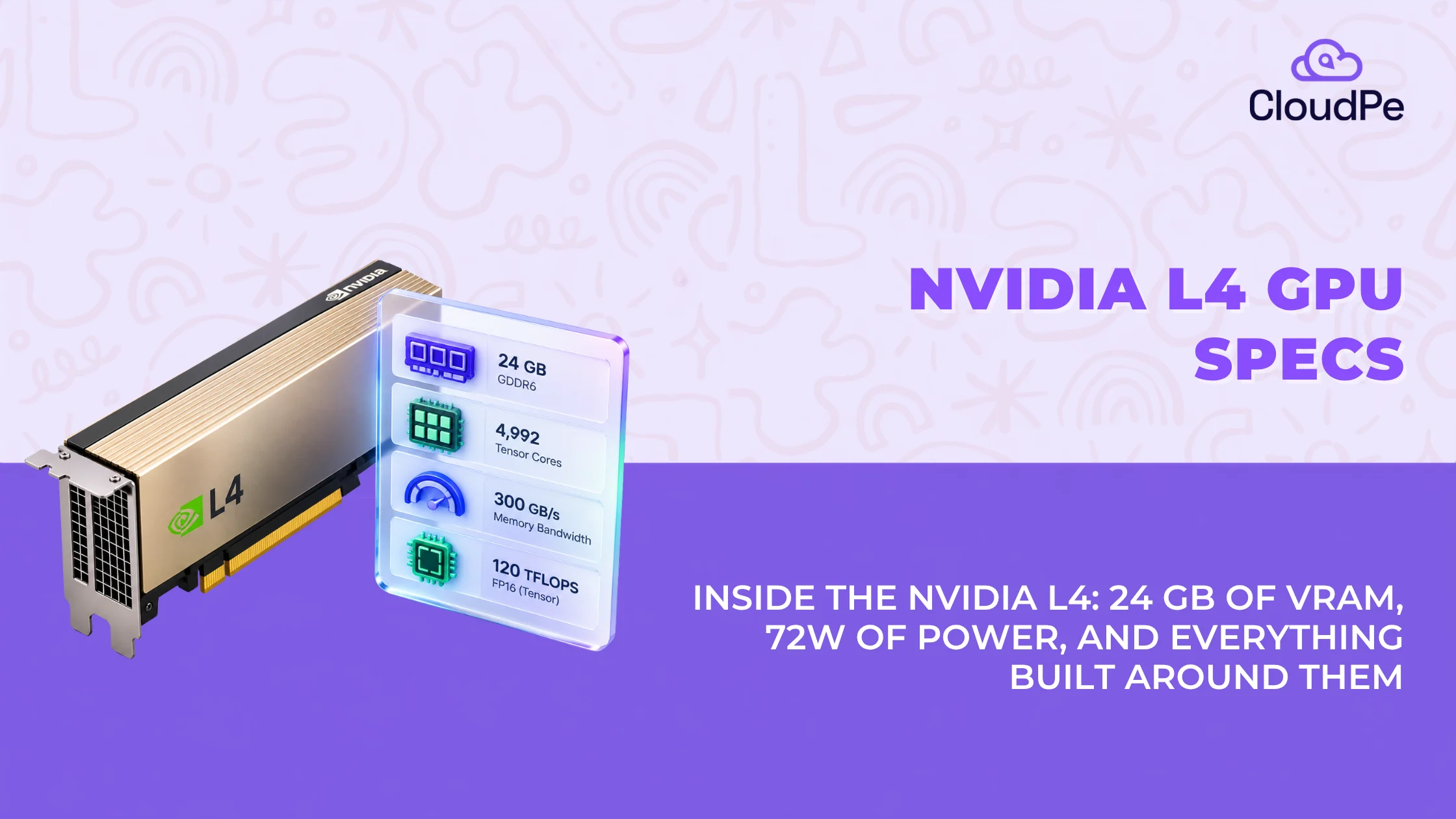
The NVIDIA L4 GPU specs tell an unusual story for a data centre accelerator. It has fewer CUDA cores than flagship GPUs, less VRAM than an A100, and no NVLink. The reason comes down to one number: 72 watts.
Most GPU comparisons lead with raw compute. This one starts with the power draw, because for teams running inference at scale, power draw decides the cloud bill more than any TFLOPS figure does. Here is what the L4 actually offers, spec by spec, and why the 72W ceiling matters as much as anything else on the sheet.
NVIDIA L4 GPU specifications
| Spec | Detail |
| Architecture | NVIDIA Ada Lovelace (AD104 die) |
| CUDA cores | 7,424 |
| Tensor cores | 4th-generation, native FP8 support |
| GPU memory | 24 GB GDDR6 with ECC |
| Memory bandwidth | 300 GB/s |
| Memory interface | 192-bit |
| FP32 performance | 30.3 TFLOPS |
| FP16 / BF16 tensor performance | 242 TFLOPS |
| Max power draw (TDP) | 72W |
| Form factor | Single-slot, low-profile (half-height, half-length) |
| Bus interface | PCIe Gen4 x16 |
| Cooling | Passive |
| Media engines | 2x NVENC (AV1), 4x NVDEC, 4x JPEG decoders |
| Note: Two numbers in this table do most of the work: 24GB of VRAM and 72W of power draw. Why 24GB VRAM matters: It hits the precise memory sweet spot to run 7B–14B quantized models on a single GPU without paying for unused capacity. Why 72W TDP matters: It fits into standard 1U/2U server chassis using standard motherboard slot power, slashing data center cooling costs by up to 60%. Everything else on the spec sheet exists to support what those two numbers make possible. |
Get NVIDIA L4 starting from ₹35.86 per hour.
Try for freeNVIDIA L4 architecture: Ada Lovelace and the AD104 die
The L4 is built on the same Ada Lovelace architecture and the same AD104 die used in NVIDIA’s consumer RTX 4070. It means the L4 inherits Ada Lovelace’s 4th-generation tensor cores and native FP8 support, the same features that make the architecture efficient at inference, but tuned for data centre duty instead of gaming clock speeds.
The practical result: a card built for sustained, always-on inference workloads rather than short bursts of gaming performance. Ada Lovelace’s efficiency gains, designed originally to improve performance per watt on consumer cards, turn into something more valuable in a data centre. That is more inference throughput per dollar of power and rack space.
Compute specs: CUDA cores, tensor cores, and FP8 precision
Let’s look at the compute specs:
CUDA core count and parallel throughput
The L4 packs 7,424 CUDA cores. That is fewer than data centre GPUs built for training, but CUDA core count is not the metric that matters most for inference. Inference workloads lean on tensor cores far more than general-purpose CUDA cores, which is where the L4’s design choices actually show up.
4th-gen tensor cores and native FP8 support
The L4’s tensor cores support FP8 precision natively. FP8 is a lower-precision numeric format that quantized inference models use to run faster with a smaller memory footprint, at a small and usually acceptable accuracy trade-off.
This matters because most production LLM inference today runs on quantized models, not full-precision ones. A GPU with native FP8 support handles quantized model inference more efficiently than one without it, which is part of why the L4 punches above its CUDA core count for inference-specific work.
Memory specs: 24GB GDDR6 with ECC
The L4 ships with 24GB of GDDR6 memory and ECC (error-correcting code) support, at 300 GB/s of bandwidth across a 192-bit interface.
ECC memory matters more in production than it sounds. It catches and corrects memory errors before they corrupt inference output, which is a bigger deal for a GPU running continuous production traffic than for a workstation card.
24GB is enough to hold a quantized 7B to 14B parameter model comfortably, including headroom for the KV cache that inference serving needs at reasonable batch sizes. It is not enough to hold larger models like a 70B parameter LLM without splitting across multiple GPUs. That ceiling is intentional. The L4 is not built to be the GPU you scale a single massive model onto. It is built to be the GPU you deploy in volume for models that fit.
Power and form factor: 72W
This is the spec that defines everything about the L4.
The card has a maximum TDP of 72W and draws all of that power directly from the PCIe slot. It needs no auxiliary power cable. That is unusual for a data centre GPU. Most GPUs in this performance range need at least one 8-pin or 12-pin power connector on top of slot power.
The L4 is also single-slot and low-profile, classified as half-height, half-length. Combined with the lack of auxiliary power, this makes it possible to fit far more L4s into a server chassis than most other inference GPUs, without redesigning the power delivery or cooling system around them.
For a server operator, this adds up to three practical advantages:
- Higher GPU density per rack unit. More L4s fit into the same physical server footprint than GPUs requiring dual-slot designs or extra power connectors.
- Simpler power planning. No need to provision additional power rails or connectors per GPU.
- Lower cooling overhead per GPU. A 72W card generates a fraction of the heat of a 300W or 700W accelerator, which lowers the cooling load per unit of inference capacity, even though the card itself still needs standard case airflow like any passively cooled GPU.
None of this shows up directly on a spec sheet as a “cost” figure. But that’s why the L4 GPU price is less to run at scale than its raw compute numbers alone would suggest.
NVIDIA L4 vs A100: how the specs compare
Teams sizing inference infrastructure often default to the A100, since it is the more familiar, widely used data centre GPU.
NVIDIA L4 vs A100: how the specs compare
Teams sizing inference infrastructure often default to the A100, since it is the more familiar, widely used data centre GPU. Lining up the specs side by side shows where that default holds up, and where it does not.
| Spec | NVIDIA L4 | NVIDIA A100 (40GB) |
| Architecture | Ada Lovelace | Ampere |
| CUDA cores | 7,424 | 6,912 |
| GPU memory | 24 GB GDDR6 (ECC) | 40 GB HBM2 |
| Memory bandwidth | 300 GB/s | 1,555 GB/s |
| Max TDP | 72W | 400W |
| Form factor | Single-slot, low-profile | Dual-slot, full-length |
| NVLink | No | Yes |
| MIG support | No | Yes |
| Native FP8 tensor support | Yes | No |
The gap in memory bandwidth and TDP is expected. These two GPUs are built for different jobs.
The A100 is designed for large-scale training and memory-bandwidth-heavy workloads, with NVLink and MIG to support that scale.
The L4 is designed for efficient inference at low power, with native FP8 support that the A100’s Ampere architecture does not have.
This is not an argument that the L4 replaces the A100 for every workload. It is an argument that a large share of inference workloads, the ones that fit inside 24GB and do not need NVLink or MIG, never needed A100-level hardware in the first place.
Get 24GB VRAM, native FP8, and 72W efficiency starting at ₹35.86/hr.
Deploy L4Video and media specs: NVENC, NVDEC, and AV1 support
The L4 includes two NVENC encoders and four NVDEC decoders, with native AV1 encode support. AV1 support matters because it is a more bandwidth-efficient codec than H.264 or H.265, which lowers streaming and storage costs for video-heavy workloads at the same visual quality.
Four JPEG decoders round out the media engine, useful for image-heavy pipelines like computer vision preprocessing at scale.
This combination is why the L4 shows up as often in video transcoding and virtual desktop deployments as it does in AI inference. The same low-power, high-density profile that makes it efficient for inference also makes it efficient for running many concurrent video or graphics sessions per server.
What the L4 is built for
1. Small-to-medium AI inference
The L4’s 24GB of VRAM and native FP8 support make it a strong fit for models in the 7B to 14B parameter range, including Llama 3.1 8B, Mistral 7B, Whisper Large v3 for transcription, and BERT or RoBERTa-class embedding models. These are exactly the model sizes most production inference workloads actually run, rather than the largest models available.
2. Computer vision and transcoding
Real-time multi-camera video analytics, live streaming pipelines, and media transcoding all benefit from the L4’s media engine and its ability to run many instances densely per server.
3. Virtual desktops and rendering
With DLSS 3 support, the L4 also handles enterprise vGPU virtual workstations, cloud gaming, and 3D rendering workloads, another area where GPU density per server matters more than peak single-GPU performance.
Limitations of NVIDIA L4 GPU
The L4’s design trade-offs matter as much as its strengths; below are the L4 limitations:
- No NVLink: The L4 has no high-speed inter-GPU bridge. Multi-card L4 setups communicate over the PCIe bus, which is slower than NVLink. This makes the L4 a poor fit for workloads that need fast GPU-to-GPU communication, such as large distributed training jobs.
- No MIG (Multi-Instance GPU): Unlike the A100 and H100, the L4 cannot be hardware-partitioned into isolated mini-GPUs. Multi-tenant sharing on an L4 has to be managed in software, for example through Kubernetes scheduling, rather than at the hardware level.
- Not built for large model training: The L4’s memory bandwidth and 24GB capacity are not enough for training runs or for serving models at the 70B+ parameter scale without splitting across many GPUs, at which point the lack of NVLink becomes a real bottleneck.
If your workload needs any of the above, the L4 is the wrong GPU for the job. If it does not, the L4’s efficiency profile is difficult to beat.
NVIDIA L4 vs T4: how the specs compare
Below is the NVIDIA L4 vs T4 specs comparison:
| Spec | NVIDIA T4 | NVIDIA L4 |
| Architecture | Turing | Ada Lovelace |
| CUDA cores | 2,560 | 7,424 |
| GPU memory | 16 GB GDDR6 | 24 GB GDDR6 (ECC) |
| Memory bandwidth | 320 GB/s | 300 GB/s |
| Max TDP | 70W | 72W |
| FP8 support | No | Yes |
The L4 is widely treated as the T4’s successor. It keeps the same low-power, single-slot profile that made the T4 popular for inference and adds a newer architecture, more VRAM, and native FP8 support. For teams currently running T4 fleets and hitting memory or precision limits, the L4 is a direct, same-footprint upgrade path.
Planning to rent or buy NVIDIA L4?
Check pricingConclusion
The NVIDIA L4 GPU specs do not read like a flagship data centre card, and that is the point. 7,424 CUDA cores, 24GB of GDDR6, and a 72W ceiling are modest numbers next to an A100 or H100. But for the inference, video, and virtual desktop workloads most teams actually run day-to-day, those modest numbers translate into higher GPU density per server and lower power and cooling costs than a training-class GPU would need.
The trade-offs are real. No NVLink, no MIG, and a 24GB ceiling rule the L4 out for large model training or serving 70B+ parameter LLMs. But for models in the 7B to 14B range, multi-stream video processing, or vGPU workstations, the L4’s efficiency profile is hard to match on power draw and server density.
The spec that matters most here is not on any benchmark chart. It is the 72W figure that lets the rest of the sheet work the way it does.