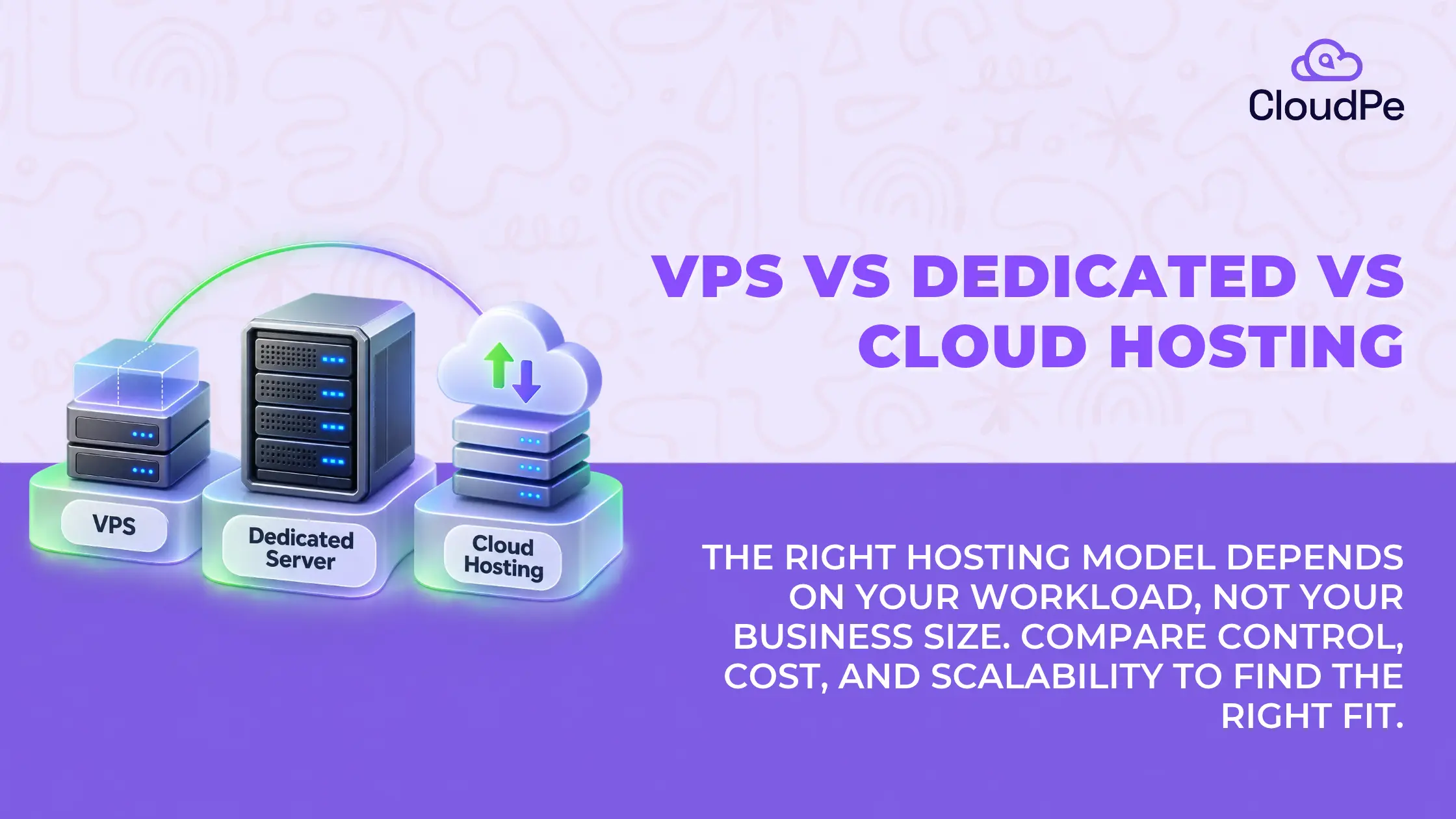
Choosing a hosting model affects more than a website’s performance. It influences infrastructure costs, application reliability, resource availability, and how easily a business can respond to growth.
A startup hosting its first website may not need an entire physical server. A growing e-commerce business may need more computing capacity during sales campaigns. An established company running resource-intensive applications may require dedicated hardware or a cloud environment that can scale with demand.
This is where the VPS vs dedicated server decision becomes important. Cloud hosting adds another option for businesses that need flexible infrastructure. Each model offers different advantages. The right choice depends on the workload, expected traffic, resource requirements, budget, and technical capabilities of the team managing it.
This blog compares VPS, dedicated server, and cloud hosting, covering their key differences, pricing, performance, and suitability for businesses at different stages of growth to help identify the right hosting model for specific needs.
What are VPS, Dedicated Server, and Cloud Hosting?
Before comparing these hosting models, it helps to understand how each one allocates computing resources.
VPS hosting: a virtual server with allocated resources
A virtual private server (VPS) is a virtualised environment created on a physical server. A hypervisor divides the underlying hardware into separate virtual machines, each with its own allocated resources, such as CPU, RAM, and storage.
Each VPS operates as an independent server. Businesses can install software, configure applications, and manage their environments without renting an entire physical machine. However, the underlying hardware is shared with other virtual servers.
VPS hosting offers a practical middle ground between shared hosting and dedicated servers. It suits businesses that need more control over their hosting environment without the cost of exclusive physical hardware.
A VPS is suitable for:
- Business websites and content management systems.
- Small and medium-sized web applications.
- Development and testing environments.
- Applications with relatively predictable resource requirements.
Dedicated server hosting: an entire physical server for one business
A dedicated server is a physical machine allocated exclusively to one customer. Its CPU, RAM, storage, and other hardware resources are not shared with other customers.
This arrangement gives businesses greater control over hardware configurations and resource allocation. It can also reduce the performance variability associated with sharing physical resources, although actual performance still depends on hardware specifications, configuration, storage, and network quality.
Dedicated server hosting is useful when applications require sustained computing capacity, substantial storage performance, specific hardware configurations, or physical isolation.
A dedicated server is suitable for:
- Resource-intensive applications and databases.
- High-traffic websites and e-commerce platforms.
- Workloads with sustained CPU or memory requirements.
- Businesses that need extensive control over their server environment.
Cloud hosting: infrastructure that can adapt to demand
Cloud hosting provides computing resources through a cloud infrastructure platform. Depending on the service, businesses can deploy virtual machines, storage, networking, and other services without managing the underlying physical hardware directly.
Cloud hosting can make it easier to provision resources, resize virtual machines, and build systems that respond to changing demand. More advanced architectures can also distribute applications across multiple instances or availability zones to improve resilience.
However, scalability and availability are not automatic. They depend on the cloud provider, service configuration, application architecture, and use of features such as load balancing, autoscaling, and redundancy.
Cloud hosting is suitable for:
- Applications with changing or unpredictable demand.
- Businesses that need to provision resources quickly.
- SaaS platforms and applications that are expanding.
- Teams that want access to multiple infrastructure services.
Cloud hosting can include VPS-style virtual machines. The distinction is that cloud hosting describes a broader infrastructure and service model, while VPS refers to a virtual server environment.
Get a cloud VPS built for your business performance.
Try CloudPeKey Differences of VPS vs Dedicated Server vs Cloud Hosting
The main differences lie in resource allocation, scalability, control, and how costs change as workloads grow.
| Factor | VPS hosting | Dedicated server | Cloud hosting |
| Infrastructure | Virtual server on shared physical hardware | Entire physical server allocated to one customer | Resources delivered through a cloud platform |
| Resource allocation | Allocated virtual resources | Exclusive access to physical resources | Depends on the selected service and configuration |
| Performance | Suitable for many moderate workloads | Strong fit for workloads requiring dedicated hardware | Depends on instance type and architecture |
| Scalability | Upgrade the virtual server within available limits | Upgrade hardware or add servers | Can offer flexible provisioning and scaling |
| Pricing | Often lower entry cost | Usually higher entry cost | Varies by resources, usage, and service model |
| Control | Server-level control within virtualisation limits | Greater hardware-level control | Depends on the service |
| Management | Managed or self-managed options | Managed or self-managed options | Varies by provider and service |
No single model is best for every business. A VPS may offer sufficient performance for a well-optimised application. A dedicated server may suit a consistently resource-intensive workload. Cloud hosting may be more practical when infrastructure needs change frequently.
The decision should start with the application’s requirements, not the hosting category alone.
Choosing the right hosting model for your business
Business size can help guide the decision, but it should not determine it. A small company running a demanding database may need dedicated resources, while a larger company with a simple website may operate comfortably on a VPS.
The more useful approach is to assess the workload, growth pattern, and operational requirements.
Small businesses and early-stage startups: start with the workload
For an early-stage business, infrastructure costs and operational simplicity are often important considerations.
A VPS can provide sufficient computing resources for a business website, a small application, a development environment, or a new SaaS product. It offers more control than basic shared hosting without requiring the business to pay for an entire physical server.
Cloud hosting is worth considering when the application needs additional services or when demand is difficult to predict. A business can start with a suitable virtual machine and expand its setup as requirements change.
At this stage, the goal is to avoid two common problems: choosing a plan that cannot support the application and paying for capacity that remains unused.
What should the business choose?
- VPS: When resource requirements are moderate and predictable.
- Cloud hosting: When flexible provisioning or additional cloud services are useful.
- Dedicated server: When the application already has substantial, sustained resource requirements or specific hardware needs.
Growing businesses: match infrastructure to traffic and application demands
As a business grows, its infrastructure may need to support more users, larger databases, additional services, and more demanding transactions.
Consider an e-commerce business preparing for a major sale. Traffic may rise sharply during a campaign, but the application must also handle database queries, payment processing, inventory updates, and background jobs.
A VPS may remain suitable if the workload fits its available resources. Cloud hosting may be a better fit when capacity needs to change quickly, provided the application is configured to scale appropriately.
A dedicated server becomes worth evaluating when resource consumption remains high, the workload benefits from exclusive hardware, or the business needs greater control over storage and system configuration.
Growth alone does not require a migration. The important question is whether the current infrastructure can handle the workload reliably and at a reasonable cost.
What should the business choose?
- VPS: When the application is growing but still fits comfortably within its resource limits.
- Cloud hosting: When demand fluctuates, or the business needs flexible capacity.
- Dedicated server: When sustained resource use or specific performance requirements justify dedicated hardware.
Established businesses: prioritise capacity, control, and operational requirements
Established businesses may operate multiple applications, large databases, internal systems, customer-facing platforms, or resource-intensive workloads.
For these businesses, infrastructure decisions involve more than monthly hosting charges. Performance consistency, isolation, system configuration, backup strategy, disaster recovery, and operational support become important considerations.
A dedicated server can suit workloads that use substantial resources over long periods or need specific hardware configurations. It can also provide greater control over the underlying physical environment.
Cloud hosting remains a strong option when a business needs multiple services, flexible capacity, or architectures that distribute workloads across instances. Some businesses may benefit from a combination of dedicated infrastructure and cloud services.
The choice depends on how the applications are built and operated, rather than the number of employees or the company’s revenue.
What should the business choose?
- VPS: For smaller applications and services with defined resource requirements.
- Cloud hosting: For applications that benefit from flexible provisioning and a broader range of cloud services.
- Dedicated server: For sustained, resource-intensive workloads or requirements that justify exclusive physical hardware.
Get VPS hosting with 24/7 expert support.
Try CloudPeWhat should businesses compare in the hosting model?
VPS hosting generally has a lower entry cost because a business pays for a portion of a physical server’s resources. Dedicated server hosting usually costs more because the customer receives an entire physical machine.
Cloud hosting introduces additional pricing models. Costs may depend on the resources provisioned, usage duration, storage, data transfer, and the services included.
However, the lowest advertised price does not necessarily translate into the lowest operating cost.
1. Compare the resources included in the plan
Look beyond the monthly charge. Compare CPU specifications, RAM, storage capacity, storage performance, network limits, and backup provisions.
Two plans with similar prices may offer very different capabilities. A low-cost plan may also require paid upgrades or additional services to meet the application’s requirements.
2. Account for resource utilisation
A business running a workload continuously may benefit from a predictable pricing model. A workload that operates intermittently may benefit from a service that allows resources to be provisioned and released as needed.
The important distinction is between the capacity a business pays for and the capacity it actually uses.
3. Include management and support costs
Infrastructure requires ongoing maintenance. Operating system updates, security patches, monitoring, backups, troubleshooting, and incident response all require time and expertise.
A self-managed server may have a lower hosting fee but require more internal effort. A managed service may cost more upfront while reducing the operational workload on the business.
4. Estimate the cost of future growth
A VPS may be economical until the application needs more CPU, RAM, or storage. A dedicated server may offer better value for sustained resource use, but hardware upgrades or additional servers can increase complexity.
Cloud resources can offer more flexibility, but poorly controlled provisioning, unused instances, and data transfer charges can also increase costs.
The practical approach: Estimate the total cost of running the workload, including infrastructure, management, storage, networking, and expected growth. Compare plans using equivalent resource requirements rather than headline prices alone.
VPS vs Dedicated Server: comparing performance
A dedicated server provides exclusive access to its physical resources. A VPS operates within a virtualised environment and shares the underlying hardware with other virtual machines.
This difference can affect performance, but it does not mean every dedicated server will outperform every VPS. Hardware specifications, virtualisation technology, storage, network capacity, and software optimisation all matter.
CPU and memory requirements
CPU-intensive applications, large databases, and background processing jobs may need sustained computing capacity. A VPS can handle many such workloads, provided its allocated resources are sufficient.
If CPU usage remains consistently high or the application experiences resource contention, a larger VPS or dedicated server may be worth evaluating.
Memory requirements matter just as much. Insufficient RAM can lead to swapping, slower response times, or application instability regardless of the hosting model.
Storage performance
Storage affects database queries, file processing, backups, and applications that perform frequent read and write operations.
Businesses should compare storage type, expected IOPS, throughput, and latency instead of considering capacity alone. A VPS with fast storage may outperform a poorly configured dedicated server for a particular workload.
Network capacity and latency
Network throughput, packet loss, routing, and the distance between users and the server can influence application performance.
For Indian businesses serving customers in India, the location of the hosting infrastructure may be relevant. A server hosted closer to its users can help reduce network latency, but the result also depends on routing, application design, and the locations of other services the application relies on.
Application architecture and optimisation
The hosting model cannot compensate for every software bottleneck. Inefficient database queries, poor caching, unoptimised code, and overloaded application components can affect performance on any infrastructure.
Before upgrading, review CPU and memory usage, disk I/O, response times, network metrics, and application logs. These measurements help identify whether the problem comes from insufficient resources, configuration issues, or the application itself.
When should a business upgrade or change its hosting model?
Moving to a more expensive hosting model is not always the answer to poor performance. The first step is to identify the actual bottleneck.
A business should reassess its current hosting arrangement when:
- CPU or memory limits are consistently reached: Check whether the workload needs more resources or better optimisation.
- Storage latency affects application response times: Investigate storage performance and I/O demand.
- Traffic varies substantially: Evaluate whether flexible cloud provisioning or an architecture with autoscaling would help.
- The workload needs greater hardware control: Consider a dedicated server if the requirement cannot be met by the current virtual environment.
- Operating costs are rising: Compare the total cost of the current setup with alternative configurations.
- The application has new availability or recovery requirements: Review backups, redundancy, failover, and disaster recovery rather than assuming that a hosting upgrade will provide them automatically.
Some workloads may also benefit from splitting services across multiple servers instead of moving everything to a larger machine. For example, an application server, database, and background processing service may have different resource requirements.
The best next step is the one that resolves the measured limitation without adding unnecessary infrastructure complexity.
Planning to upgrade or change your hosting model?
Contact CloudPeHow to choose the right hosting model for your business
Use the following guide as a starting point. The final choice should reflect the application’s actual resource profile and operational requirements.
| Business requirement | Option to evaluate first | Reason |
| Affordable hosting with server-level control | VPS | Provides an independent virtual environment |
| Website or application with predictable demand | VPS | May offer sufficient resources at a lower entry cost |
| Demand that changes frequently | Cloud hosting | Can provide flexible provisioning and scaling options |
| Sustained, resource-intensive workloads | Dedicated server | Offers exclusive access to physical resources |
| Specific hardware or physical isolation requirements | Dedicated server | Provides greater control over the physical environment |
| Applications using multiple cloud services | Cloud hosting | Provides access to a broader infrastructure and service ecosystem |
Before making a decision, confirm that the selected service supports the required operating system, software stack, storage performance, network capacity, security controls, and management model.
Businesses should also check the provider’s support arrangements, backup options, service-level commitments, and upgrade process. For organisations serving Indian customers, infrastructure location and applicable data-handling requirements may also influence the decision.
Conclusion
Choosing between VPS, dedicated server, and cloud hosting starts with understanding what the business needs its infrastructure to do.
A VPS can provide a cost-effective balance of control and resources for websites, applications, and growing projects. A dedicated server can suit workloads that benefit from exclusive physical resources and greater hardware control. Cloud hosting can offer flexible provisioning for applications with changing requirements and broader infrastructure needs.
The right decision depends on resource utilisation, performance requirements, traffic patterns, management capacity, and total cost. By evaluating these factors before choosing a hosting model, businesses can build infrastructure that meets current needs without limiting future growth.
Ready to get started with the most secure hosting model.
Explore CloudPeFrequently Asked Questions
What is the difference between a VPS and a dedicated server?
A VPS is a virtual server that receives allocated resources from a physical machine shared with other virtual environments. A dedicated server is an entire physical machine allocated to one customer. VPS hosting generally offers a lower entry cost, while dedicated servers provide exclusive hardware resources and greater hardware-level control.
Is a VPS cheaper than a dedicated server?
A VPS generally costs less to start with because the customer pays for allocated virtual resources rather than an entire physical server. Dedicated server hosting usually has a higher entry cost. However, the more economical option depends on resource usage, management costs, storage, networking, and the workload’s long-term requirements.
Which offers better performance: VPS or dedicated server?
A dedicated server can offer more consistent access to physical CPU, memory, and storage resources. A well-configured VPS can still deliver strong performance for many websites and applications. Actual results depend on the hardware, resource allocation, storage, network, configuration, and workload.
Is cloud hosting better than VPS hosting?
Neither option is universally better. VPS hosting can suit applications with defined resource requirements. Cloud hosting may be more suitable when a business needs flexible provisioning, additional infrastructure services, or an architecture that can scale with demand. Some cloud platforms also provide VPS-style virtual machines.
What is the difference between shared hosting, VPS, and dedicated hosting?
Shared hosting places multiple customers’ websites within a hosting environment managed by the provider. VPS hosting gives each customer an isolated virtual server with allocated resources. Dedicated hosting allocates an entire physical server to one customer. VPS hosting offers more control than typical shared hosting, while dedicated hosting provides exclusive physical resources.
Is a dedicated server worth it for a small business?
It can be, if the business runs a resource-intensive application, needs specific hardware, or requires greater physical isolation. For a small website or application with moderate resource needs, a VPS may be sufficient. The decision should be based on workload requirements and total cost rather than business size alone.
When should a business move from a VPS to a dedicated server?
It can be, if the business runs a resource-intensive application, needs specific hardware, or requires greater physical isolation. For a small website or application with moderate resource needs, a VPS may be sufficient. The decision should be based on workload requirements and total cost rather than business size alone.
What should businesses consider when choosing a dedicated server in India?
Compare hardware specifications, storage performance, network connectivity, data centre location, support, backup and recovery options, security controls, and pricing. Businesses should also assess latency to their users and services, along with any applicable data residency or compliance requirements.
What do Reddit discussions say about VPS vs dedicated server?
Discussions on Reddit reflect a recurring practical consideration: the workload matters more than the server label. Some users favour VPS hosting for flexibility and cost, while others consider dedicated hardware when they encounter resource contention or need more predictable performance. These are individual experiences, not controlled benchmarks, so businesses should validate their own requirements using monitoring and workload tests.