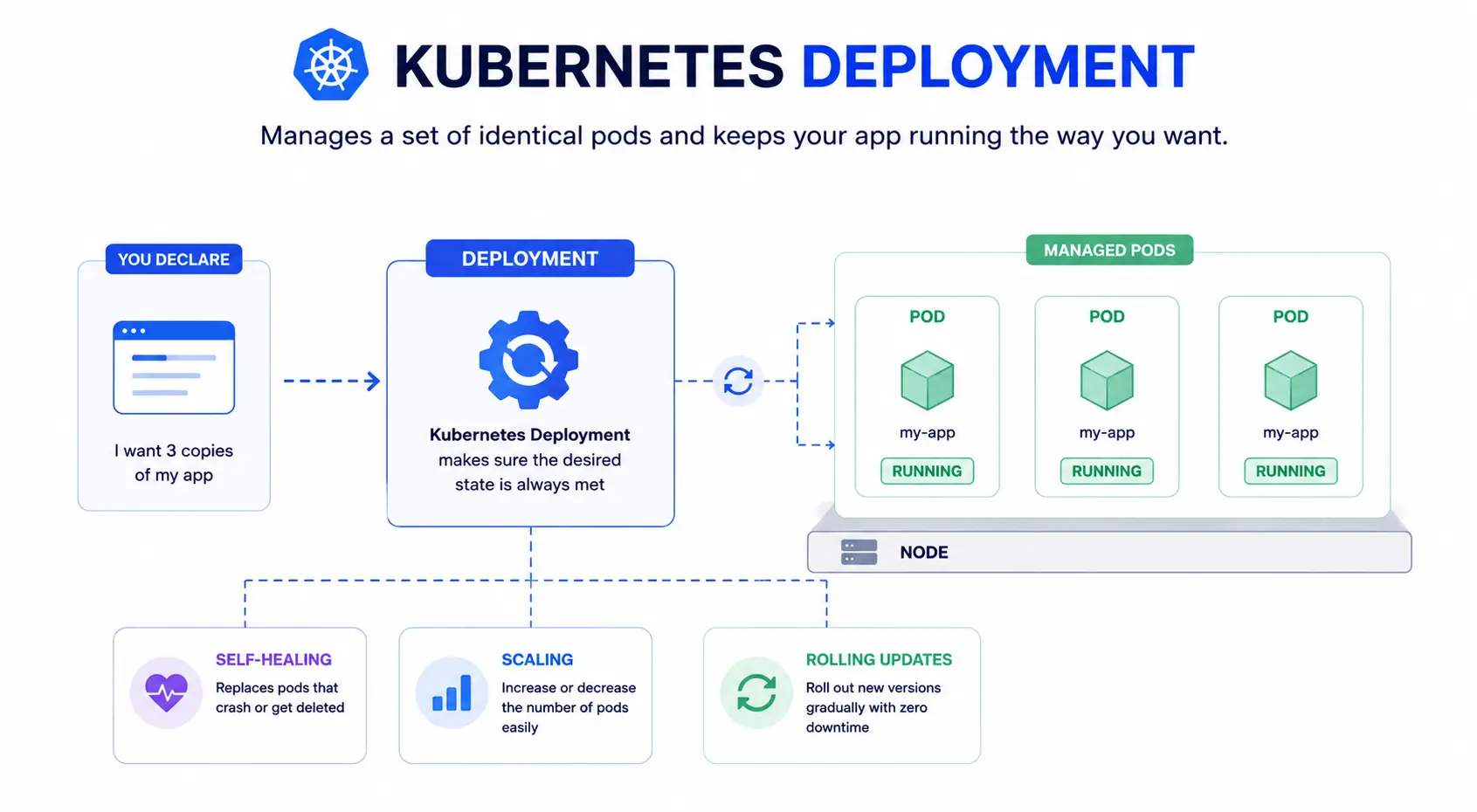
A Kubernetes deployment is an object that manages a set of identical pods for you. You tell it what you want, like “run 3 copies of this app,” and the deployment makes sure that state stays true. If a pod crashes, the deployment replaces it. If you push a new version, the deployment rolls it out.
In short: pods run your app. Deployments keep pods running the way you want, without you managing each one by hand.
Why you need a deployment
You could create pods directly, but they don’t self-heal or update on their own. A deployment adds three things pods don’t have:
- Self-healing: Replaces pods that crash or get deleted.
- Scaling: Increase or decrease the number of running pods with one command.
- Rolling updates: Push a new app version gradually, with zero downtime, and roll back if something breaks.
A simple deployment YAML
Here’s a basic Kubernetes deployment spec:
apiVersion: apps/v1
kind: Deployment
metadata:
name: my-app
spec:
replicas: 3
selector:
matchLabels:
app: my-app
template:
metadata:
labels:
app: my-app
spec:
containers:
- name: my-app
image: my-app:1.0
ports:
- containerPort: 8080
This tells Kubernetes: run 3 replicas of the my-app:1.0 container, and keep it that way.
Deployment vs Service
A deployment and a Service solve different problems:
| Term | What it does |
| Deployment | Keeps the right number of pods running and handles updates |
| Service | Gives those pods a stable network address, so other parts of your app can reach them |
You almost always use both together. The deployment manages the pods. The Service lets traffic find them.
Common deployment strategies
When you update a deployment, you choose how the rollout happens:
- Rolling update (default): Replaces old pods with new ones gradually. No downtime.
- Recreate: Kills all old pods, then starts new ones. Simple, but causes brief downtime.
- Blue-green: Runs the new version alongside the old one, then switches traffic over at once.
- Canary: Sends a small percentage of traffic to the new version first, to catch issues early.
Useful deployment commands
kubectl create -f deployment.yaml # Create a deployment from a YAML file
kubectl get deployments # List all deployments
kubectl scale deployment my-app --replicas=5 # Scale up or down
kubectl rollout status deployment my-app # Check rollout progress
kubectl rollout undo deployment my-app # Roll back to the previous version
Deployment tools
You can write and apply YAML manually with kubectl, or use tools built for larger setups:
- Helm: Packages deployments and related resources into reusable templates
- Kustomize: Customizes YAML for different environments without duplicating files
- ArgoCD / Flux: Automate deployments from a Git repository (GitOps)
For examples and reference configs, the official Kubernetes GitHub repository is a good place to start.