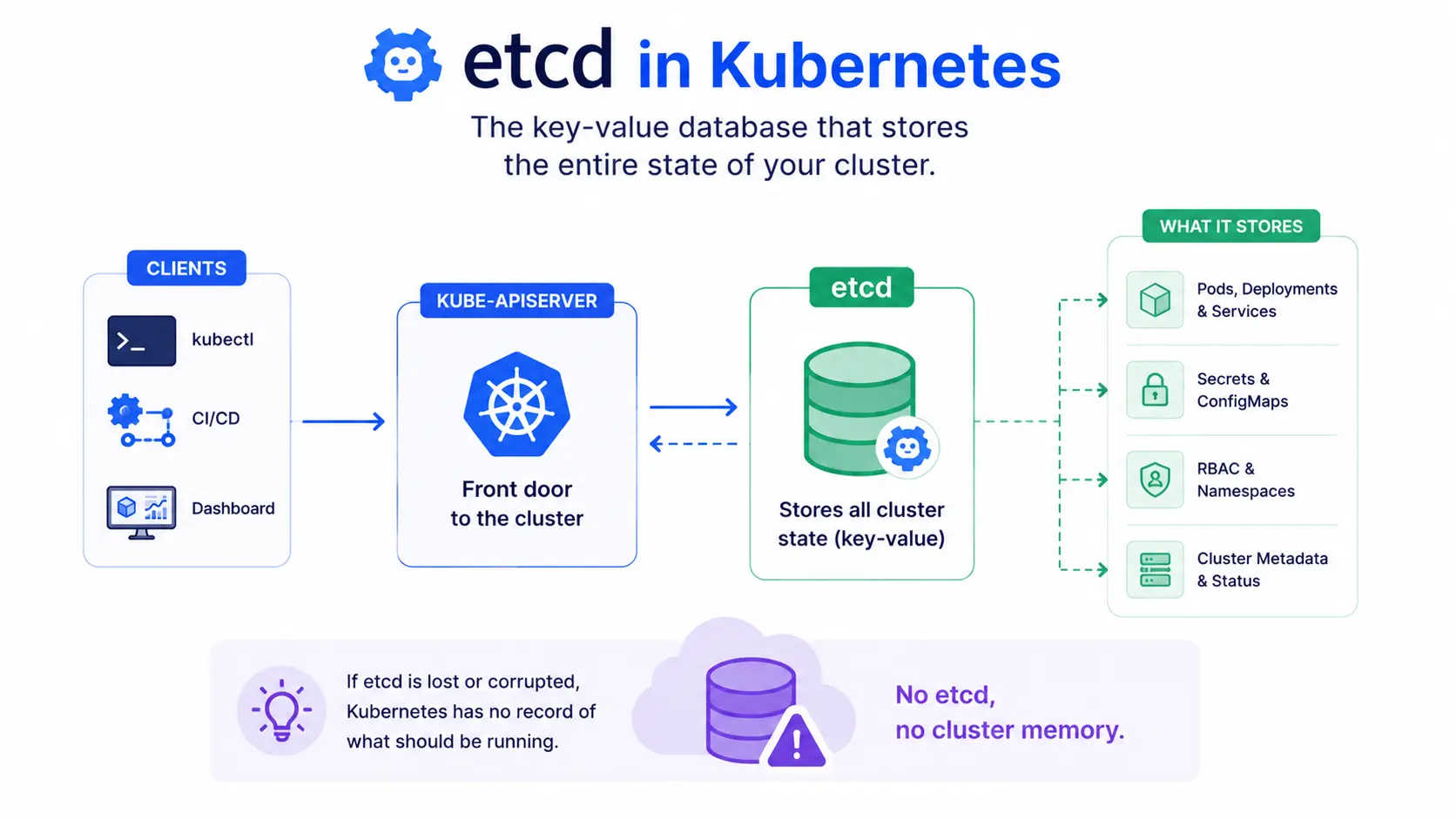
etcd is the key-value database that stores the entire state of a Kubernetes cluster. Every pod, deployment, secret, and config map you create gets written to etcd. If kube-apiserver is the front door to your cluster, etcd is the filing cabinet behind it, holding everything.
No etcd, no cluster memory. If etcd is lost or corrupted, Kubernetes has no record of what should be running.
etcd full form and pronunciation
etcd isn’t a traditional acronym, so there’s no official full form. The name comes from two parts: “etc”, after the /etc directory in Linux/Unix systems, which traditionally stores config files, and “d”, for distributed. Put together, it means “a distributed version of /etc.”
It’s pronounced “et-see-dee”, said as individual letters, not as a word.
What’s actually stored in etcd
etcd stores the desired and current state of everything in your cluster, including:
- Pod, deployment, and service definitions
- ConfigMaps and Secrets
- Namespace and RBAC (role-based access control) data
- Cluster metadata and resource status
kube-apiserver is the only component that reads from and writes to etcd directly. Nothing else in the cluster touches it.
Where etcd fits in the control plane
etcd runs as part of the control plane, alongside kube-apiserver, kube-scheduler, and kube-controller-manager.
The flow looks like this:
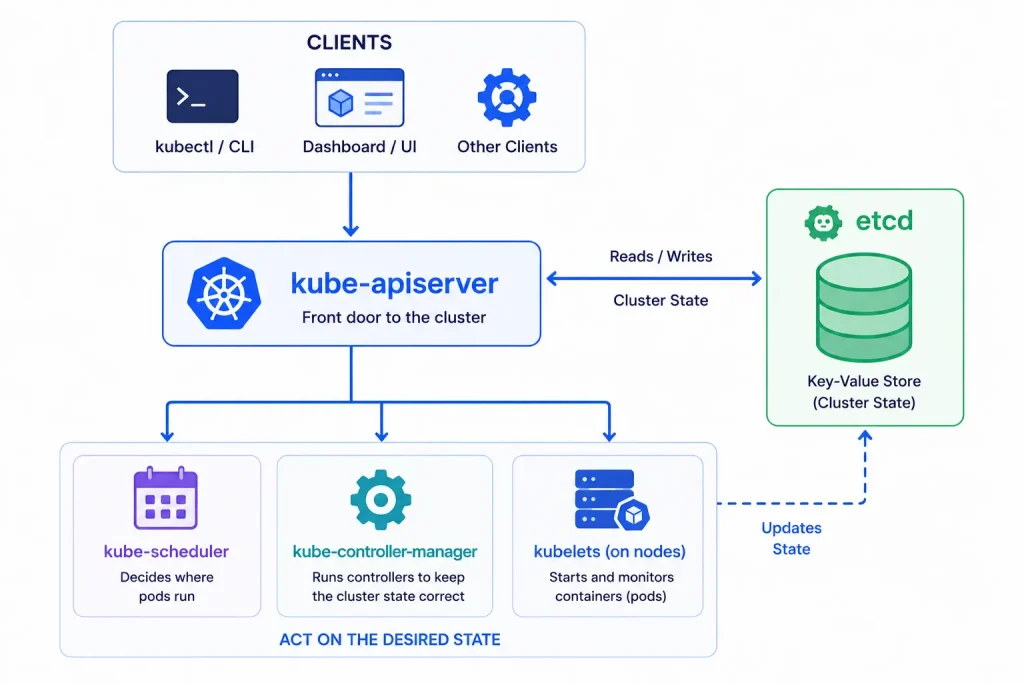
In a single-node setup, etcd runs on the same machine as the rest of the control plane. In a highly available, production-grade cluster, etcd usually runs as its own cluster, typically 3 or 5 nodes, so it keeps working even if one node fails.
etcd backup and restore
Because etcd holds your entire cluster state, backing it up is one of the most important things you can do to protect a cluster. If etcd is lost with no backup, you effectively lose your cluster’s configuration.
Basic backup command using etcdctl:
ETCDCTL_API=3 etcdctl snapshot save /backup/etcd-snapshot.db \
  --endpoints=https://127.0.0.1:2379 \
  --cacert=/etc/kubernetes/pki/etcd/ca.crt \
  --cert=/etc/kubernetes/pki/etcd/server.crt \
  --key=/etc/kubernetes/pki/etcd/server.key
To restore from that snapshot:
ETCDCTL_API=3 etcdctl snapshot restore /backup/etcd-snapshot.db \
  --data-dir=/var/lib/etcd-restore
Run backups on a schedule, not just before upgrades. Most production teams automate this with a cron job or a backup tool built for Kubernetes.
etcd security
Since etcd holds Secrets and every piece of cluster config, securing it matters as much as securing your cluster itself. Standard practices include:
- Encrypting etcd’s data at rest
- Restricting network access so only kube-apiserver can reach etcd
- Using TLS certificates for all etcd communication
- Limiting who has direct access to the etcd data directory
If someone gets direct, unauthenticated access to etcd, they effectively have access to your entire cluster’s secrets and config, bypassing Kubernetes’ own RBAC rules.
Learning more
For hands-on examples, the etcd documentation covers setup, the etcdctl command-line tool, and cluster configuration in detail.