What is a node in Kubernetes?
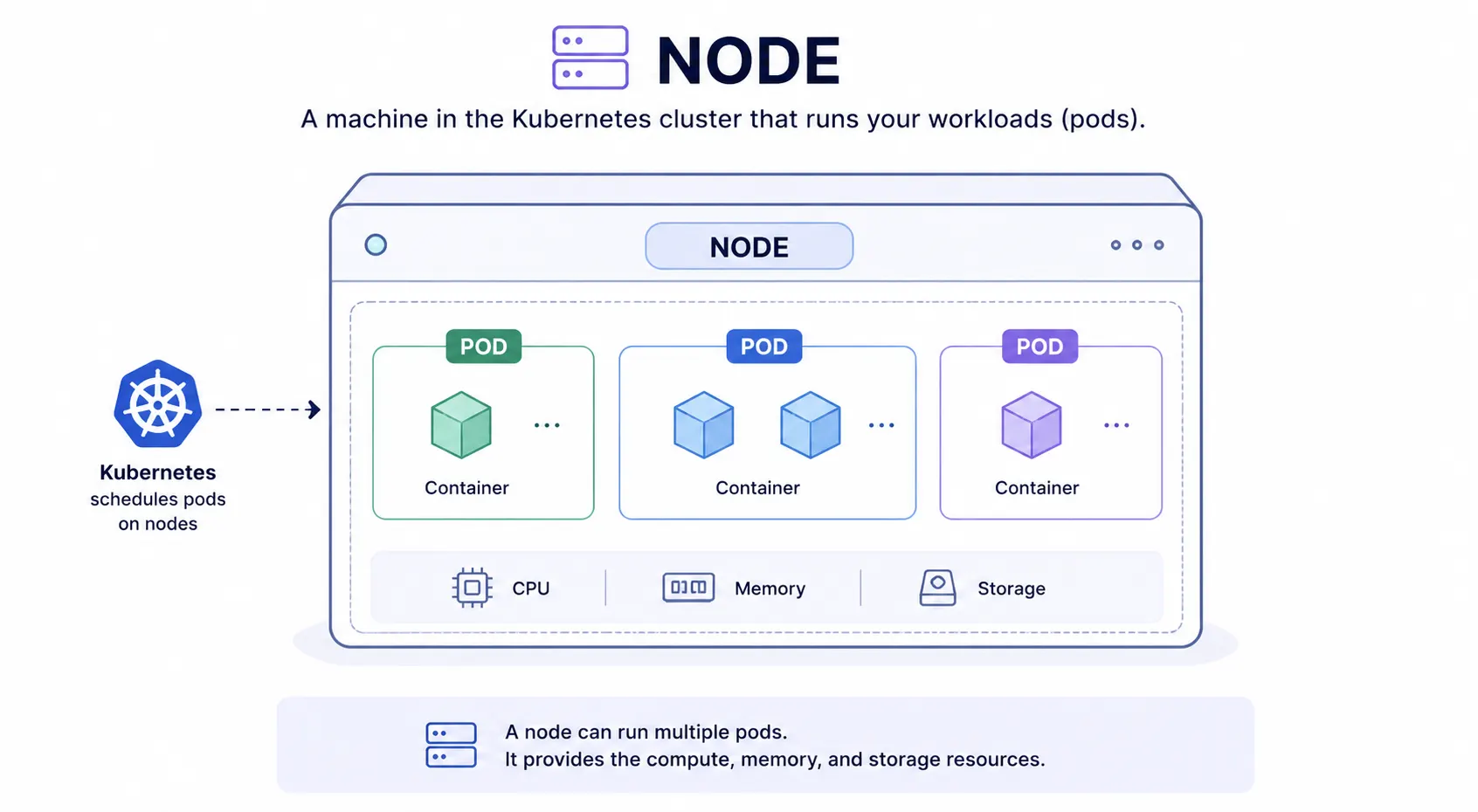
A node is a machine in a Kubernetes cluster that runs your workloads. It can be a physical server or a virtual machine. Every node runs the pods that Kubernetes schedules onto it, along with the services needed to keep those pods running and connected to the rest of the cluster.
A cluster needs at least one node to run anything. Most production clusters run many nodes, so workloads keep running even if one node fails.
Types of nodes
Kubernetes clusters have two kinds of nodes.
Control plane nodes run the components that manage the cluster: the scheduler, the API server, and the components that track cluster state. They decide what runs where, but they do not usually run application workloads themselves.
Worker nodes run the actual application pods. This is where your containers execute and where compute, memory, and storage are consumed.
In small or test clusters, a single node can act as both. In production, control plane and worker roles are almost always separated.
What runs on a node
Every node runs a few core components regardless of what workloads are scheduled to it.
- Kubelet: an agent that talks to the control plane and makes sure the containers described in a pod spec are actually running on the node.
- Container runtime: the software that pulls container images and runs them, for example containerd.
- Kube-proxy: handles network rules on the node so pods can communicate with each other and with services outside the cluster.
These components run on every worker node and are what allow the control plane’s decisions to actually happen on the machine.
How pods get scheduled to a node
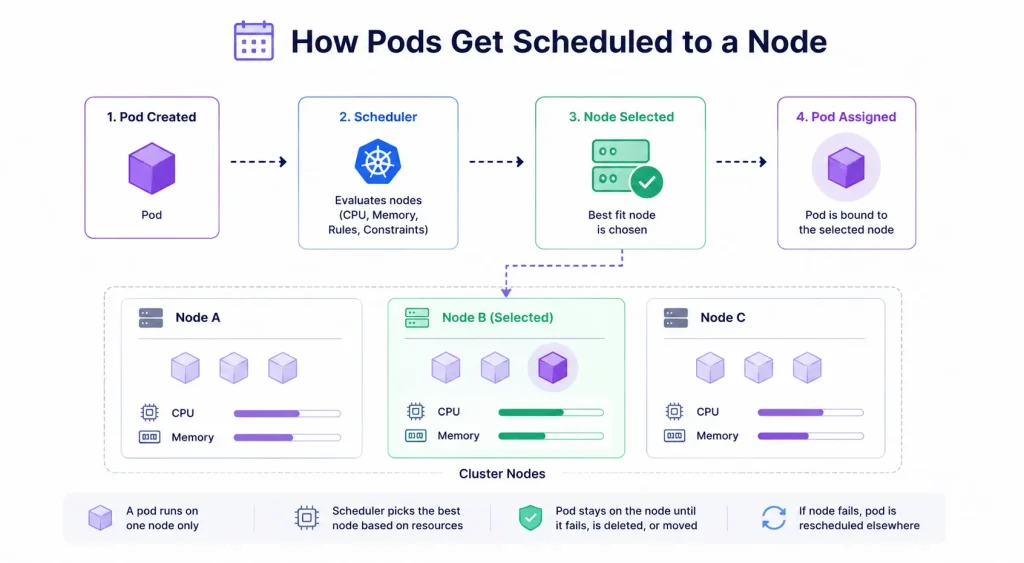
When you create a pod, the Kubernetes scheduler looks at all available nodes and picks one based on available CPU, memory, and any placement rules you have set. Once assigned, the pod runs on that node until it fails, is deleted, or is deliberately moved.
A pod cannot span multiple nodes. If a pod needs more resources than any single node has available, it will stay in a pending state until a node with enough capacity is available.
Node health and failure
Kubernetes continuously checks node health. If a node stops responding, the control plane marks it as unavailable and reschedules its pods onto healthy nodes, provided enough capacity exists elsewhere in the cluster.
This is one of the main reasons production clusters run multiple nodes. A single-node cluster has no failover if that node goes down.
Frequently Asked Questions
What is the difference between a node and a pod?
A node is the machine, physical or virtual, that provides the compute resources. A pod is the unit of work that runs on a node. One node can run many pods.
What is the difference between a node and a cluster?
A cluster is the full set of nodes working together under one control plane. A node is a single machine within that cluster.
Can a Kubernetes cluster run with just one node?
Yes, for testing or development. Production environments typically use multiple nodes for redundancy and capacity.
What happens to pods if a node fails?
Kubernetes detects the failure and reschedules the affected pods onto other healthy nodes, as long as those nodes have enough available capacity.