Why is there even a discussion about this? GPUs are popular for AI, so why not use one?
But consider this. If you’re running a small text classification model that processes a few hundred requests daily, a GPU might be an unnecessary expense. On the other hand, if you’re training a large language model or processing thousands of images, relying entirely on CPUs could make the workload painfully slow.
And then there are TPUs, specialized processors designed for machine learning. Where do they fit?
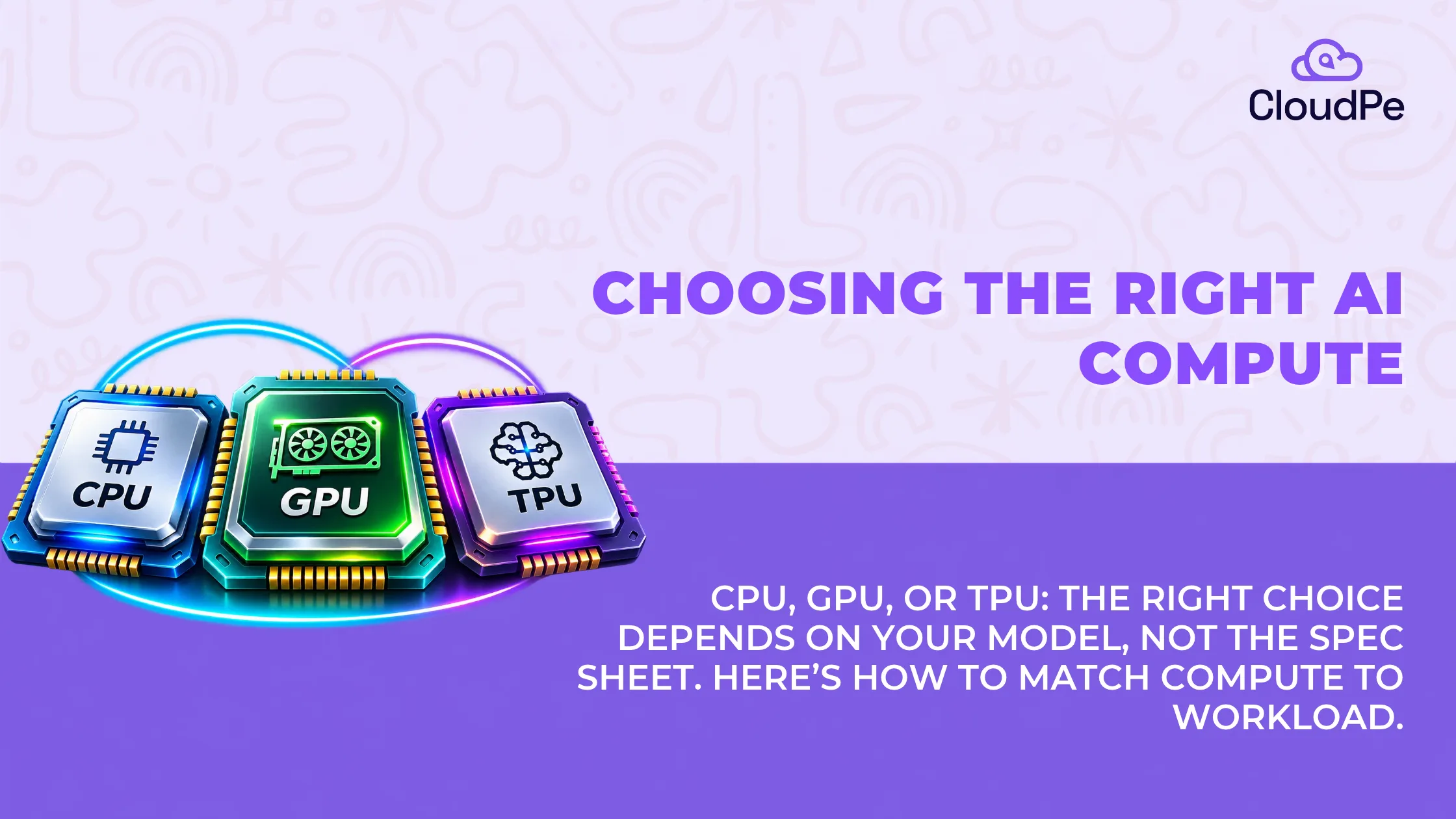
The difference between CPU vs GPU vs TPU comes down to how each processor handles computation, what your AI model needs, and how much performance you’re getting for the money you spend.
Let’s break down how these processors work, where each performs best, and how to choose the right one for your AI project.
CPU vs GPU vs TPU: The key differences at a glance
Before getting into the technical details, here’s a quick comparison.
| Feature | CPU | GPU | TPU |
| Full form | Central Processing Unit | Graphics Processing Unit | Tensor Processing Unit |
| Primary strength | General-purpose computing | Parallel processing | Specialized tensor computation |
| Architecture | Fewer, powerful cores | Many parallel processing cores | Dedicated matrix-processing units |
| AI training | Small models and traditional ML | Deep learning and large models | Supported large-scale deep learning |
| AI inference | Lightweight models | High-throughput and generative AI | Optimized neural network workloads |
| Flexibility | Very high | High | More specialized |
| Main limitation | Limited parallel throughput | GPU memory and cost | Software and platform constraints |
| Typical use | Data preparation, APIs, small ML | LLMs, computer vision, fine-tuning | Large-scale matrix-intensive AI |
Quick answer: Choose a CPU for lightweight AI and general computing, a GPU for most compute-intensive deep learning projects, and a TPU when your workload is compatible with its specialized architecture and benefits from its scale.
These are practical starting points, not universal performance rankings.
What is a CPU (Central Processing Unit)?
A CPU is the general-purpose processor responsible for executing instructions, managing applications, and running operating systems.
Every cloud virtual machine uses CPU resources, whether you’re hosting a website, operating a database, or running an AI application.
CPUs are designed to handle diverse instructions, complex decision-making, and tasks that require fast sequential execution.
If you’re developing an AI-powered customer support application. Your CPU might handle user authentication, API requests, database queries, data preparation, and application logic. It can also run the AI model itself.
The important distinction is how it processes computational work.
How CPUs process AI workloads
Modern CPUs contain multiple powerful cores. Each core can execute instructions efficiently, including operations involving branching, memory access, and different types of calculations.
They also support parallel processing, but their architecture emphasizes flexibility and per-core performance.
This makes CPUs particularly useful for workloads where operations cannot easily be divided into thousands of identical calculations.
According to Intel’s explanation of processor architectures, CPUs are well suited to latency-sensitive tasks, sequential execution, and database operations.
When should you use a CPU for AI?
A CPU is worth considering when:
- You’re running traditional machine learning models such as decision trees or regression.
- Your model is small enough to meet response-time requirements without acceleration.
- You’re processing limited inference traffic.
- Your application involves significant data preprocessing or business logic.
- You’re experimenting with AI and want to minimize infrastructure expenses.
Where CPUs struggle: Deep learning models often perform enormous numbers of matrix operations. Although modern CPUs include vector and matrix acceleration capabilities, large-scale parallel workloads can benefit substantially from specialized accelerators.
What is a GPU (Graphics Processing Unit)?
A GPU is a processor designed to execute large numbers of calculations in parallel.
Originally developed to accelerate graphics rendering, GPUs are now widely used for AI training, inference, scientific computing, and data processing.
The reason is straightforward: many AI calculations can happen simultaneously.
Consider an image recognition model analyzing a photograph. It performs many mathematical operations across pixels, features, and neural network layers.
Instead of relying on a smaller number of general-purpose cores, a GPU can distribute suitable operations across many parallel execution units.
NVIDIA’s CUDA Programming Guide explains that GPUs prioritize high computational throughput by executing large numbers of threads simultaneously, whereas CPUs place greater emphasis on fast execution of individual threads.
Why are GPUs so useful for AI?
Deep learning relies heavily on matrix multiplication.
During model training, mathematical operations are repeated across layers and large batches of data.
GPUs accelerate these operations through parallel processing and, in supported architectures, specialized matrix-computation hardware.
For example, NVIDIA’s H100 accelerator offers 80 GB of GPU memory in its SXM configuration and up to 3.35 TB/s of memory bandwidth. These specifications illustrate why modern data centre GPUs are used for memory-intensive AI workloads.
However, not every AI application needs an accelerator of this size.
Smaller GPUs can be sufficient for computer vision, embeddings, speech recognition, and compact language models.
When should you use a GPU?
GPUs are particularly useful for:
- Training deep neural networks.
- Fine-tuning language models.
- Running generative AI applications.
- Computer vision and image analysis.
- High-volume inference.
- AI applications that benefit from parallel computation.
Where GPUs struggle: GPU memory is limited, and accelerator instances can be expensive. Applications with poor parallelism may not benefit enough to justify the additional cost.
What is a TPU (Tensor Processing Unit)?
A TPU is a specialized AI accelerator developed by Google for machine learning workloads.
Unlike general-purpose CPUs, TPUs are application-specific integrated circuits (ASICs) optimized around mathematical operations commonly used in neural networks.
Their key strength is tensor computation, particularly large matrix multiplications.
How does a TPU work?
TPUs use specialized matrix multiplication units arranged in a structure called a systolic array.
Instead of moving intermediate data repeatedly between processing units and external memory, the architecture passes values through interconnected calculation units.
This reduces unnecessary data movement during supported operations and helps improve computational efficiency.
Modern TPUs also include other processing components for scalar and vector calculations.
TPUs are designed for machine learning frameworks and compiler workflows that can map neural network operations efficiently onto this hardware.
How powerful are TPUs compared with CPUs and GPUs?
One notable example comes from research presented at the 2017 International Symposium on Computer Architecture.
Researchers found that the first-generation TPU was approximately 15–30 times faster and delivered 30–80 times greater performance per watt than the contemporary CPU and GPU systems tested on their production inference workloads.
(Source)
These findings explain the value of specialized AI hardware, but they should not be used to predict today’s TPU-versus-GPU performance.
Modern accelerators have evolved substantially, and real-world performance varies across models, software frameworks, and system configurations.
When should you use a TPU?
TPUs may be suitable when:
- You’re training or serving large neural networks supported by the TPU software stack.
- Your workload relies heavily on matrix multiplication.
- You’re running large batches of similar computations.
- Your development environment supports TPU compilation and execution.
- You can benefit from specialized multi-accelerator infrastructure.
TPUs are less attractive when your workload depends on GPU-specific libraries, unsupported operations, or software that is difficult to adapt.
How CPU, GPU, and TPU architectures differ
The biggest distinction is not simply which processor is faster.
It’s how the hardware is designed to perform work.
You can think of a CPU as a flexible problem solver, a GPU as a processor that excels when many similar calculations run concurrently, and a TPU as specialized machinery designed to perform certain AI computations particularly efficiently.
These processors are often complementary rather than interchangeable.
For example, a production AI application might use CPUs for APIs and data preparation while offloading neural network inference to GPUs or TPUs.
CPU vs GPU vs TPU: Which is faster for AI training and inference?
There is no universal winner.
The answer depends on model architecture, numerical precision, memory requirements, batch size, and software optimization.
Here is how the comparison looks across typical workloads.
| AI workload | Practical starting choice | Why |
| Linear regression | CPU | Lightweight computation |
| Decision trees | CPU | Often efficient on CPU |
| Small chatbot | CPU or GPU | Depends on model and latency |
| Image classification | GPU | Parallel neural network operations |
| LLM inference | GPU | Accelerated matrix operations and memory options |
| Large-model training | GPU or TPU | High-throughput computation |
| Data preprocessing | CPU | Flexible data processing |
| Large-scale tensor workloads | GPU or TPU | Specialized compute acceleration |
A particularly important distinction is the difference between AI training and AI inference.
Training involves updating model parameters, usually through repeated passes over large datasets.
Inference uses an already-trained model to generate predictions or outputs.
For a small inference application, CPU performance may be entirely sufficient. For a large language model serving many concurrent users, GPU memory capacity, bandwidth, and throughput become much more important.
The most effective choice is the one that meets your application’s performance targets at the lowest practical total cost.
What about NPUs, DPUs, and LPUs?
You may also encounter comparisons such as CPU vs GPU vs TPU vs NPU or CPU vs GPU vs TPU vs NPU vs LPU.
These processors serve different purposes, and not all belong to the same category.
| Processor | Full form | Main purpose |
| CPU | Central Processing Unit | General computing |
| GPU | Graphics Processing Unit | Parallel graphics and compute |
| TPU | Tensor Processing Unit | Specialized AI tensor operations |
| NPU | Neural Processing Unit | Dedicated neural network acceleration |
| DPU | Data Processing Unit | Infrastructure networking, storage and security offload |
| LPU | Language Processing Unit | Specialized language-model inference architecture |
NPUs commonly appear in AI-enabled laptops, smartphones, and edge devices. They help run supported neural network features with relatively low power consumption.
DPUs are different. Their main purpose is to offload infrastructure tasks such as networking, storage processing, and security from host CPUs.
LPUs refer to specialized language-processing accelerator designs. The term is associated with particular accelerator architectures rather than one universally standardized processor category.
For most cloud AI projects, the immediate decision still begins with CPU versus GPU, with specialized accelerators considered when workloads justify them.
How to choose the right compute for your AI project
If you’re choosing cloud infrastructure, avoid starting with the most expensive accelerator available.
Start with the application.
Quick AI Compute Selector
What kind of workload are you planning to run?
✓ Start with a CPU VMBenchmark your lightweight model on a general-purpose instance. Add acceleration only if latency or throughput requires it.
Deploy Your Workload on CloudPe →Once you’ve identified a likely processor type, there are five practical things to check before deploying.
1. Model size and memory: Ensure the model, intermediate data, and runtime overhead fit within the available RAM or accelerator memory.
2. Training or inference: Training and inference can have very different compute requirements.
3. Latency and throughput: Measure response time and the number of requests the system can process.
4. Framework compatibility: Confirm that your models and software libraries support the selected hardware.
5. Total cost: Compare the cost per training run, prediction, or generated token rather than the hourly instance price alone.
Can a regular cloud VM run AI workloads?
Yes. You don’t necessarily need a dedicated AI accelerator to begin working with machine learning.
A standard cloud VM can run Python, machine learning libraries, data processing tools, inference APIs, and smaller models.
This is particularly useful for developers experimenting with traditional machine learning or building the supporting infrastructure around AI applications.
As your application grows, you can evaluate GPU-enabled instances for workloads that need acceleration.
The main advantage of cloud infrastructure is being able to select compute resources based on actual requirements instead of purchasing hardware before knowing how much performance you need.
For production deployments, remember that accelerator selection is only part of the architecture. Storage throughput, network performance, availability, security, and monitoring also influence application performance.
Common mistakes when choosing AI compute
Three mistakes are worth avoiding.
- Assuming every AI application needs a GPU. Many traditional machine learning models and lightweight inference services run efficiently on CPUs.
- Comparing processors using only peak performance figures. TOPS and FLOPS describe theoretical computational capabilities under specified conditions. They don’t directly tell you how fast your particular model will run.
- Ignoring memory capacity and data movement. A powerful accelerator can still struggle when model weights exceed available memory or data transfer becomes the bottleneck.
The best way to avoid these problems is to benchmark a representative workload before committing to a production configuration.
Conclusion
The CPU vs GPU vs TPU debate isn’t really about finding the most powerful processor. It’s about matching the processor to the type of computation your application performs.
CPUs remain essential for general-purpose computing, lightweight AI models, application logic, and data processing.
GPUs are versatile accelerators for deep learning, generative AI, computer vision, and workloads that benefit from parallel execution.
TPUs are specialized accelerators that can perform particularly well on supported, matrix-intensive machine learning workloads.
For many developers, the sensible path is to start with a CPU when the workload is lightweight, move to a GPU when acceleration becomes necessary, and evaluate specialized hardware such as TPUs when scale and compatibility justify it.
The right compute choice should make your AI application faster, more efficient, and more economical—not simply give it the most impressive hardware specifications.
Frequently Asked Questions
1. Is a TPU more powerful than a GPU?
Not universally. TPUs can perform very efficiently on supported machine learning operations, while GPUs offer broad flexibility across AI, graphics, and scientific computing. Performance depends on the hardware generation, model, framework, and workload.
2. Does NVIDIA make a TPU?
NVIDIA makes GPUs and other AI acceleration technologies, including specialized Tensor Cores within supported GPUs. The term TPU specifically refers to Google’s Tensor Processing Unit architecture. Tensor Cores and TPUs are not the same thing.
3. Can a TPU replace a GPU?
For some compatible machine learning workloads, a TPU can serve as an alternative to a GPU. However, it cannot replace GPUs across every application, especially graphics workloads and software built around GPU-specific tooling.
4. Does ChatGPT use a GPU or TPU?
OpenAI has publicly described using GPU-based infrastructure for AI model training and inference. The exact current hardware configuration serving every ChatGPT request is not fully public, so it would be inaccurate to attribute all requests to one specific accelerator.
5. Which is better for machine learning: CPU or GPU?
For traditional machine learning and small inference workloads, CPUs can be sufficient and economical. GPUs are often preferable for computationally intensive deep learning models that benefit from parallel processing.
6. What is the difference between GPU and NPU?
GPUs are versatile parallel processors used for graphics, AI, and scientific computing. NPUs are specialized for neural network operations, often emphasizing efficient local inference on laptops, phones, and edge devices.
7. Is a GPU necessary for AI inference?
No. Many smaller models can perform inference on CPUs. A GPU becomes useful when model complexity, concurrency, or response-time requirements demand greater computational acceleration.
8. Which processor is cheapest for AI workloads?
There is no universally cheapest processor. CPUs often have lower infrastructure costs for lightweight applications, while GPUs or specialized accelerators can offer better cost per result for sufficiently demanding workloads.