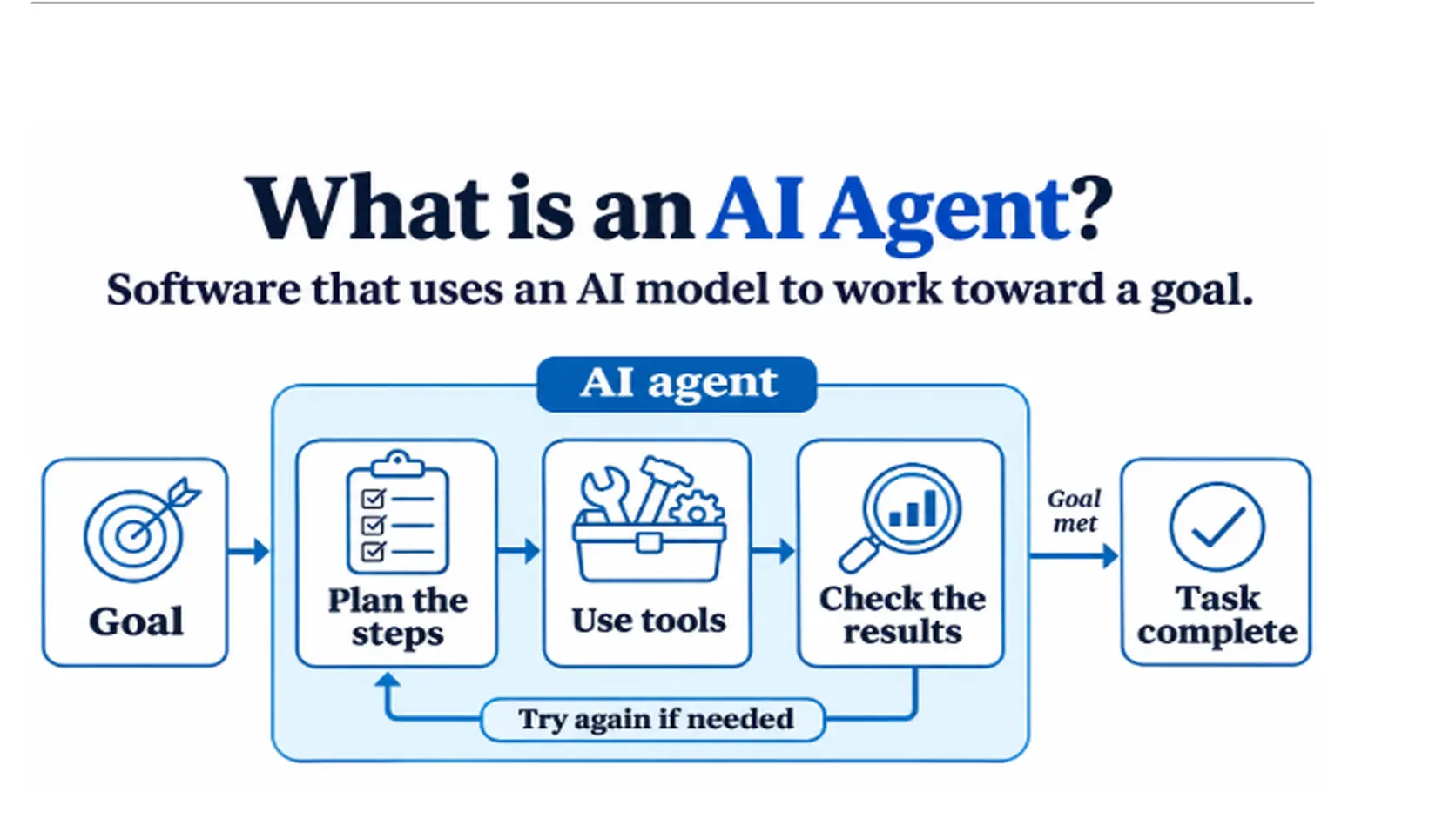
An AI agent is a software system that uses an AI model, usually an LLM, to pursue a goal on its own. You give it a task. It decides the steps, uses tools to carry them out, checks the results, and keeps going until the job is done.
Think of the difference between a map and a driver. A chatbot is like a map. It tells you which way to go. An AI agent is like a driver. It plans the route, drives, and adjusts when the road is closed.
How an AI agent works
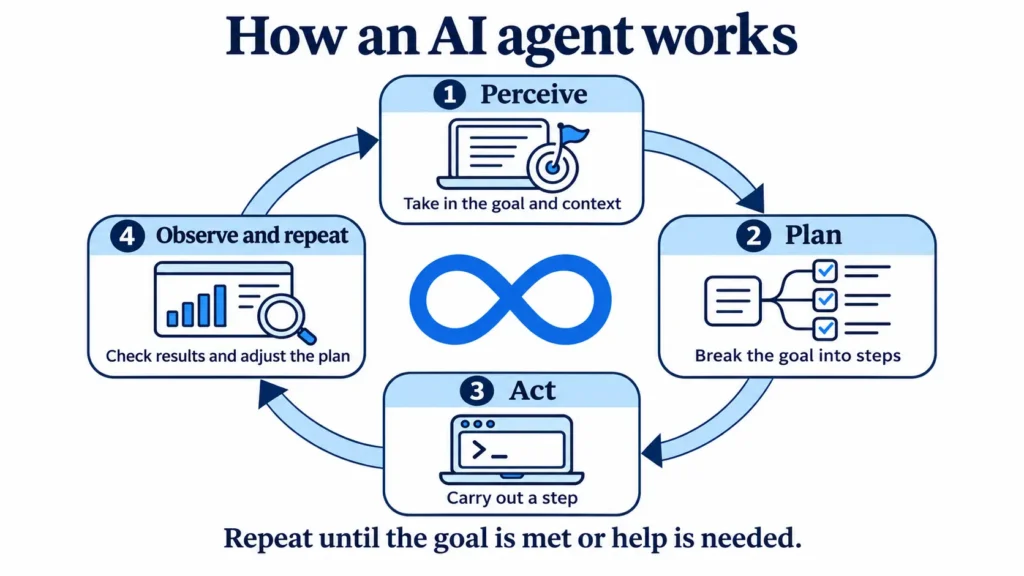
Most agents run in a loop with four steps:
- Perceive: Take in the goal and the current situation, such as a user request, a document, or data from a system.
- Plan: Break the goal into smaller steps and decide what to do next.
- Act: Carry out a step, often by calling a tool, like searching the web, running code, or sending a request to an API.
- Observe and repeat: Check the result, update the plan, and continue until the goal is met or the agent needs help.
The LLM acts as the “brain” that reasons about each step. The tools are the “hands” that do the work.
Key parts of an AI agent
Following are the key parts of an AI agent
- A model: The LLM that reads instructions, reasons, and decides what to do next.
- Tools: The actions the agent can take, such as calling APIs, querying a database, browsing, or running code.
- Memory: Short-term memory holds the current task. Long-term memory stores past information so the agent can use it later.
- Planning logic: The way the agent breaks a goal into steps and handles errors.
- Guardrails: Rules that limit what the agent can do, such as which tools it may use and when it must ask a human.
A simple example
Say you ask an agent: “Find the three cheapest flights to Delhi next Friday and email me a summary.”
A plain chatbot might explain how to search for flights. An agent would:
- Call a flight search tool with your dates
- Compare the results
- Pick the three cheapest
- Write a summary
- Send the email through an email tool
You gave one instruction, and it handled the steps.
AI agent vs chatbot vs LLM
These three get mixed up often:
| Term | What it is |
| LLM | The AI model that understands and generates language. It answers, but does not act on its own. |
| Chatbot | An app that talks with users, often built on an LLM. It mostly replies to messages. |
| AI agent | A system built around an LLM that plans and takes actions with tools to reach a goal. |
An agent uses an LLM, but it is more than an LLM. A chatbot can be part of an agent, but many agents have no chat window at all.
Types of AI agents
Classic AI textbooks group agents by how they decide what to do:
- Simple reflex agents: React to the current input using fixed rules. Example: a thermostat that turns on heating below a set temperature.
- Model-based agents: Keep an internal picture of the world, so they can act even when they cannot see everything.
- Goal-based agents: Choose actions that move them toward a specific goal.
- Utility-based agents: Compare options and pick the one with the best overall outcome, not just any that reaches the goal.
- Learning agents: Improve over time by learning from results and feedback.
Most modern LLM-based agents are goal-based, and many add learning through feedback and memory.
Single-agent vs multi-agent systems
- Single agent: One agent handles the whole task. Simple and easier to control.
- Multi-agent system: Several agents, each with a role, work together. For example, one agent researches, one writes, and one reviews. This can handle bigger tasks, but is harder to manage and debug.
Common AI agent use cases
Below are common AI agent use cases:
- Customer support: Answer questions, look up orders, and create tickets.
- Coding assistants: Write, test, and fix code across files.
- Research and summarizing: Gather information from many sources and produce a report.
- IT and operations: Watch systems, spot problems, and run fixes.
- Sales and marketing tasks: Qualify leads, draft emails, and update records.
- Data work: Pull data, clean it, and build reports.
Benefits of AI agents
The following are benefits of AI agents
- Automation of multi-step work: One request can trigger a whole chain of tasks.
- Speed: They work around the clock without waiting.
- Flexibility: They handle varied inputs better than fixed rule-based scripts.
- Use of existing tools: They connect to the systems your team already uses.
Risks and limits
The risks and limits of an AI agent are as follows:
- Mistakes: Agents can misread a task or hallucinate, and then act on the error.
- Unwanted actions: An agent with too much access can change or delete things it should not.
- Security: Attackers can try to trick an agent with hidden instructions in a web page or document, known as prompt injection.
- Cost: Agents often make many model calls per task, so usage adds up.
- Hard to predict: Because the agent decides its own steps, results can vary between runs.
Good practice is to give agents only the access they need, log every action, and keep a human approval step for important or irreversible actions.
What infrastructure AI agents need
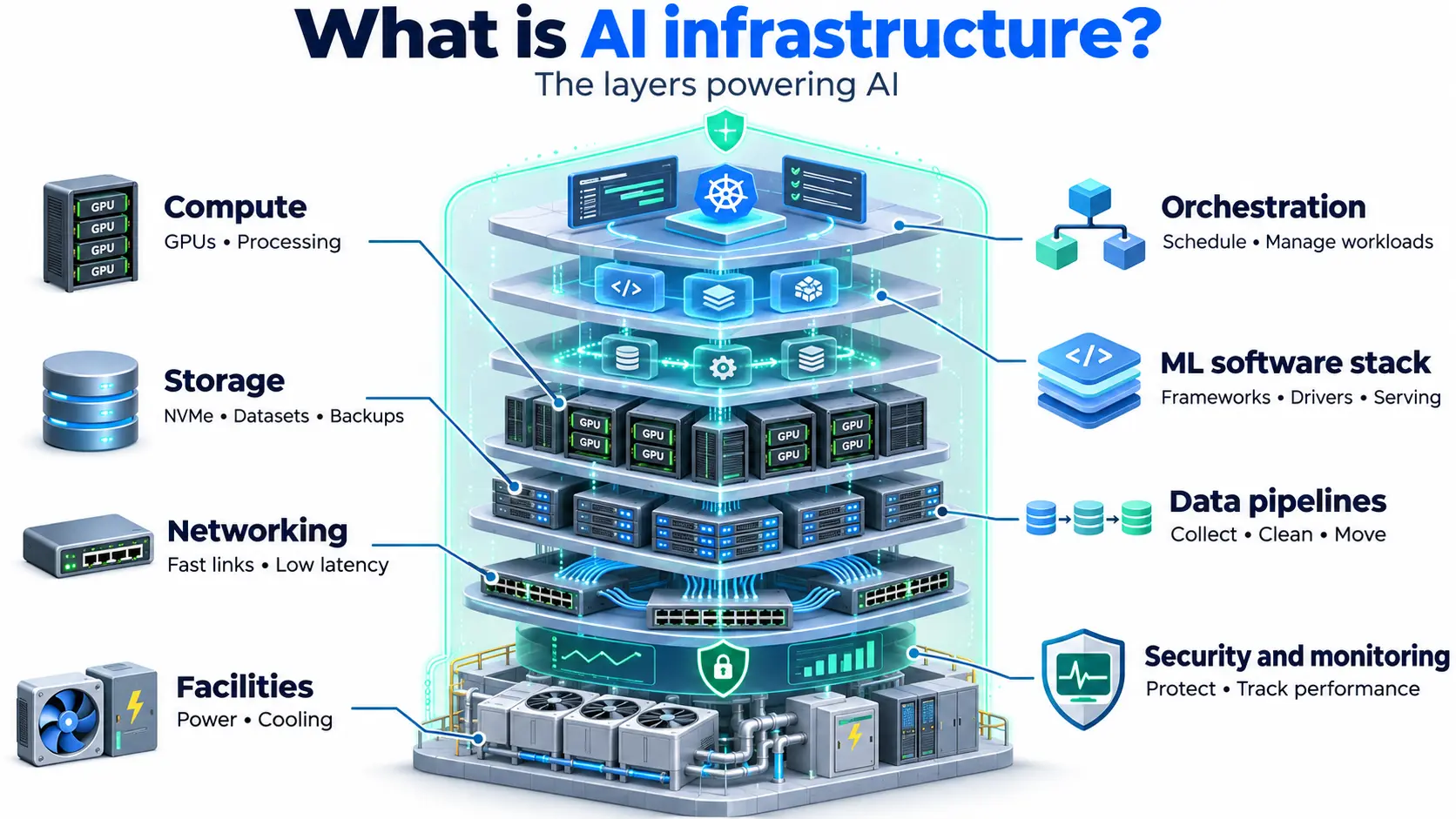
Agents run many model calls in a row, so response time matters. Slow inference makes the whole loop slow. Teams usually need:
- GPU power for inference, either through their own setup or GPU cloud. Model size decides how much VRAM is needed.
- Low latency, so each step returns fast.
- Storage for memory and data, such as object storage for documents and NVMe SSD for fast lookups.
- Orchestration, often with Docker containers on a Kubernetes cluster, so agents can scale with demand.
- Secure networking, such as a VPC and firewall rules, so agents reach only what they should.
Where AI agents fit
AI agents sit on top of AI models and machine learning. They turn a model that can only answer into a system that can act. As more teams build them, the demand for fast, reliable inference grows, which is why AI compute matters so much for agent workloads.