What is public cloud?
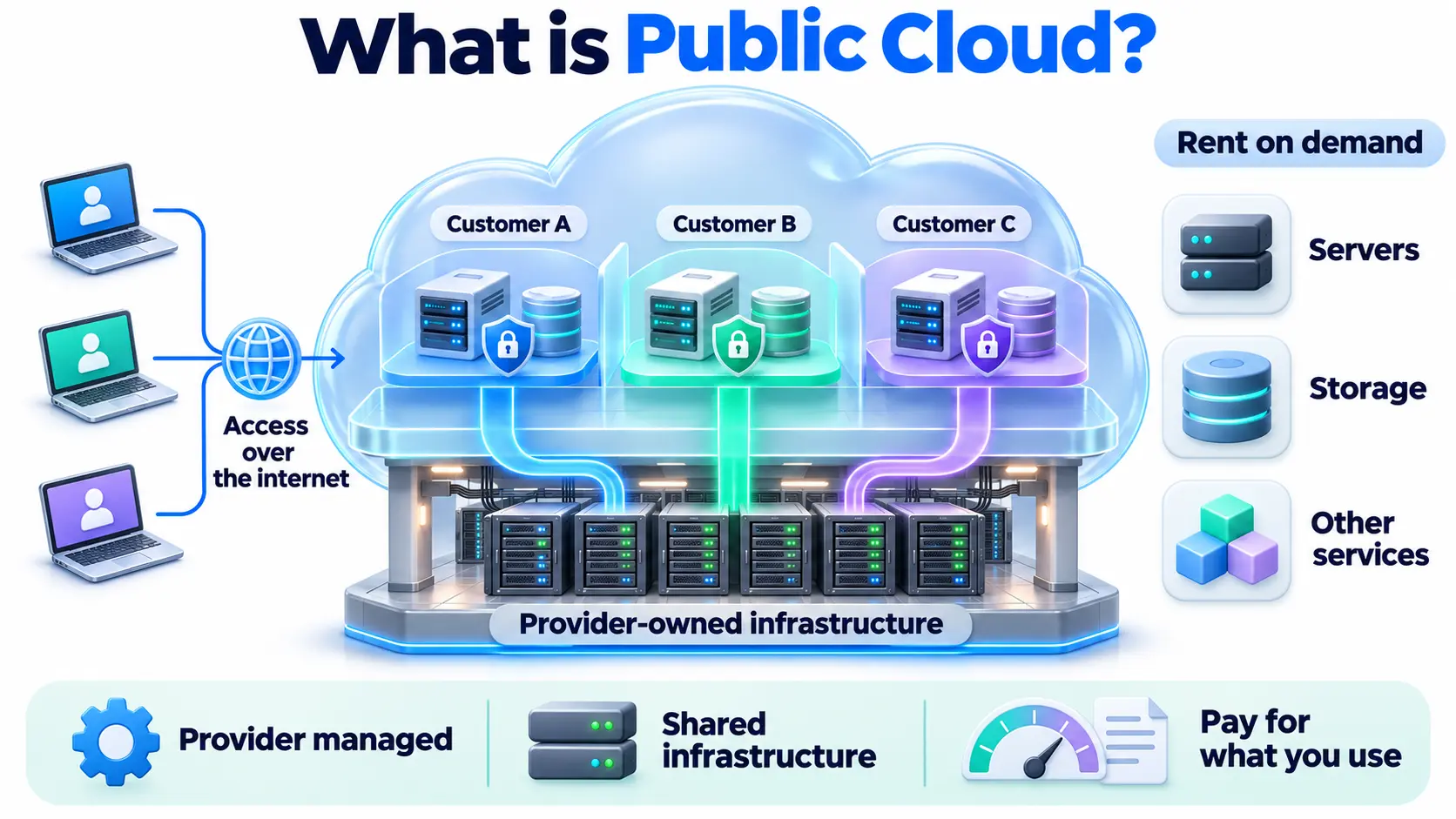
Public cloud is a type of cloud computing where a provider owns and runs the infrastructure, and many customers share it over the internet. You rent servers, storage, and other services on demand, and pay only for what you use.
Think of a public library. The library owns the building and the books, and many people use them at the same time. You borrow what you need, and you do not pay to build or maintain the library.
How public cloud works
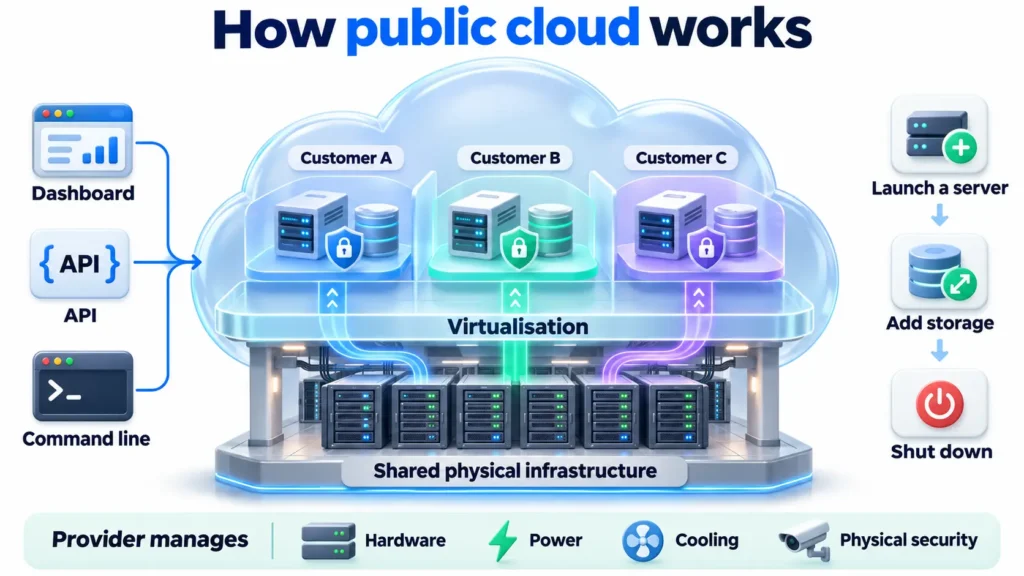
A provider runs large data centers full of servers. Software splits this hardware into many isolated virtual resources, so thousands of customers can use the same physical equipment without seeing each other’s data.
You access these resources through a web dashboard, an API, or the command line. You can launch a server in minutes, add storage when you need it, and shut everything down when you are done. The provider handles the hardware, power, cooling, and physical security.
What “shared” really means
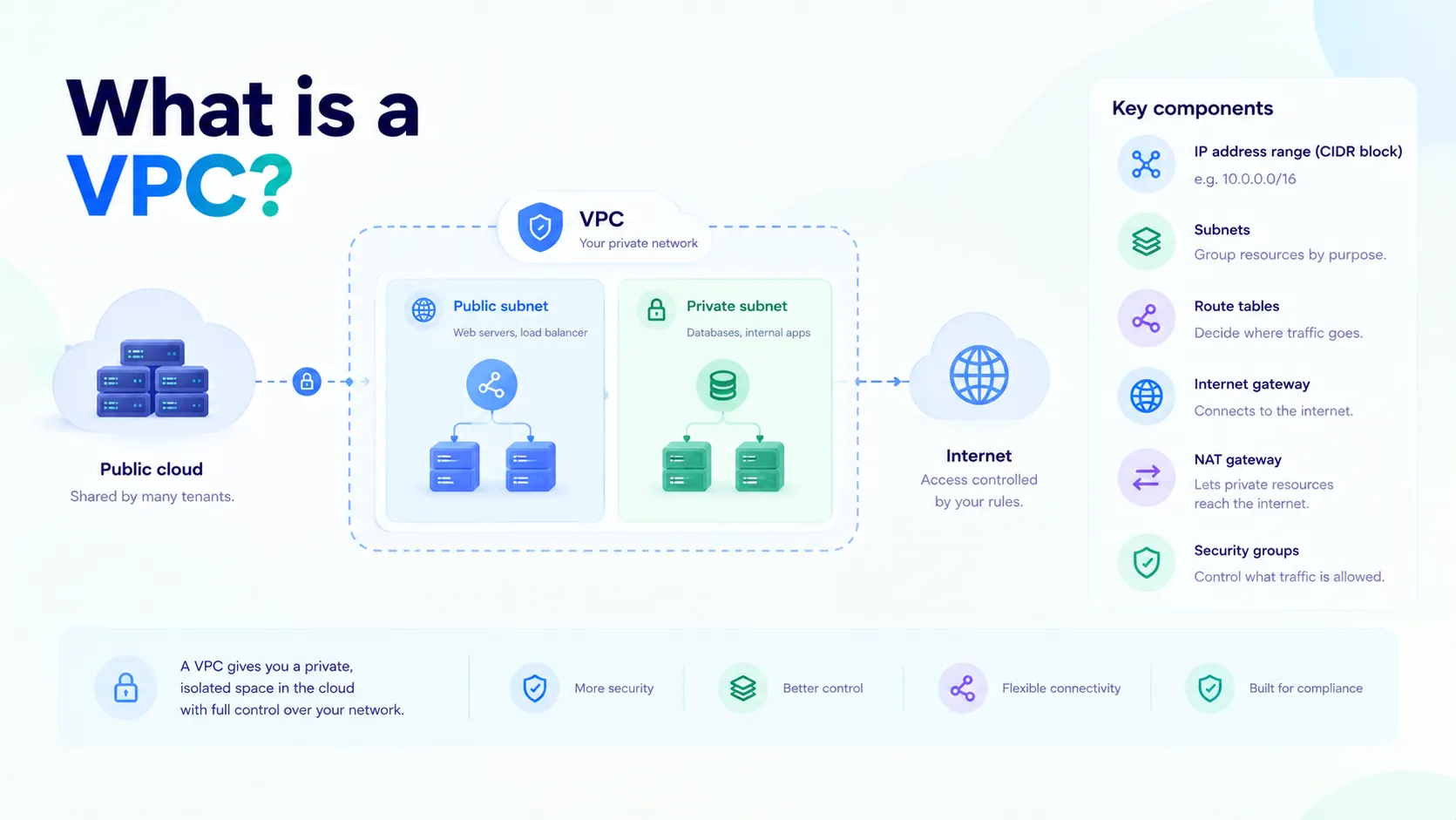
Shared does not mean your data is mixed with other customers’ data. Each customer’s resources are logically separated. You also get your own private network space, such as a VPC, and your own firewall rules. What you share is the underlying physical hardware.
Public cloud vs private cloud vs hybrid cloud
| Public cloud | Private cloud | Hybrid cloud | |
| Who owns the infrastructure | The provider | One organization (or hosted for it alone) | A mix of both |
| Who uses it | Many customers | One customer | One customer, across both |
| Upfront cost | Low | High | Medium |
| Control | Shared with the provider | Full | Depends on the workload |
| Scaling | Fast and flexible | Limited by owned hardware | Burst to public cloud when needed |
| Best for | Most workloads, startups, variable demand | Strict control or compliance needs | Mixing sensitive and flexible workloads |
If you use more than one public cloud provider, that is called multi-cloud.
Public cloud service models
Public cloud services come in three main models, based on how much the provider manages:
- IaaS (Infrastructure as a Service): Raw servers, storage, and networking. You manage the operating system and apps. Examples are cloud servers, block storage, and object storage.
- PaaS (Platform as a Service): A ready platform to build and run apps, without managing servers. Examples are managed databases and managed Kubernetes.
- SaaS (Software as a Service): Finished software you use in a browser, such as email or CRM tools.
Benefits of public cloud
Benefits of public cloud are as follows:
- Low upfront cost: No hardware to buy before you start.
- Pay as you go: You are billed for actual usage, not idle capacity.
- Fast setup: Launch resources in minutes instead of weeks.
- Scalability: Add or remove capacity as demand changes.
- No maintenance burden: The provider looks after the physical infrastructure.
- Reliability: Providers build in redundancy and failover across their facilities.
- Access to new technology: You can rent GPU cloud instances and other advanced resources without buying them.
Drawbacks to consider
Drawbacks to consider are as follows:
- Less control: You depend on the provider for the underlying infrastructure and its policies.
- Costs can grow: Without monitoring, bills can rise quickly, especially data transfer charges.
- Shared security responsibility: The provider secures the infrastructure, but you must secure your configuration, access, and data.
- Compliance and data location: Some rules require data to stay in a specific country or region, so where your provider hosts data matters.
- Internet dependency: You need a reliable connection, and latency depends on how far your users are from the servers.
The shared responsibility model
In public cloud, security is split between you and the provider:
| Provider is responsible for | You are responsible for |
| Physical data centers, power, and cooling | Who can access your resources |
| Core hardware and network | Firewall and network rules |
| The virtualization layer | Your operating systems, apps, and patches |
| Underlying service availability | Your data, backups, and encryption choices |
Most cloud data leaks come from customer-side mistakes, such as a storage bucket left open to the public, not from the provider’s infrastructure failing.
Common public cloud use cases
- Hosting websites and apps: From small sites to large platforms.
- Storage and backup: Keeping files and archives safe and available.
- Development and testing: Creating and deleting test environments quickly.
- Big data and analytics: Processing large datasets with scalable compute.
- AI and machine learning: Renting GPUs for training and inference.
- Disaster recovery: Keeping a backup environment ready in another location.
- Seasonal or unpredictable traffic: Scaling up for peaks and back down afterward.
When public cloud may not be the best fit
- Workloads with very strict regulatory or data residency limits that the provider cannot meet.
- Steady, predictable workloads that run at full capacity for years, where owning hardware can work out cheaper.
- Systems that need full control over the physical hardware.
Many organizations handle this with a hybrid setup, keeping sensitive workloads private and running the rest in the public cloud.
How to choose a public cloud provider
- Services offered: Does it have the compute, storage, and networking you need?
- Pricing clarity: Are rates and data transfer costs easy to understand?
- Location: A provider with data centers near your users reduces latency. For Indian businesses, in-country hosting also helps with data residency.
- Security and compliance: Check certifications and the controls you get.
- Performance: Look at storage type, such as NVMe SSD, and available bandwidth.
- Support: Make sure you can reach a real engineer when something breaks.
- Lock-in risk: Check how easy it is to move your workloads out later.
Where public cloud fits
Public cloud is the most common way to use cloud computing today. It supports virtual machines, VPS servers, Kubernetes clusters, and load balancers, so teams can build and grow without owning any hardware.