What is a DNS server?
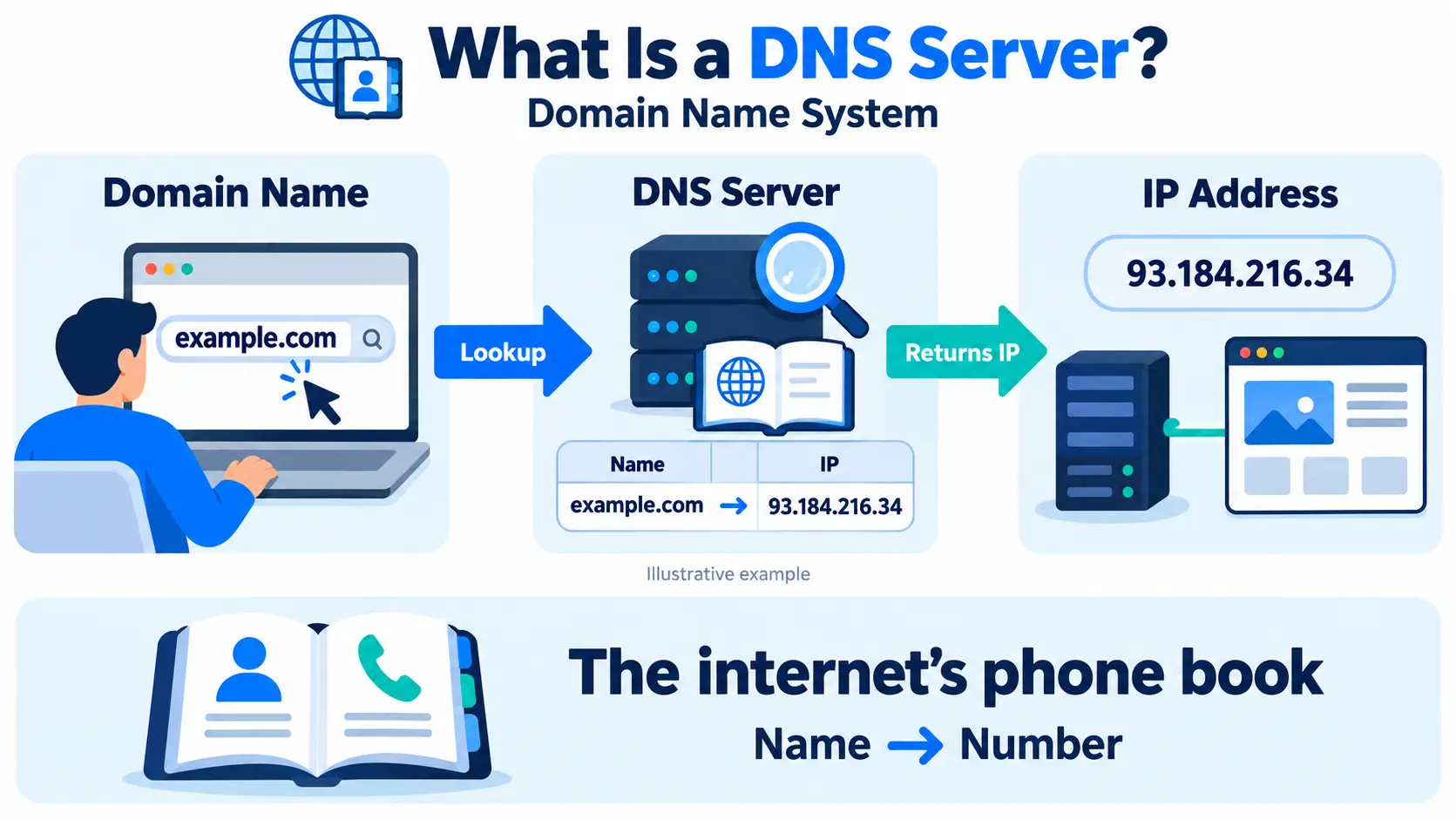
A DNS server is a server that translates human-friendly domain names, like example.com, into IP addresses, like 93.184.216.34, so computers can find each other on the internet. DNS stands for Domain Name System.
Think of it as the phone book of the internet. You remember a name. The phone book gives you the number. DNS does the same thing for websites.
Why DNS exists
Computers connect using IP addresses. Humans are bad at remembering strings of numbers, but good at remembering names. DNS bridges the gap, so you can type a domain name and still reach the right server.
Without DNS, you would need to know the IP address of every website you wanted to visit.
How DNS works
When you type a domain into your browser, a series of lookups happens, usually in milliseconds:
- Your browser checks its own cache for a saved answer.
- If not found, it asks the recursive resolver, usually run by your internet provider or a public service.
- The resolver asks a root server, which points it to the right top-level domain (TLD) server, such as the one for .com or .in.
- The TLD server points it to the domain’s authoritative name server.
- The authoritative name server gives the final answer: the IP address.
- The resolver returns the IP address to your browser, and saves it in cache for next time.
- Your browser connects to that IP address and loads the site.
Caching is what makes DNS fast. Most lookups are answered from a cache without going through every step.
Types of DNS servers
Below is the table of the DNS servers type and what it does
| Type | What it does |
| Recursive resolver | Receives your query and does the work of finding the answer, asking other servers as needed |
| Root name server | The top of the DNS hierarchy. Points to the correct TLD server. |
| TLD name server | Handles a specific extension, like .com, .org, or .in |
| Authoritative name server | Holds the actual DNS records for a domain and gives the final answer |
Common DNS record types
DNS records are the entries stored on an authoritative server. Here are the ones you will see most:
| Record | What it does |
| A | Points a domain to an IPv4 address |
| AAAA | Points a domain to an IPv6 address |
| CNAME | Points a domain to another domain name (an alias) |
| MX | Tells email where to deliver messages for the domain |
| TXT | Stores text, often used for email security and domain verification |
| NS | Lists the name servers responsible for the domain |
A simple example
You can look up a domain’s DNS records from the command line:
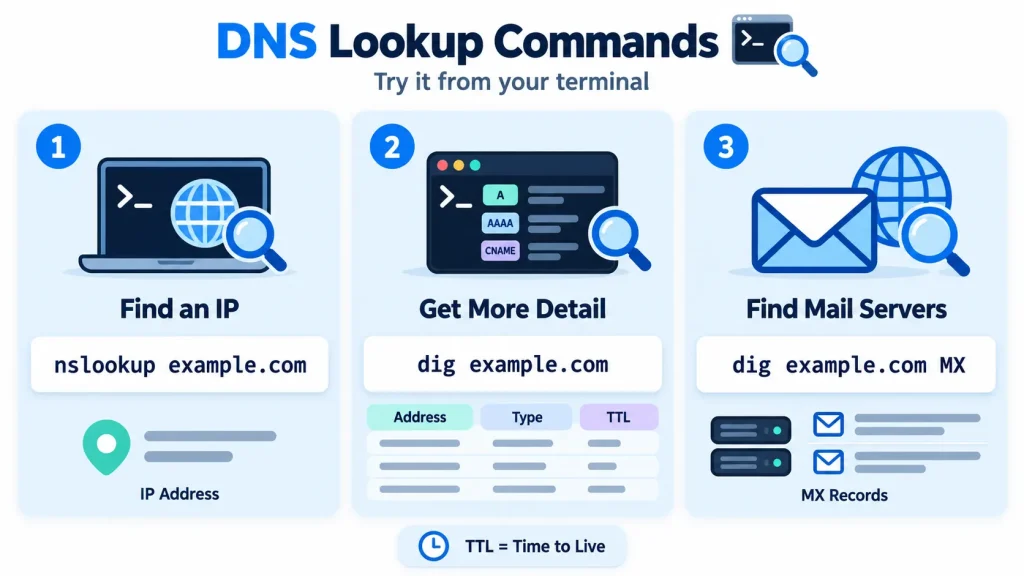
The result shows the IP address, the record type, and a TTL value.
What is TTL
TTL (Time To Live) is how long, in seconds, a DNS answer can be stored in cache before it must be checked again. A short TTL means changes spread quickly but cause more lookups. A long TTL reduces lookups but makes changes slower to show up. Teams often lower TTL before moving a site to a new server.
DNS propagation
When you change a DNS record, it does not update everywhere instantly. Cached copies around the world expire at different times, based on TTL. This delay is called DNS propagation. It can take anywhere from a few minutes to 48 hours.
DNS server vs web server
These two are often confused:
| Term | What it does |
| DNS server | Tells your browser which IP address belongs to a domain name |
| Web server | Holds the website and sends the pages to the browser |
DNS finds the server. The web server delivers the content. You need both for a website to load.
Public vs private DNS
- Public DNS: Resolves names on the open internet. Examples include Google DNS (8.8.8.8) and Cloudflare (1.1.1.1).
- Private DNS: Resolves names only inside a private network, such as a VPC. It lets your internal servers find each other by name without exposing them to the internet.
DNS and performance
DNS is the first step of almost every connection, so a slow DNS lookup adds to your total page load time. A fast, well-placed DNS provider reduces that delay. It is one piece of overall latency.
DNS security
DNS is a common target for attackers. Common risks include:
- DNS spoofing (cache poisoning): Fake answers that send users to a malicious site.
- DNS hijacking: Changing DNS settings to redirect traffic.
- DDoS attacks on DNS: Flooding DNS servers so a site’s name stops resolving. See what a DDoS attack is.
Protection includes DNSSEC (which verifies that answers are genuine), strong account security, and a DNS provider with built-in attack protection. For the wider picture, see what is cyber security.
DNS in cloud and Kubernetes
In the cloud, you point your domain’s A record to your server’s IP address, or to a load balancer that spreads traffic across servers. Inside a Kubernetes cluster, a built-in DNS service lets pods find Services by name, instead of by changing IP addresses. This is a key part of cloud computing networking.